

When to Upgrade Audio Interface for Vocals: 7 Clear Signs
Last Updated: October 23, 2026
Quick Summary
You should upgrade audio interface for vocals only when a specific limit blocks a real recording, such as a hiss that rises with gain, a preamp that runs out of clean gain, or drivers that fail under load. Run the repeatable gain test first: if noise and thinness follow the gain setting and survive a mic swap and placement change, the preamp is the limit.
- Record a silent take at your normal vocal gain to hear whether the preamp adds steady hiss.
- A dynamic mic that sounds thin near max gain points to the preamp, not the converter.
- Test the interface on another computer and USB port before blaming the driver.
- Upgrade the microphone first if your interface already delivers clean gain and stable drivers.
- Conversion at 24-bit/48kHz is rarely the audible bottleneck; latency and gain are.
Table of Contents
- Start With the Bottleneck, Not the Box
- 7 Audio Interface Upgrade Signs That Actually Matter
- Does a Better Audio Interface Improve Sound Quality?
- Audio Interface vs Microphone Upgrade: Which Comes First?
- Vocal-Specific Preamp Gain and Noise Guidance
- Factors That Outweigh the Interface: Room, Mic, and Performance
- Finding the Best Audio Interface for Vocal Recording
- Conclusion
- Frequently Asked Questions
Start With the Bottleneck, Not the Box
Most vocalists who wonder when to upgrade audio interface for vocals already own a working setup, they just can't tell whether the box or something else in the chain is the problem, so the question becomes whether to upgrade audio interface at all.
An interface swap is often the last thing a vocal setup needs. Home engineers routinely blame the converter when the real issue is the room, the mic technique, or a gain knob turned too high, a few simple checks will tell you which one it is.
7 Audio Interface Upgrade Signs That Actually Matter
These audio interface upgrade signs each point to a limit you can hear, not a spec sheet number.
- Noise floor rises when you turn up gain. You hear hiss before the singer starts. Mechanism: the preamp's own equivalent input noise (EIN) becomes audible as gain increases. Confirm it by recording a silent take at your normal vocal gain, if the hiss is steady and present with no one in the room, the preamp is contributing. If it changes when the HVAC cycles or a neighbor walks overhead, it's room noise.
- The preamp runs out of clean gain. Your low-output dynamic microphone needs near-max gain and still sounds thin. Mechanism: a dynamic mic may put out only a few millivolts, so the preamp has to supply most of the level. Confirm it by testing the same mic on a different interface input or a friend's box, if the thinness follows the preamp, the preamp is the limit.
- You need more input channels. Two mics, a guitar, and a guest won't fit. This is a routing problem, not a sound-quality problem, and no converter upgrade fixes it. Count the inputs your real sessions use, not your dream sessions.
- Latency makes tracking uncomfortable. You hear a delay in your headphones. Mechanism: buffer size and driver efficiency set the round-trip delay. Confirm it by lowering the buffer and watching whether dropouts appear, if the interface can't run a small buffer without crackles, the driver or the box is the limit.
- Direct monitoring is missing or useless. You can't hear yourself without echo. Confirm it by checking whether the interface has a hardware monitor path and a blend control; if it doesn't, software monitoring is your only option and the box is the constraint.
- Clipping happens before you hit the level you want. There's no headroom left. Mechanism: the preamp or converter tops out before the performance does. Confirm it by watching whether the clip light trips on loud phrases even with the gain backed off, if so, the input stage lacks headroom for your voice.
- Driver stability fails. Dropouts and crackles appear under load. Confirm it by testing the same interface on a different computer and a different USB port; if the problem follows the box, the driver or hardware is the cause.
Notice what's absent: age, price, and looks. An interface upgrade only makes sense when one of those seven limits blocks a real recording.
If you're chasing a crackle or a weak signal, rule out a failing preamp first. This guide to signs your microphone preamp is failing covers the symptoms that look like an interface problem but aren't.
The Decision Tree: Separate the Problem From the Purchase
Before you shop, sort your complaint into one of four buckets, each points to a different fix, and only two point at the interface.
- Sound-quality complaint (hiss, thinness, clipping). Run the repeatable test below. If the problem follows the gain setting and survives a mic swap and a placement change, the preamp is the limit. If it improves with a better mic or better placement, the interface is fine.
- Input-count complaint (not enough channels). This is a connectivity need, not a tone need. Match the input count to your real sessions and skip interfaces that only add features you won't use.
- Driver or latency complaint (dropouts, delay). Test the box on another computer and another port. If the problem follows the box, replace it; if it follows the computer, the interface is innocent.
A common mistake is buying a better-sounding interface to solve an input-count or driver problem. Sort the complaint first, then shop.
The Repeatable Test: Is the Interface the Bottleneck?
Run this test before you shop. It takes fifteen minutes and costs nothing.
- Record the same vocal line at three gain settings: low, medium, and near max
- Note the noise floor in each take (listen with headphones, no music)
- Swap in a different microphone and repeat
If the noise and thinness follow the gain setting and never improve with a better mic or better placement, the preamp is the limit. If the sound improves with a mic swap, the interface is fine.
Does a Better Audio Interface Improve Sound Quality?
Yes, but only when the current one is the weak link. A better interface improves sound quality through cleaner gain, a lower noise floor, and more headroom before clipping.
This is where most buying advice goes wrong. A forum discussion on HomeRecording.com's interface upgrade thread makes the point plainly: an interface can improve sound quality, but the improvement needs to be substantial to be worth the spend.
Specs Translated Into What You Actually Hear
Here's the plain version of the spec sheet.
| Spec | What It Means | What You Hear |
|---|---|---|
| Preamp gain range | How much clean boost you get | Whether a dynamic mic sounds full or thin |
| Equivalent input noise | The preamp's own hiss | Silence between phrases stays quiet |
| Signal-to-noise ratio | Voice vs. background hiss | Vocal clarity without a hiss bed |
| Headroom | Space before clipping | Loud takes survive without distortion |
| Sample rate and bit depth | Conversion detail | Little audible change above 24-bit/48kHz |
| Buffer size | Processing delay | Whether monitoring feels instant |
Conversion quality at 24-bit/48kHz is rarely the audible bottleneck. Latency and gain are.
Audio Interface vs Microphone Upgrade: Which Comes First?
Upgrade the microphone first if your interface already delivers clean gain and stable drivers. Upgrade the interface first if your preamp runs out of clean gain or your drivers fail.
For most home vocalists, the mic and the room come first: a better microphone on a decent interface beats a premium interface on a weak mic. The interface becomes the priority only when the preamp, input count, or monitoring path holds you back.
If you're still deciding between a simple USB mic and a full interface path, this breakdown of USB microphone vs audio interface for beginners lays out the tradeoffs before you spend. And if the mic is the weak link, the best microphones for home studio streaming and recording gives you options that pair well with a standard interface setup.
Vocal-Specific Preamp Gain and Noise Guidance
Set gain so your loudest phrase peaks well below clipping, then raise the interface output, not the preamp, if you need more headphone volume. That habit solves most noise complaints, but clean gain is the real question with vocals.
Here's the practical sequence for a vocal take:
- Set the preamp gain with the singer at full performance level
- Aim for peaks that leave clear headroom, not a signal pinned near the top
- Use direct monitoring so you hear the preamp, not the software round trip
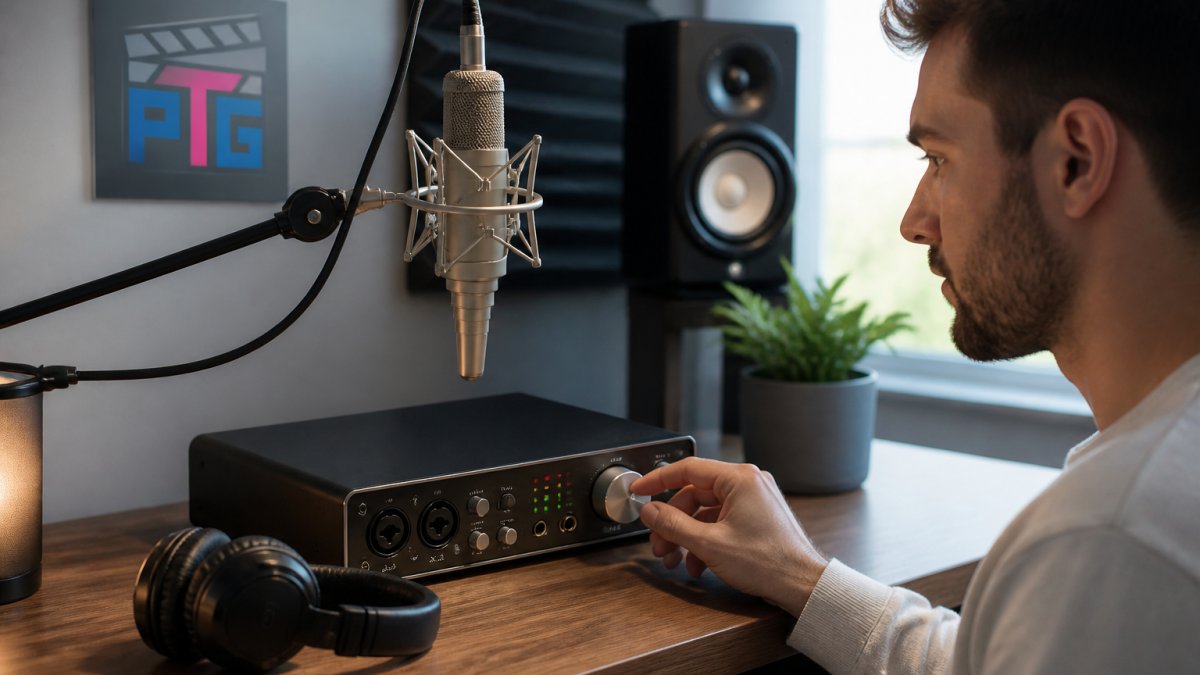
How to Assess Clean Gain With a Low-Output Microphone
Low-output dynamic microphones are the real test: they need more clean gain, so a weak preamp shows itself fast. A condenser with healthy output hides a marginal preamp, which is why some setups sound fine until a dynamic mic shows up.
MAONO AM200-S1 Podcast Bundle - Mixer + Mic →
To measure clean gain, run this check:
- Plug in your lowest-output microphone and set the preamp gain to the level you'd use for a normal vocal take.
- Record ten seconds of silence with no one in the room and the HVAC off if you can.
- Listen back at a comfortable headphone level and note whether the hiss is steady and even.
- Raise the gain another step and record again. If the hiss rises in proportion to the gain, it's preamp noise. If it stays roughly the same, the noise is coming from the room or the mic.
- Swap in a different microphone at the same gain. If the hiss changes character, the mic is contributing; if it stays the same, the preamp is the source.
A common mistake is blaming the preamp for noise from a refrigerator, a computer fan, or a mic with high self-noise. The swap test separates them.
Distinguishing Preamp Noise From Room, Mic, and Performance Noise
Not all hiss is the preamp's fault, and upgrading the box won't remove noise from elsewhere. Use these tells:
- Preamp noise: steady, even, present in silence, rises with gain, unchanged by mic swaps.
- Room noise: varies with HVAC, traffic, or neighbors; changes when you move the mic; often low-frequency rumble rather than hiss.
- Mic noise: present only with that microphone; changes character when you swap mics at the same gain; sometimes paired with a self-noise spec.
If the noise is steady and follows the gain, the preamp is the limit. If it changes with the room or the mic, fix those first.
Factors That Outweigh the Interface: Room, Mic, and Performance
The room, the microphone, and the performance outweigh the interface in most home setups. Treat those three before you spend on conversion.
A reflective room smears vocal clarity in a way no preamp can fix, and mic placement changes tone more than a converter swap. If you record in a small untreated space, this guide to optimizing small room acoustics for recording covers the treatment steps that matter most.
This is the contrarian point worth sitting with. A Gearspace discussion on when to upgrade interfaces puts it bluntly: upgrade only when you can hear a specific need to move up. "It seems nicer" is not a need.
Finding the Best Audio Interface for Vocal Recording
The best audio interface for vocal recording delivers clean gain, a low noise floor, stable drivers, and direct monitoring. Everything else is a bonus.
Shortlist against these criteria:
- Enough mic inputs for your real sessions, not your dream ones
- Clean gain that suits your lowest-output microphone
- Direct monitoring with a simple blend control
For a concrete shortlist, this roundup of the best USB-C audio interfaces for content creation gives you options to compare against your own list. Perfect Take Gear stocks audio gear, mics, and studio essentials at accessible prices, so you can build the chain in one place, one example is the MAONO AM200-S1 podcast bundle, which pairs a mixer with a condenser mic and runs at 48kHz/16-bit over USB-C.

Worth knowing: that bundle uses 3.5mm mic input only, with no phantom power and no USB mic support. Check the specs before you buy, because a bundle that doesn't match your mic is a step sideways.
A Practical Upgrade Path by Budget
Spend in this order, and stop when the problem goes away.
| Stage | What to Fix First | Why |
|---|---|---|
| Free | Placement and gain staging | Costs nothing, changes the most |
| Low | Acoustic treatment | Removes room problems gear can't fix |
| Mid | Microphone | Bigger audible jump than a small interface step |
| Mid | Interface with clean gain | Solves preamp and noise limits |
| Higher | External preamp | Only after the interface itself is proven clean |
If you own a dynamic mic with USB and XLR options, like the Maono PD200X, test both connections before buying anything, the difference tells you whether the interface path is worth the spend.

For a condenser route, the Tenlamp PKPRO needs 48V phantom power from an interface or mixer, so confirm your box supplies it. Budget creators who want an all-in-one starting point can look at the Tenlamp Y300-P15B bundle, which pairs a sound board with a 3.5mm condenser mic.

Conclusion
The hardest part of upgrading isn't picking a box. It's proving the box is the problem. Run the gain test, check the room and the mic first, and only then decide whether an interface swap earns its place in your chain.
Perfect Take Gear carries the audio equipment, microphones, and studio essentials that make that decision easier, at accessible prices. Start with a clean signal chain, test before you buy, and let the recording tell you what's next.
Frequently Asked Questions
Will a better audio interface make my vocals sound better?
It can, but only when the interface is the actual weak link. A cleaner preamp with more usable gain and a lower noise floor helps most with quiet dynamic mics and long cable runs. If your room is untreated or your mic technique is loose, a new interface will faithfully capture those problems too. Test first: record the same vocal take through your current setup and compare it to a borrowed interface. If you cannot hear a clear difference in noise, clarity, or headroom, the upgrade is not the fix.
Should I upgrade my microphone or audio interface first?
Match the upgrade to the symptom. Thin, distant, or room-heavy vocals usually point to the microphone and the space around it. Hiss, hum, crackle, clipping at normal levels, or running out of gain on a dynamic mic points to the interface. For most home vocalists, the microphone and room treatment deliver a bigger audible change per dollar than swapping a working interface. Upgrade the interface when you can name a specific limitation it causes, not because a newer model exists.
How many inputs do I need on an audio interface for vocals?
One good mic input covers solo vocals, which is the right starting point for most creators. Add a second input when you record duets, interviews, or a mic plus an instrument at the same time. Two combo jacks with phantom power and separate gain knobs handle nearly every home vocal scenario. More channels only pay off if you record drums or full bands. Buying extra inputs you never use adds cost without improving vocal clarity.
Do I need a new audio interface if I hear noise in my vocal recordings?
Not automatically. Noise has several sources: a dimmer or USB hub nearby, an unbalanced cable, a gain knob pushed to the top, or a noisy preamp. Work through them in order. Move the interface off a shared USB hub, shorten the mic cable, and set gain so peaks land around -12 dBFS. If hiss remains with the mic unplugged and gain at the same setting, the preamp is likely the culprit and an upgrade is justified. If the noise disappears, you just saved the cost of a new interface.
