

Best USB-C Audio Interfaces for Content Creation
Table of Contents
- USB-C Audio Interfaces for Content Creation: What You Need to Know
- Quick Comparison Table
- USB-C Audio Interface for Podcasting: Built-In Effects and Mixing
- USB-C Audio Interface for Streaming: Real-Time Processing and Portability
- 2-in 2-out USB-C Audio Interface: Simple Setup for Solo Creators
- USB-C Audio Interface for Phone Recording: Mobile Content Creation
- How to Choose the Right USB-C Audio Interface for Your Workflow
- Frequently Asked Questions
Last Updated: October 6, 2026
USB-C Audio Interfaces for Content Creation: What You Need to Know
A USB-C audio interface connects your microphone, instruments, and headphones to your computer or mobile device, converting analog audio into digital data your software can process.
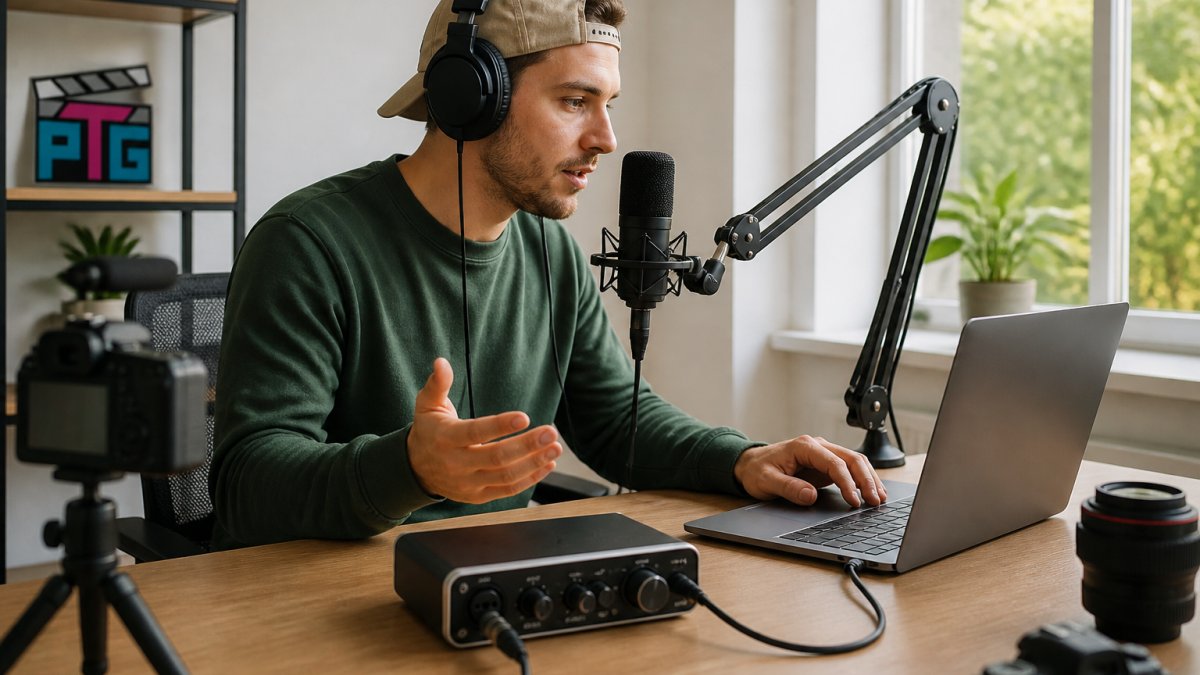
The challenge isn't finding an audio interface, it's finding the right one for your workflow. Channel count, latency, built-in effects, and portability all matter, but differently depending on what you create.
Perfect Take Gear carries a curated selection of USB-C audio interfaces for creators at different stages. Whether you're shopping for Cameras, Lighting & Audio Equipment or exploring Content Creator Gear & Equipment, the same decision framework applies.
Quick Comparison Table
| Interface | Price | Channel Count | Key Strength | Best For |
|---|---|---|---|---|
| Tenlamp Y300-P15B | $49.99 | 2-in/2-out | Budget-friendly, voice effects | Solo podcasters, beginners |
| NXG MD21 | $124.99 | 2-in/2-out | 24-bit audio, external power | Musicians, quality-focused creators |
| MAONO AM200-S1 | $142.99 | 2-in/2-out | Portable, multi-device streaming | Mobile creators, podcasters |
| Tenlamp G10-P15B | $186.99 | 2-channel | Noise reduction, Follow Singing mode | Gamers, interactive streamers |
| Tenlamp G10 PKPRO | $164.99 | 6-channel | Real-time effects, RGB lighting | Streamers, multi-input workflows |
USB-C Audio Interface for Podcasting: Built-In Effects and Mixing
Podcasters need clean vocal capture, simple mixing, and subtle effects without a steep learning curve.
The Tenlamp Y300-P15B ($49.99) pairs a 3.5mm condenser microphone with a live sound board connecting via Bluetooth, USB, Aux, or XLR.
The limitation: 2-channel mixing and 3.5mm-only connection mean no phantom power, so it won't grow with you if you upgrade to professional XLR microphones.
For more sophisticated mixing, the MAONO AM200-S1 ($142.99) adds 8 preset sound effects plus 4 customizable slots, 4 pitch changers, and multi-person/multi-device streaming.

USB-C Audio Interface for Streaming: Real-Time Processing and Portability
Live streamers need low-latency monitoring, real-time voice processing, and simultaneous routing of multiple audio sources. Portability matters if you stream from different locations.
The Tenlamp G10 PKPRO ($164.99) is built for this.

The catch: 6-channel mixing adds complexity, you'll dial in levels and effects before going live.
The Tenlamp G10-P15B ($186.99) adds active digital noise reduction and a Follow Singing mode that keeps backing tracks private while syncing them to your performance.
2-in 2-out USB-C Audio Interface: Simple Setup for Solo Creators
Not every creator needs six channels and a full mixing board.
The NXG MD21 ($124.99) delivers 24-bit audio with a dedicated microphone input and an included external power adapter.

Its simplicity is its strength: two inputs, two outputs, no mixing board, no effects, no learning curve.
The limitation: no built-in effects or mixing.
For 2-in/2-out simplicity with built-in effects, the Tenlamp Y300-P15B ($49.99) is the budget alternative, trading 24-bit depth for voice effects and mixing controls.
USB-C Audio Interface for Phone Recording: Mobile Content Creation
Mobile recording is now a primary workflow. TikTok, Instagram Reels, YouTube Shorts, and remote podcast interviews all reward clean audio captured to a phone. But "USB-C audio interface" hides a trap: matching connectors don't guarantee compatibility, what matters is the protocol and power negotiation behind them.
Connector vs. protocol: the distinction that breaks setups
USB-C is a physical connector standard; underneath, a port can run USB 2.0, USB 3.x, USB4, Thunderbolt, or just power. An interface expecting a USB Audio Class (UAC) host may not enumerate on a phone whose USB-C port lacks a host/OTG role, which is why the same interface works on a laptop and silently fails on a phone.
Practical checks before you buy:
NXG MD21 USB Sound Card - 24-Bit Audio Interface →
- Confirm OTG / host support. Android devices need USB On-The-Go (OTG) support to act as a host for an external interface. Most modern Android phones support it; some budget and carrier-locked models do not. On iPhone, USB-C models (iPhone 15 and later) support external audio devices natively; older Lightning models need a Lightning-to-USB camera adapter and a powered interface.
- Check the interface's stated mobile support. Manufacturers that test mobile list it explicitly. If the spec sheet only says "Windows and macOS," assume mobile is unsupported until proven otherwise.
- Match the cable, not just the plug. A charge-only USB-C cable will not carry audio data. Use a data-rated cable, and if the interface ships with USB-C to USB-A, you will need a USB-C to USB-C or an OTG adapter for a phone.
Power: the most common mobile failure point
Phones supply limited bus power, and many interfaces draw more than a phone provides. Symptoms include the interface powering on but not being detected, mid-recording dropouts, or the phone refusing to charge while connected.
- Bus-powered interfaces draw everything from the phone. These are the most portable but the most likely to fail on mobile, especially 2-in/2-out units with phantom power engaged.
- Externally powered interfaces (like the NXG MD21, which ships with its own power adapter) sidestep the problem entirely. If you plan to run a condenser microphone that needs 48V phantom power, external power is close to mandatory on mobile.
- Battery-powered interfaces (the Tenlamp models and the MAONO AM200-S1, roughly 8 hours per charge) split the difference: they do not drain the phone, but you must manage charge state before a shoot.
A common pattern among mobile creators: keep a small USB-C power bank and a powered USB-C hub on hand. The hub provides a stable data path and passes power to the interface, removing most detection and dropout issues.
What actually works on a phone
The Tenlamp G10 PKPRO and MAONO AM200-S1 both support iOS and Android over USB-C, with OTG adapters for older phones. The G10 PKPRO's 6-channel mixing and real-time effects run on mobile, so you can add voice processing while filming.
For mobile-first creators, the honest trade-off: a tethered USB-C interface gives you real-time mixing, effects, and direct monitoring Bluetooth microphones can't match, but locks you to a desk or tripod.
USB On-The-Go (OTG) specification overview
How to Choose the Right USB-C Audio Interface for Your Workflow
Most buying guides sort interfaces by price or channel count. That's backwards. The right interface fits your workflow, and workflows differ in ways specs alone don't capture. Use the decision path below, then verify software compatibility and latency before you commit.
Step 1: Name your primary workflow
- Solo podcaster / voiceover. One or two microphones, clean preamps, simple monitoring. A 2-in/2-out interface is sufficient. Prioritize preamp quality and a reliable headphone output over channel count.
- Multi-guest podcaster. Two to four microphones plus remote call audio. You need at least a 2-in interface with separate gain per channel, and ideally loopback or a mix-minus path so remote guests hear everything except themselves.
- Live streamer. Game audio, chat, music, and your microphone all need independent level control. A multi-channel mixer interface (the Tenlamp G10 PKPRO's 6 channels, for example) lets you ride each source separately. Look for loopback and direct monitoring.
Step 2: Match channel count to simultaneous sources, not to ambition
Count the sources you'll actually record simultaneously, not the ones you might someday. A solo creator needs one input; a two-host podcast needs two; a streamer mixing game audio, chat, music, and voice needs four or more, but only if those sources are truly independent. Buying six channels for one microphone adds complexity without benefit. Most creators start at 2-in/2-out and upgrade only when a project demands it.
Step 3: Understand latency, direct monitoring, and loopback
These three terms decide whether your setup feels professional or frustrating, and they are the features most buying guides skip.
- Latency is the delay between sound entering the interface and hearing it back through software. Round-trip latency under about 10 ms is generally imperceptible for monitoring; above roughly 20 ms it starts to throw off timing for musicians and singers. Latency depends on your buffer size, driver quality, and connection. USB-C does not automatically mean low latency; the driver and buffer settings do the work.
- Direct monitoring routes your input straight to the headphone output inside the interface, bypassing the computer entirely. This gives you near-zero-latency monitoring of your own voice or instrument. If your interface has a direct monitor switch, use it for tracking and disable software monitoring in your DAW to avoid hearing a doubled, delayed signal.
- Loopback creates a virtual input that captures what your computer is playing (game audio, backing tracks, browser audio) so it can be mixed into a stream or recording without a second cable. This is essential for streamers who want game and chat audio in the same mix as their microphone. Not every interface offers it; confirm before buying if streaming is your goal.
Step 4: Verify software compatibility before you buy
An interface that doesn't play well with your software is a paperweight. Check the manufacturer's driver page for your OS, and confirm it works as a standard USB Audio Class device if you want driver-free operation.
- DAWs (Ableton Live, Logic Pro, Reaper, FL Studio, Pro Tools). These expect an ASIO (Windows) or Core Audio (macOS) driver. Confirm the interface ships or publishes one, and check the buffer-size range it supports.
- Streaming software (OBS Studio, Streamlabs, Twitch Studio). These accept any interface that appears as an audio input device. Loopback support is the differentiator here, since it simplifies routing game and chat audio.
- Video editing (Adobe Premiere Pro, DaVinci Resolve, Final Cut Pro). These use the interface mainly for monitoring and voiceover capture. Direct monitoring and a clean headphone output matter more than channel count.
A quick way to sanity-check compatibility: search the interface model plus your software name and your operating system. If you find no results, assume it is untested and buy from a seller with a return window.
Step 5: Weigh reliability and long-term ownership
Specs age; support doesn't. Before buying, check:
- Warranty length and what it covers. A one-year warranty is standard; longer coverage signals confidence.
- Firmware update history. A manufacturer that still ships firmware updates two or three years after release is more likely to keep your device working through OS updates.
- Driver support for current operating systems. Confirm the driver page lists the current major version of Windows and macOS.
Putting it together
Start with your primary workflow, not the spec sheet. Match channel count to the sources you'll record simultaneously. Confirm latency, direct monitoring, and loopback match how you'll actually work. Verify software and driver compatibility for your exact OS and applications.
Perfect Take Gear's USB-C audio interface selection covers the most common creator workflows. Whether you're building a complete streaming setup or upgrading your Gaming Gear & Accessories, match the interface to your primary use case first, then let the secondary features guide the final choice.
Frequently Asked Questions
What is the best USB-C audio interface for content creation?
The best choice depends on your workflow. For podcasters who want built-in effects and voice processing, the Tenlamp G10 PKPRO ($164.99) offers 6-channel mixing and 16 sound effects. For solo streamers needing portability, the MAONO AM200-S1 ($142.99) delivers an 8-hour battery and Bluetooth connectivity. For budget-conscious creators, the Tenlamp Y300-P15B ($49.99) pairs a condenser mic with a sound board for basic mixing and recording.
Can I use a USB-C audio interface with a phone or tablet?
Yes. The Tenlamp G10 PKPRO and MAONO AM200-S1 both work with iOS and Android devices via USB-C or OTG adapter. The Tenlamp Y300-P15B connects via Bluetooth, USB, or auxiliary input, making it flexible for mobile recording. Check whether your phone has a USB-C port or requires an OTG adapter for wired connection.
Do I need an audio interface for streaming or recording videos?
An audio interface improves recording and streaming quality significantly. It provides dedicated microphone inputs with preamps, reducing reliance on your computer's built-in audio. For video creators recording voiceovers or streaming with commentary, an interface like the NXG MD21 ($124.99) with 24-bit audio resolution captures clearer, more professional-sounding voice. Without one, you're limited to your device's microphone quality.
How many inputs do I need on a USB-C audio interface for podcasting?
For solo podcasting, a 2-in 2-out interface like the NXG MD21 is sufficient, one input for your microphone, one for monitoring. For multi-guest podcasts or co-hosted shows, the Tenlamp G10 PKPRO's 6-channel mixer lets you blend multiple microphones, background music, and sound effects simultaneously. Start with 2 channels and upgrade only if your format requires multi-source mixing.
Does USB-C audio sound better than other connection types?
USB-C itself doesn't determine sound quality, audio resolution (bit depth and sample rate) does. The NXG MD21 delivers 24-bit audio, which captures more detail than standard 16-bit. The MAONO AM200-S1 records at 48kHz/16-bit, suitable for podcasting and streaming. USB-C's advantage is faster data transfer and power delivery, reducing latency and noise. The real difference comes from the preamp quality and microphone you use, not the connector type.