

Building a Community Around Your Live Streams That Lasts
Last Updated: November 12, 2026
Quick Summary
Building a community around your live streams means turning passive viewers into participating regulars by learning names, running consistent rituals, and giving people reasons to return. Greet newcomers by name, read comments aloud, and track new, returning, and regular chatters after each stream. Then extend the conversation off-stream with a lean Discord server built around clear onboarding and a few rituals you can keep.
- An audience watches while a community participates, so plan broadcasts around conversation instead of viewer counts.
- At 0-50 concurrent viewers, keep a private note of regulars and one detail about each.
- Growing channels should spotlight three regulars per stream and rotate the list so nobody feels invisible.
- Log new names, returning names, and regulars in a spreadsheet after each stream to see how your audience changes.
- Give Discord members roles like Regular or Clip Crew, and pick two rituals you can run on schedule.
Table of Contents
- Why a Live Stream Community Beats a Bigger Follower Count
- Set Up Your Stream for Conversation, Not a Monologue
- Live Stream Engagement Ideas That Work at Any Channel Size
- Stream Chat Questions and Prompts That Get Real Answers
- Streaming Community Guidelines Examples You Can Adapt
- How to Use Discord for a Streaming Community
- A 30-Day Plan for Turning First-Time Viewers Into Regulars
- Pick the Gear That Keeps You Consistent and Present
- Frequently Asked Questions
Why a Live Stream Community Beats a Bigger Follower Count
Building a community around your live streams matters more than chasing a bigger follower count. A follower taps once and forgets. A community member shows up, replies, and brings friends. Gear-focused creators often grow loyal rooms while bigger channels stall, and conversation tends to beat vanity metrics.
The Difference Between an Audience and a Community
An audience watches; a community participates. One is a number on a dashboard, the other a group of people who know each other's usernames and show up for the chat as much as the stream.
That shift changes how you plan a broadcast. You stop asking "how many watched?" and start asking "how many came back and spoke?"
Set Up Your Stream for Conversation, Not a Monologue
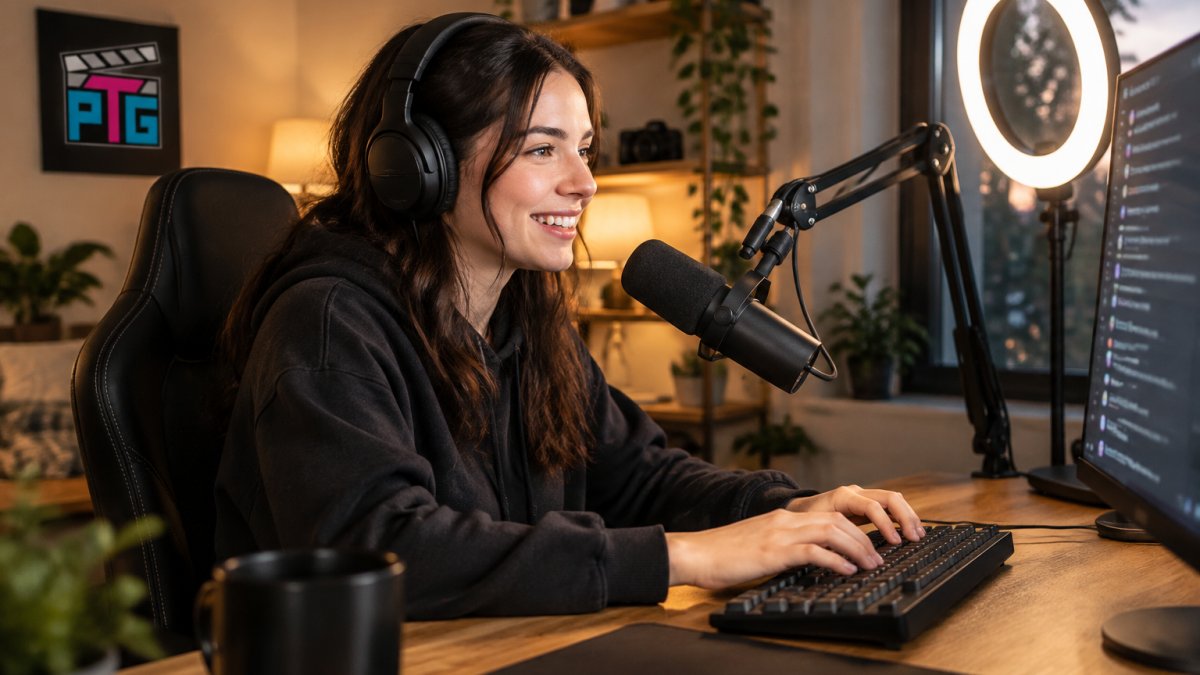
A stream built for talking needs three things: clear audio, a readable chat window, and a host who actually looks at it.
Start with the basics:
- A microphone that rejects room noise. A dynamic cardioid mic focuses on your voice and rejects background noise and room echo.
- A camera angle that shows your face and reactions. Viewers connect with expressions, not just gameplay.
- A chat overlay you can see without squinting. If you can't read it, you can't respond to it.
A common mistake is spending the whole budget on video and leaving audio to a laptop mic. If you'd rather not piece a setup together from scratch, browsing dedicated Content Creator Gear & Equipment makes it easier to match cameras, lighting, and audio to the kind of stream you're building.
Live Stream Engagement Ideas That Work at Any Channel Size
Engagement ideas work best when they match your room size. The ideas below are grouped by channel size and paired with a simple way to tell whether they're turning first-timers into regulars.
The woman is American.
Ideas for Small Channels (0-50 Concurrent Viewers)
Small rooms are a gift: you can greet every person by name and afford to be slow and specific.
- Ask one viewer a follow-up question about their week, and remember the answer for next stream.
- Run a "first-timer roll call" in the first five minutes so new names get acknowledged before chat speeds up.
- Let chat vote on the next game, song, or topic, and show the result on screen so the vote feels real.
At this size, your job is to learn names. Keep a private note of regulars and one detail about each; referencing that detail two streams later is the strongest retention move available to a small channel.
Ideas for Growing Channels (50-500 Concurrent Viewers)
Once chat moves fast, you need systems instead of memory. Use pinned questions, let moderators surface good comments, and rotate shout-outs so nobody feels invisible, spotlight three regulars per stream and rotate the list.
A few tactics that scale:
- Pinned prompt of the stream. One question stays pinned for the whole broadcast, so late arrivals can jump in without scrolling.
- Mod-surfaced comments. Ask mods to flag the best comments so you can read them aloud, this rewards thoughtful chat without you scanning constantly.
- Segment rituals. A recurring bit at a fixed time (a "mid-stream mailbag" or a "clip review" block) gives viewers an appointment to keep.
Track who you've recognized and spread shout-outs deliberately so quiet regulars are not overlooked.
The Measurement Layer Most Guides Skip
Engagement tactics only matter if they move people along a path: first-time viewer → returning viewer → regular chatter → community member. You can track that path without analytics software by logging three things after each stream:
- New names, how many first-time chatters appeared.
- Returning names, how many of last stream's new names came back.
- Regulars, how many people you recognized without checking a list.
A simple spreadsheet with those three columns per stream can show how your audience is changing over time. If new names rise but returning names stay flat, consider whether your sign-off, Discord invite, or schedule needs attention. If regulars stall while returning names grow, more direct prompts and name recognition may help.
Scale the Tactic, Not the Effort
A common trap at every size is adding more tactics instead of deepening the ones that work. Pick two engagement ideas per size tier, run them for a month, and check the three numbers before adding anything. Consistency in a few rituals beats novelty in many.
Stream Chat Questions and Prompts That Get Real Answers
Good stream chat questions and prompts are specific, easy to answer, and a little personal. "How's everyone doing?" gets crickets. "What's the worst game you ever finished?" gets stories.
Prompts that reliably start conversation:
- "Drop your setup in chat. What's your mic?"
- "Best thing that happened to you this week?"
- "Rate my lighting, one to ten, be honest."
Answering your own prompt first can help get the conversation started.
Streaming Community Guidelines Examples You Can Adapt
Clear streaming community guidelines examples do two jobs: they protect the room and tell newcomers what kind of place this is. Post them where people can see them before they type.
A simple set you can adapt:
- Be kind. No harassment, slurs, or pile-ons.
- No spam or self-promo unless it's a designated channel.
- Keep it spoiler-free during story games.
Moderation Tools and Moderator Roles That Scale
Moderation is community management, not policing. Give moderators clear roles: one watches chat, one handles links and spam, one welcomes new names. Use slow mode during big moments and enable link filters before you need them.
Watch out: promoting a friend to mod without explaining the rules creates confusion fast. Write the mod expectations down.
How to Use Discord for a Streaming Community
Using Discord for a streaming community can help keep conversation going after the stream ends. But a server that's just a list of channels goes quiet in a week. What keeps it alive is a deliberate onboarding path, clear roles, and a few rituals that give people a reason to open the app on a non-stream day.
Build the Server Around Three Jobs
Every channel should earn its place by welcoming a newcomer, giving regulars a place to talk, or moving someone back toward the live stream. If it doesn't, cut it, a server with twelve dead channels reads as a ghost town even when live chat is busy.
A lean starting layout:
- #start-here, your rules, your schedule, and one pinned message that tells a new member exactly what to do first (say hi, grab a role, check the schedule).
- #general, off-stream talk. This is where the community actually forms.
- #clips, short highlights. Clips are the cheapest promotion you have, because members share them for you.
Add space only when a channel is consistently full. A quiet #general is a signal to seed conversation, not to open three more rooms.
Onboard New Members in the First Five Minutes
Most servers lose new members because the first screen is a wall of channels with no instruction. Gate the server behind a short rules screen, then auto-assign a role that unlocks the rest, so the moment someone joins they see a single message saying what to do next.
A simple onboarding sequence:
- Rules gate. New members read and accept the rules before they can post. This cuts spam and makes moderation defensible.
- Intro prompt. A pinned question in #general, "What do you stream or watch, and what's your setup?", gives shy members an easy first post.
- Role picker. Let members opt into ping roles like "go-live alerts" or "clip drops" so announcements reach people who want them and don't annoy everyone else.
- First-week nudge. A moderator or community lead replies to every intro post within a day. A reply from a real person is the difference between a lurker and a member.
Watch out: auto-role bots that assign roles silently leave new members confused about what they unlocked. Pair every auto-role with a one-line explanation in #start-here.
Give Regulars Roles and Rituals
Recognition can help turn a viewer into a regular, and Discord lets you build it into the community. Create a small set of named roles, a "Regular" role for people active a few weeks, a "Clip Crew" role for members who post highlights.
Rituals matter more than roles. A weekly "what are you playing this weekend" thread, a monthly game night, or a clip-of-the-week vote gives people a reason to return on days you don't stream.
Moderate the Off-Stream Space Too
Moderation can extend beyond the stream. Harassment, doxxing, and spam sometimes move into DMs and off-topic channels, where communities can struggle. Set channel-specific rules, keep a private mod channel for logging, and give moderators authority to time out members without waiting for you.
A few practical safeguards:
- Slow mode in #general during high-traffic moments so conversations don't get buried.
- Link and invite filters on by default; most spam arrives as a link.
- A clear escalation path, mods handle first offenses, you handle repeats, written down so every moderator applies the same standard.
Measure Whether It's Working
You don't need a dashboard, but you do need two numbers: how many new members post an intro within their first week, and how many members are active on non-stream days. High intros with flat non-stream activity means your rituals aren't landing; low intros means your onboarding screen is the problem. Check both monthly and adjust one thing at a time.
For the promotion side, this guide on how to promote your first live stream event covers getting new faces in the door so they have a reason to join the server in the first place.
A 30-Day Plan for Turning First-Time Viewers Into Regulars
A practical first-30-days plan beats hoping people return. Here's a simple framework:
| Week | Focus | Action |
|---|---|---|
| 1 | Consistency | Stream at the same times; greet every viewer by name |
| 2 | Conversation | Run one chat prompt per stream; reply to every comment |
| 3 | Off-stream | Open Discord; post clips and schedule reminders |
| 4 | Recognition | Spotlight regulars; ask what they want next |
For the promotion side, this guide on how to promote your first live stream event covers getting new faces in the door so they can become regulars.
Pick the Gear That Keeps You Consistent and Present
Consistency is easier when your setup doesn't fight you. Reliable gear means you go live on schedule instead of troubleshooting.
A few practical picks:
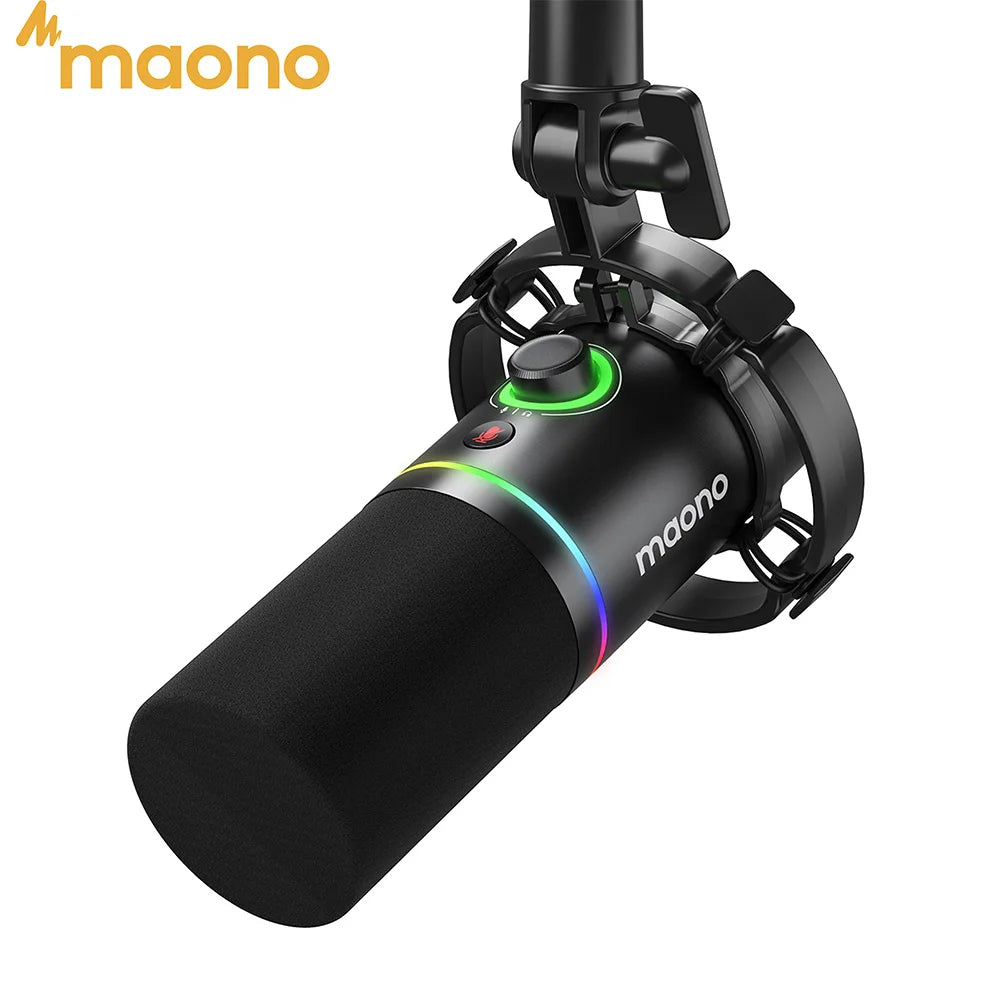
- The MAONO PD200X dynamic USB/XLR microphone ($115.99) has a dynamic cardioid capsule and a one-click mute with LED indicator.
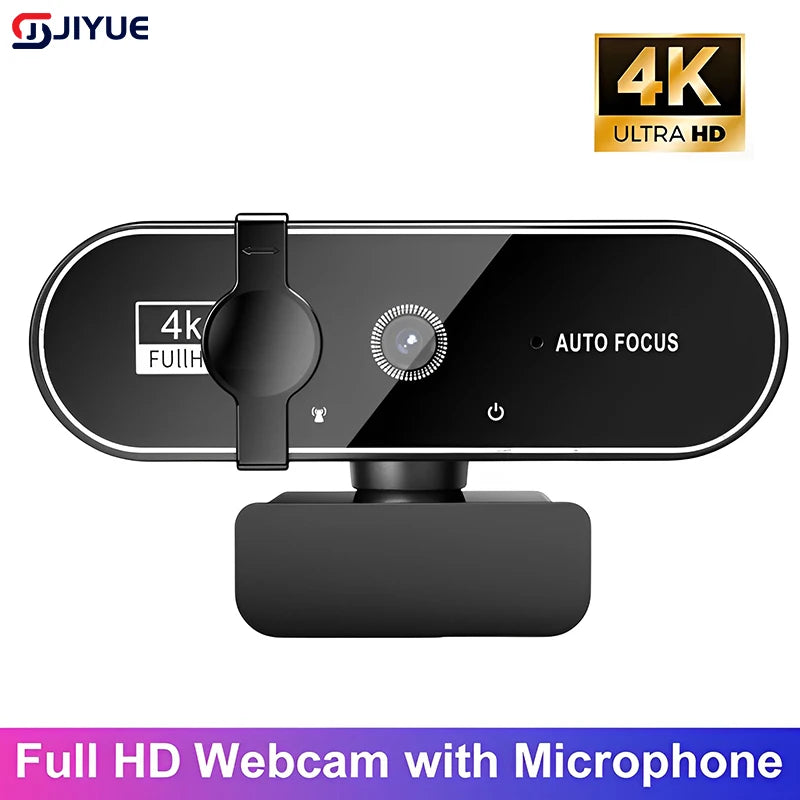
- The JIYUE 4K autofocus webcam ($40.99) offers up to 4K resolution with autofocus.
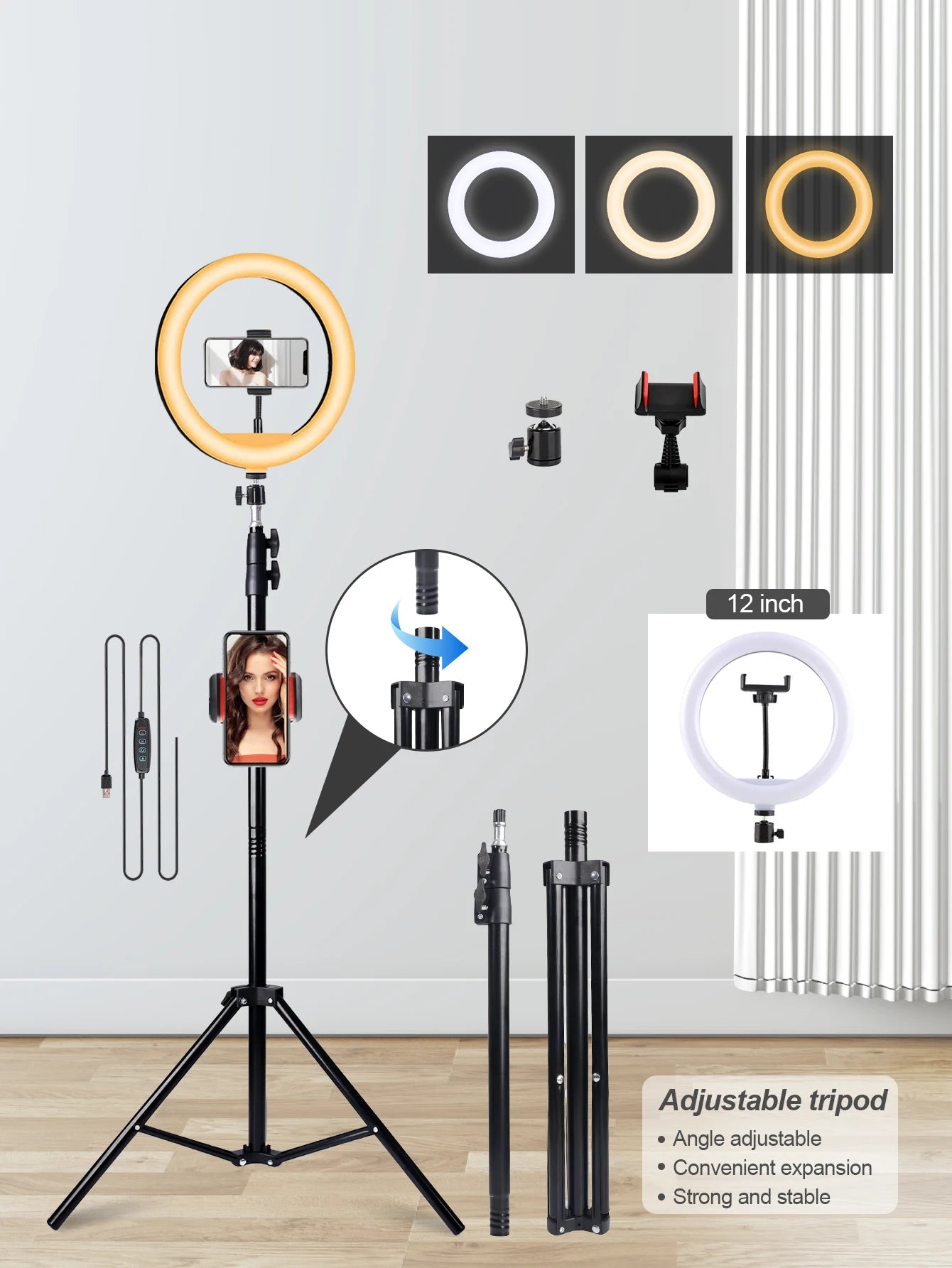
- The UEGOGO 63-inch LED tripod with light and dual phone holders ($37.99) offers a 12-inch LED light with three color options and two adjustable phone stands.
New to gear? Browse affordable streaming gear for beginners or the simple gear guide for solo streamers. For lighting, see light diffusion tips.
Building a community around your live streams takes steady effort, not perfect equipment. Perfect Take Gear makes that easier with affordable cameras, lighting, and audio built for creators.
Frequently Asked Questions
How do I make new viewers feel welcome in my live stream?
Greet people by name as they join and read their messages out loud before answering. Pin a short welcome message in chat that explains what the stream is about and where to find your Discord. New viewers decide within a couple of minutes whether they belong, so a repeatable welcome routine matters more than a big production. Keep it short so it does not interrupt the flow for regulars.
How often should I stream to build a loyal live stream community?
Pick a schedule you can hold for months, not weeks. Two or three sessions at the same times each week beat five scattered streams because viewers can plan around them. Announce the schedule in your channel info, on your Discord, and at the end of every broadcast. Consistency is what turns a viewer who stumbled in once into someone who shows up on purpose.
Should streamers use Discord to build a community?
Yes, if you want conversation between broadcasts. A Discord server keeps the relationship alive on days you are offline: clips, schedule updates, and casual chat all live there. Start with three or four channels (announcements, general chat, clips, and a questions channel) and add more only when the existing ones get busy. Empty channels make a server look abandoned.
How do I keep viewers engaged during a live stream?
Build chat prompts into your run of show instead of hoping conversation happens. Ask a specific question every 10 to 15 minutes, run a poll at the start, and call out regulars by name when they arrive. When chat goes quiet, narrate what you are doing and why. Dead air feels longer to viewers than it does to you, and a single open question usually restarts the room.
