

How to Promote Your First Live Stream Event Successfully
Last Updated: November 9, 2026
Quick Summary
Promote your first live stream event with a four-week plan: lock the date, platform, and event page four weeks out, open registration and announce on social three weeks out, then send teaser videos and reminder emails weekly. Match your promotion mix to your audience size and budget, and test your setup a day early.
- Live streams pull 10% more engagement than prerecorded video, with viewers staying 25.4 minutes on average.
- Start promotion at least three weeks before the event date, per BigCommerce's livestream shopping guidance.
- For audiences under 500 with no budget, use organic tactics only and skip paid ads entirely.
- Company events promoted with Event Ads generate 31 times more viewers and 4.4 times more registrations.
- Track registrations, peak concurrent viewers, average watch time, and call-to-action click-through rate after the stream.
Table of Contents
- Build Your Promotion Plan Before You Schedule the Stream
- Promoting Your First Live Stream Event Free: No-Budget Tactics That Work
- Promote Your YouTube Live Stream With a Teaser and Event Page
- How to Get Viewers on YouTube Before and During the Broadcast
- Live Stream Advertising: When Paid Promotion Is Worth It
- Technical Readiness and Contingency Planning
- Measure Promotion Performance and Follow Up After the Stream
- Set Up Your Gear and Go Live With Confidence
- Frequently Asked Questions
Build Your Promotion Plan Before You Schedule the Stream
Promoting your first live stream event works best when the plan comes before the broadcast date. According to Plum Media's video marketing statistics, live streams pull 10% more engagement than prerecorded video, and viewers stay an average of 25.4 minutes per session. That audience is there.
Most guides tell you to "promote early" and stop there. First-time streamers need a dated schedule, what to do four weeks out, one week out, the day before, and the hour before you go live, plus the two decisions that shape it: who you are streaming for and what you want them to do.
Define Your Target Audience and Stream Goal
Pick one audience and one goal before anything else. A stream for "everyone" reaches no one.
Ask two questions:
- Who is this for? Beginners learning photo editing, gamers who want setup tips, small business owners shooting product videos.
- What should they do? Subscribe, buy, register, or just show up.
Write both answers in one sentence. That sentence shapes every post, email, and title that follows. A common pattern among first-time streamers is picking an audience that is too broad, "people interested in tech", then wondering why the event page gets clicks but no registrations.
Pick a Date, Time, and Platform
Choose a date at least two to three weeks out. BigCommerce's livestream shopping guidance recommends starting promotion at least three weeks before the event date.
Then lock three details:
- Platform: YouTube Live, TikTok Live, Instagram Live, or Twitch. Pick one main channel.
- Time: Aim for when your audience is actually online. Check your platform analytics for peak hours.
- Length: 30 to 60 minutes suits most first streams.
Put the date in a calendar and treat it as fixed. Moving a stream date kills momentum.
Watch out: scheduling a stream during a major holiday, a big industry conference, or a competing creator's launch in your niche can bury your event no matter how good the promotion is.
The First-Timer's Four-Week Promotion Timeline
Here is a realistic schedule you can copy, starting four weeks before the stream.
Four weeks out, lock the foundation.
- Finalize the date, time, platform, and event title.
- Create the event page or scheduled stream so you have a link to share.
- Write your one-sentence audience-and-goal statement.
Three weeks out, open the doors.
- Publish the event page and turn on registration or reminders.
- Post the announcement on every social platform you use.
- Add the stream link to your bio, channel banner, and video descriptions.
Two weeks out, build momentum.
- Publish a 30- to 60-second teaser video.
- Send the first email announcement with the date, time, time zone, and a one-line reason to attend.
- Start a countdown post series on your most active platform.
One week out, remind and reassure.
- Send a reminder email with the event link and what viewers will learn.
- Post daily countdown updates.
- Do a private test stream on the exact setup you will use.
The day before, remove friction.
- Send a 24-hour reminder email.
- Post the stream link and start time on every platform.
- Charge batteries, check cables, and confirm your backup plan.
The day of, drive the click.
- Post the link the morning of the stream.
- Send a 15-minute reminder email or push notification.
- Go live five minutes early to test audio and greet early arrivals.
Within 48 hours after, capture the value.
- Post the replay and email it to everyone who registered.
- Thank attendees and reply to questions left in chat.
- Cut two or three short clips for social.
A common pattern is to compress this entire schedule into the final week. That works for creators with an established audience, but for a first stream it leaves no time for the event page to be indexed, reminders to land, or a broken link to be fixed.
Choose a Promotion Mix That Fits Your Event Size and Budget
Most advice lists every tactic at once. Real decisions depend on three variables: event size, organic reach, and budget.
Use this decision guide:
- Small first stream, no budget, audience under 500: organic only. Social posts, email reminders, personal outreach, and a giveaway. Skip paid ads entirely, the cost per viewer will exceed the value of a small first event.
- Mid-size stream with a clear offer, audience of 500 to 5,000: organic plus a small boosted-post budget on your best-performing platform. Put the spend behind the post that already got the most engagement, not a new ad creative.
- Launch or registration-driven event, audience over 5,000: organic, email, partnerships, and platform ads running together. This is the only tier where influencer shoutouts and multi-platform ad spend usually pay back.
Watch out: spending on ads before the event page is finished and tested sends paid traffic to a broken or empty page. Build and test the page first, then buy traffic.
Write your mix down as a one-line budget: for example, "$0 paid, 4 social posts per week, 3 emails, 1 giveaway." A written mix keeps you from improvising in the final week, when most first-time promotion falls apart.
Promoting Your First Live Stream Event Free: No-Budget Tactics That Work
Free promotion starts with the channels you already have. Post about the stream on every platform you use, starting well before the event date.
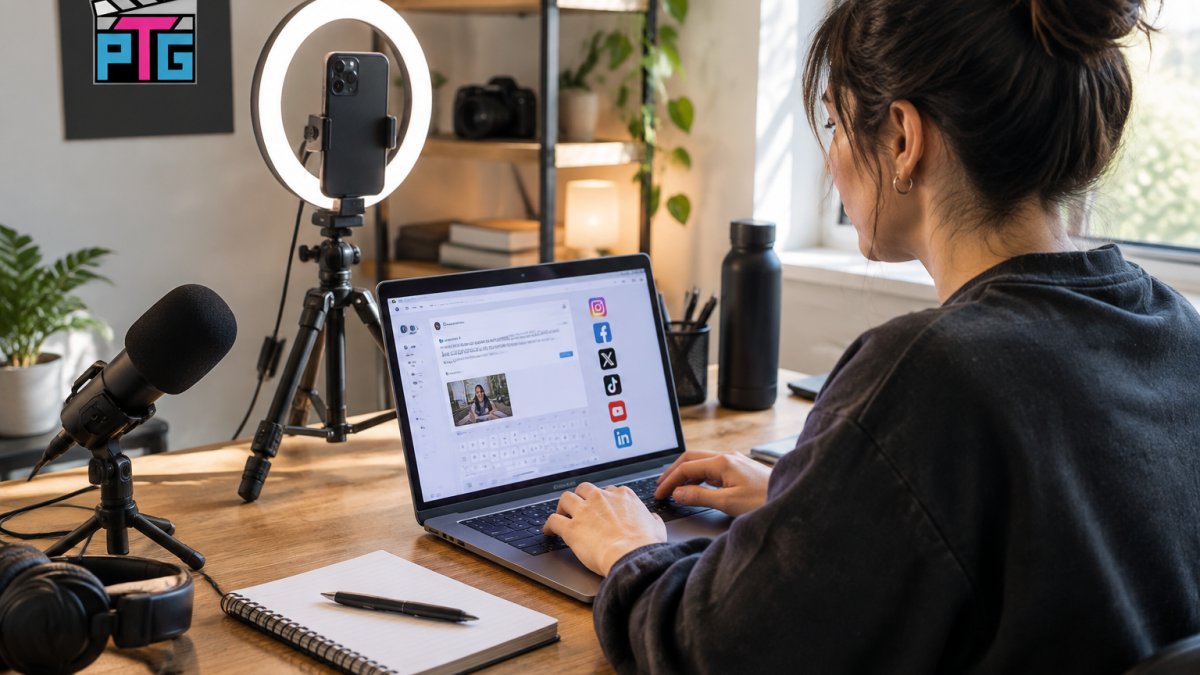
The zero-cost playbook:
- Post a countdown on social media each day for the final week
- Ask friends and fellow creators to share the event page
- Add the stream link to your bio and channel banner
Incentives matter. An exclusive offer or prize drawing gives people a reason to show up live instead of watching the replay later.
Promote Your YouTube Live Stream With a Teaser and Event Page
A teaser video and a scheduled event page help with promotion on YouTube. Schedule the stream in YouTube Studio first, then promote that page everywhere.
Your event page needs three things:
- Event title: Clear and specific. "Beginner Lighting Setup for Streamers" beats "Come Hang Out."
- Event description: Two or three sentences on what viewers will learn, plus the time and time zone.
- Thumbnail: A bright, readable image with a face in it.
Then cut a 30- to 60-second teaser video. Post it as a channel trailer and share it on social media. For help getting that teaser found in search, see this guide on how to optimize YouTube videos for search.
How to Get Viewers on YouTube Before and During the Broadcast
Viewers come from three places: search, notifications, and the live chat itself. Work all three.
Before the broadcast:
- Set a premiere or scheduled stream so subscribers get a reminder
- Send an email reminder 24 hours out and again 15 minutes before
- Post the streaming link on every social platform the morning of the stream
During the broadcast, keep people watching. Greet viewers by name, ask questions, and run a live chat giveaway. For a deeper list of tactics, read how to keep an audience engaged on a live stream.
A common mistake is silence in the first five minutes. Practice the introduction out loud before you go live.
Live Stream Advertising: When Paid Promotion Is Worth It
Paid promotion earns its cost when the event has a clear business goal. LinkedIn's data on event promotion reports that company events promoted with Event Ads generate 31 times more viewers and 4.4 times more registrations than unpromoted events.
That number is real, but it describes companies with existing audiences and dedicated ad budgets. For a first stream, the question is whether ads work at your scale. Here is how to answer it.
The Three Paid Options, Ranked by Setup Effort
- Boosted posts: The lowest-effort option. Take a post that already performed well organically and put a small budget behind it. Setup takes minutes, and you can stop the spend at any time. Best for testing whether paid traffic converts on your event page at all.
- Platform ads: YouTube, Instagram, or LinkedIn ads targeted at your audience. More control over targeting and creative, but more setup: you need ad copy, an image or video, and a landing page that converts. Best once you know your event page works.
- Influencer or creator shoutouts: A creator in your niche mentioning the stream. Often the highest trust per dollar for small events, but the least predictable, you are buying an audience you cannot target directly. Best when you already have a relationship with the creator.
When Paid Promotion Is Worth It
Spend when at least two of these are true:
- You have a product launch, registration goal, or lead magnet behind the stream.
- Your event page already converts organic traffic at a rate you are happy with.
- You have an existing audience to retarget, email subscribers, past viewers, or social followers.
Skip paid ads for a casual first stream with no offer. A stream that exists to "hang out" has no conversion event to measure, so ad spend becomes a donation to the platform.
A Realistic First-Event Budget
There is no universal number, but a common pattern among first-time streamers is to treat paid promotion as a test, not a campaign:
- Start with a small boosted-post budget on your single best-performing platform.
- Run it for the final week before the stream, not the full month.
- Measure cost per registration or cost per reminder signup, not impressions.
Watch out: boosting a post that links to a platform you cannot track, for example, a social post sending people to a livestream with no registration step, makes it impossible to know whether the spend worked. Always send paid traffic to a page or form you can measure.
The Organic-First Rule
Paid promotion amplifies a message that already works. If your organic posts get no engagement and your emails get no opens, ads will buy reach but not attendance. Fix the organic message first, then add spend. For most first streams, organic plus email plus a giveaway outperforms a small ad budget, and costs nothing to test.
Technical Readiness and Contingency Planning
A stream that drops mid-broadcast loses viewers fast. Test everything a day early.
Run this checklist:
- Test your upload speed on the same network you will stream from
- Confirm your microphone and camera work in the streaming software
- Do a five-minute private test stream
If bandwidth is tight, this guide on optimizing your streaming setup for low bandwidth covers the settings that keep a stream stable.
Measure Promotion Performance and Follow Up After the Stream
Track four numbers after the stream: registrations, peak concurrent viewers, average watch time, and click-through rate on your call to action. Compare them to your goal from week one.
Then follow up within 48 hours:
- Post the replay and share it with everyone who registered
- Send a thank-you email with the replay link and any promised offer
- Reply to comments and questions left in the live chat
Post-event follow-up can help turn viewers into subscribers and customers. Many first-time streamers skip it.
Set Up Your Gear and Go Live With Confidence
Good audio and lighting make a first stream easier to watch. Both can be improved on a small budget.
The MAONO PD200X dynamic USB/XLR microphone runs $115.99 and includes a shock mount, USB-C cable, and boom arm.

For lighting and framing, the UEGOGO 63-inch LED tripod with 12-inch light and dual phone holders costs $37.99.

Plug in, position, and start practicing.
Promoting a first live stream takes planning, not a big budget.
Frequently Asked Questions
How far in advance should I promote a live stream event?
Start promoting at least three weeks before your scheduled date. That window gives you time to build anticipation across social media, send email reminders, and post a teaser video. If you are running paid ads, launch them two weeks out so the platform has time to optimize delivery. For a smaller event with an existing audience, one week of active promotion can work, but three weeks is the safer default for a first live stream event.
How can I promote my live stream for free?
Free promotion starts with your own channels. Post countdown posts on social media, send email reminders to your list, and publish a teaser video or channel trailer. Ask friends, fellow creators, and community members to share the event page. Go live on a second platform briefly to announce the main stream. Cross-platform promotion costs nothing but time. Livestorm's 2026 benchmark data on 33,786 webinars shows an average show-up rate of 47.7%, so repeated reminders matter more than a single announcement.
Do you need 1,000 subscribers to live stream on YouTube?
No. YouTube lets you go live without 1,000 subscribers, though some features like mobile live streaming historically required that threshold. You can stream from a computer through YouTube Studio with no subscriber minimum. If you want to promote your YouTube live stream to a wider audience, focus on building anticipation with a teaser and an event page rather than waiting to hit a subscriber count. The promotion work matters more than the number.
How do I get more viewers on YouTube Live?
Schedule the stream in advance so YouTube can notify subscribers, then promote the link everywhere you have an audience. Use a compelling event title and description, post a countdown, and run a giveaway or exclusive offer to give people a reason to show up live. During the stream, respond in live chat to boost audience engagement. Afterward, repurpose the replay as video on demand. LinkedIn reports that Event Ads generate 31 times more viewers, which shows paid promotion can amplify organic marketing significantly.
