

How Do You Keep an Audience Engaged on a Live Stream?
Last Updated: October 29, 2026
Quick Summary
Keep an audience engaged on a live stream by planning each stream around one interaction goal, such as comments, polls, Q&A, or a call to action. Strong live stream engagement comes from a written opening script, a minute-by-minute run-of-show, and questions that can't be answered with yes.
- Pick one interaction goal per stream, not five, to shape your script and segments.
- Keep your opening script under 90 seconds and start talking before fixing any settings.
- Run a poll every 10 to 15 minutes for mid-size streams of 50 to 500 concurrent viewers.
- Most streams should run 45 to 90 minutes, but start new channels at 30 to 45 minutes.
- Assign at least one moderator for streams over 50 viewers and never read hostile comments aloud.
Table of Contents
- Plan the Stream Around One Interaction Goal
- Write a Live Stream Opening Script That Sets the Tone
- Interactive Live Stream Ideas That Keep Chat Moving
- Live Stream Engagement Questions Worth Asking
- How Long Should a Live Stream Be for Your Audience?
- Moderate Chat and Handle Difficult Moments
- Measure Live Stream Engagement After You Go Off Air
- Build Your Streaming Setup at Perfect Take Gear
- Frequently Asked Questions
Plan the Stream Around One Interaction Goal
Most streamers plan content and hope chat shows up. That's backwards.
Pick one goal per stream. Not five. One.
- Comment goal: get viewers typing in live chat
- Poll goal: collect votes on a real question
- Q&A goal: answer questions from the audience
- Conversion goal: drive a call to action, like a follow or signup
A single goal shapes everything downstream. It decides your opening script, your segment order, and what you measure afterward.
More than 30% of logged-in viewers watched live video in Q2 2025, according to EMARKETER's live-video viewing analysis.
This guide is built around one idea: engagement is planned, not improvised.
Write a Live Stream Opening Script That Sets the Tone
The first 60 seconds decide whether viewers stay or scroll away. A live stream opening script is a short, written sequence that covers four things in order.
- Greet and name the room. "Welcome in, we're talking about X today."
- State the promise. What will viewers get by staying?
- Give one instruction. "Drop your questions in chat as we go."
- Start the first segment. No dead air.
Keep it under 90 seconds. Read it aloud once before you go live so it sounds conversational, not robotic.
Watch out: the most common mistake is opening with silence while you fix a setting. Viewers arriving in the first minute see nothing happening and leave.
Interactive Live Stream Ideas That Keep Chat Moving
Interactive live stream ideas work when they give viewers a low-effort way to act. The best ones ask for one click or one short message.
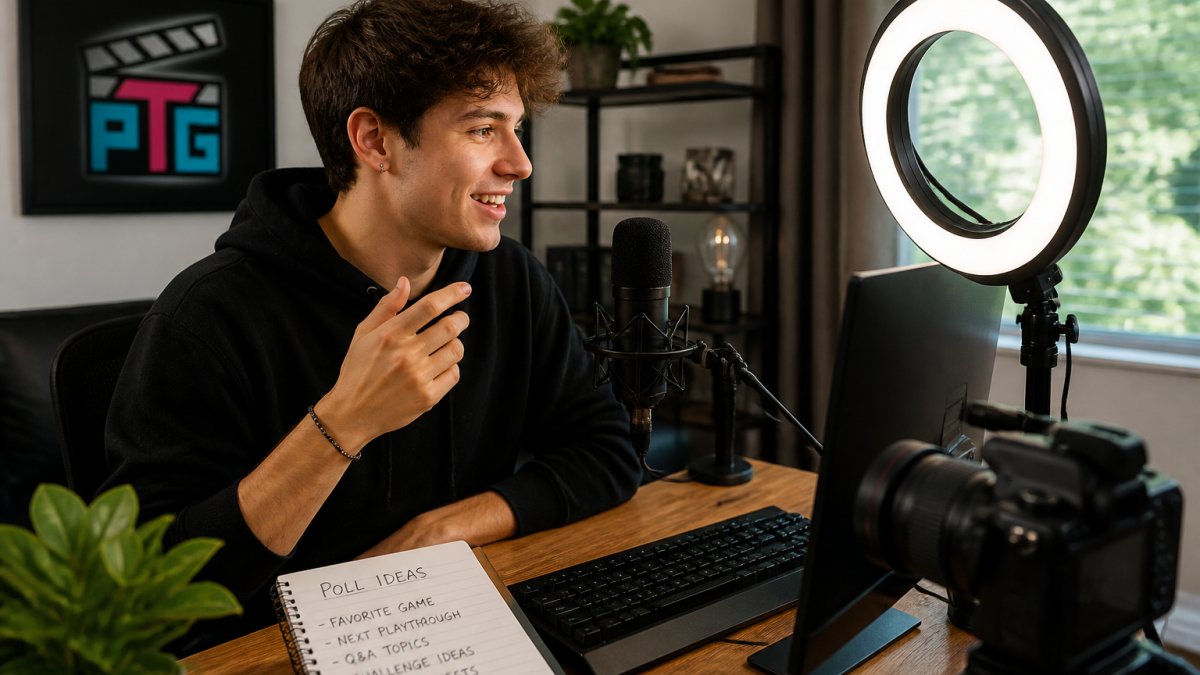
Match the tactic to your audience size
Small communities (under 50 concurrent viewers). Your advantage is that you can read every message.
Mid-size streams (50-500 concurrent). Chat moves faster than you can read, so use structure to keep participation visible.
Large broadcasts (500+ concurrent). Individual messages disappear. Shift to mass-participation formats: emoji-triggered reactions, chat-vs-chat team games, and polls where you announce the split live. Shoutouts become lottery-style rather than personal.
Match the tactic to the platform
- YouTube Live: Use live polls; pin your engagement question in the live chat so late joiners see it. Premiere countdowns build anticipation before the stream starts.
- Twitch: Channel Points predictions and hype trains are built-in participation mechanics, set a prediction on a real outcome and let chat wager. Raids at the end convert one audience into the next stream's audience.
- TikTok Live: Fast, repeated prompts beat long segments. Ask the same question every few minutes for new arrivals, and use the Q&A sticker so questions queue visibly.
- Instagram Live: Questions sticker and Live Rooms for co-hosts; the comment stream is the primary interaction surface, so read names aloud often.
A minute-by-minute engagement timeline
Disconnected tips produce disconnected streams. Here is a run-of-show you can adapt. Times assume a 60-minute stream.
| Minute | Segment | Engagement move |
|---|---|---|
| 0-2 | Welcome | Greet by name, state the promise, give one instruction ("drop questions in chat") |
| 2-5 | Warm-up question | Ask an easy opinion question; read three answers aloud |
| 5-15 | First segment | Deliver value, pause at minute 10 for a poll |
| 15-20 | Interaction break | Countdown or game tied to the segment |
| 20-35 | Second segment | Q&A from queued chat questions |
| 35-40 | Guest or co-host swap | Two people trade questions, invite chat to pick a side |
| 40-50 | Third segment | Behind-the-scenes or demo with live commentary |
| 50-55 | Recap poll | "What should we cover next week?", collect votes |
| 55-60 | Close | Thank by name, restate the call to action, tease the next stream |
Write the timeline down before you go live.
Try these tactics inside that structure:
- Polls on a real choice, not a filler question
- Countdown timer before a reveal or challenge
- Games with viewer-submitted answers
- Behind-the-scenes walkthroughs with live commentary
- Co-host or guest segments where two people trade questions
Research on live-streaming platforms found that addressing audience members by name and reading their messages were common interaction strategies, per Q.C. Wang's live-streaming platform case studies.
The thing nobody tells you about polls: a poll with an obvious answer gets votes but no conversation. Ask something viewers disagree about.
Live Stream Engagement Questions Worth Asking
Good live stream engagement questions do one job: they're easy to answer and hard to answer briefly. That combination fills chat.
- "What's the one thing you'd change about your current setup?"
- "Which of these two options would you pick, and why?"
- "What's the biggest mistake you made when you started?"
- "Rate this from 1 to 10 in chat."
- "What should we test next week?"
Notice none of these can be answered with "yes." Yes-or-no questions kill chat activity fast.
The study authors behind research on why viewers engage in sports live streaming found that engagement involves both cognitive and affective processes.
Adjustable Phone Desktop Stand - Ergonomic Grip →
Plan three questions per stream. Keep them written down. Improvised questions tend to be the weak ones.
How Long Should a Live Stream Be for Your Audience?
Most streams should run 45 to 90 minutes. That range gives enough time to deliver value and still fits a viewer's attention span.
How long should a live stream be for a brand-new channel? Start at 30 to 45 minutes.
Here's the practical breakdown:
| Stream Type | Recommended Length | Best For |
|---|---|---|
| Q&A or AMA | 30-45 minutes | Small audiences, direct questions |
| Tutorial or how-to | 45-60 minutes | Skill-based content, watch time |
| Gaming or co-host show | 60-90 minutes | Community building, retention |
| Launch or event | 90-120 minutes | One-time announcements, reach |
Watch your retention curve, not the clock. If viewers drop off at minute 20, the problem is the segment order, not the total length.
Moderate Chat and Handle Difficult Moments
Moderation is the part of live stream engagement that nobody plans for until something goes wrong. Set rules before you need them, and decide who enforces them.
Set the rules and the roles
- Post chat rules in the description and pin them in chat
- Assign at least one moderator for streams over 50 viewers
- Enable slow mode if chat moves faster than you can read
- Block link spam automatically
- Decide in advance how you'll handle hostile comments
Give each moderator a narrow job so they aren't guessing. A common split: one moderator watches for spam and links, one surfaces good questions for you to read, and one handles new-viewer welcomes. Write the rules in plain language, "Be kind, no links without asking, no spoilers", and enforce them the same way every stream.
Handle difficult moments in order
When a hostile comment lands, follow the same sequence every time:
- Do not read it aloud. Giving it airtime rewards it.
- Remove the message and, for repeat offenders, time out or ban.
- Restate the rule once, calmly, without naming the person.
- Redirect to the next question or segment.
Watch out: arguing with a troll on camera costs you more than the troll. Remove the message, restate the rule once, and move on. If a raid or coordinated spam wave hits, switch to followers-only or subscriber-only chat temporarily and tell the room why.
Make participation accessible
Engagement only counts if people can take part. Turn on auto-captions where the platform offers them, and speak descriptions of anything you show on screen, "here's the settings menu, top left", so viewers listening without video can follow. Offer a text-only way to participate: a pinned question in chat lets people contribute without speaking or appearing on camera. Keep the language plain and avoid inside jokes that exclude newcomers.
Plan for technical failure
Have a backup before you need one. Test audio and connection 15 minutes before going live, keep a phone hotspot ready as a fallback, and know how to switch to a backup microphone.
Audio quality carries this section more than people expect. If viewers can't hear you clearly, they can't follow the conversation. A microphone with a one-touch mute button lets you cut background noise without fumbling through software mid-stream.
Measure Live Stream Engagement After You Go Off Air
The stream isn't finished when you stop broadcasting. Live stream engagement gets measured in the 24 hours after the stream ends.
Track these numbers:
- Concurrent viewers at peak and at the 10-minute mark
- Chat activity per segment
- Poll participation rate
- Watch time and retention rate
- Drop-off points where viewers left
Drop-off points are the most useful and the most ignored. If viewers leave during the same segment every week, that segment is the problem.
If poor video is what's costing you retention, it's worth weighing the cost against the gain. Read is a dedicated streaming camera worth it to compare setup costs, image quality, and viewer engagement benefits.
Build Your Streaming Setup at Perfect Take Gear
Engagement strategies only work when the gear gets out of the way. A shaky camera, muddy audio, or dim lighting pulls attention from the conversation and onto the problems.
Perfect Take Gear offers equipment that supports the strategies above. Explore Content Creator Gear & Equipment to build out a full setup, and browse Cameras, Lighting & Audio Equipment for cameras, microphones, and lighting.
- Lighting and tripods for steady framing
- Microphones with gain control and monitoring
- Cameras with tracking for hands-free positioning
- Stands and mounts for phone-based streams
Frequently Asked Questions
Why is live streaming important for audience engagement?
Live video keeps more people watching than recorded video. Live video also reaches a large base of viewers. Live stream engagement works because viewers can respond in real time and see you react.
How often should you interact with viewers during a live stream?
Treat interaction as a loop rather than a single moment. Read chat aloud and name viewers throughout, not just at the start. Ask a live stream engagement question every few minutes, and run a poll or game when chat slows. Case studies of live-streaming platforms found that hosts who addressed audience members by name and read their messages kept participation going. If you are demonstrating a product or teaching, pause after each segment to take questions before moving on.
What interactive activities can you use during a live stream?
Polls, Q&A sessions, AMAs, games, and shoutouts are the core options, and guidance from LinkedIn and EasyWebinar recommends inviting viewers to ask questions or join the conversation. Add a countdown timer before you start and a clear call to action at the end. Short activities work best between content segments, so a 60-second poll can reset attention before your next topic. Keep one activity ready as a fallback for slow chat.
How do you measure whether a live stream engaged people?
Track viewer count, watch time, retention rate, and where viewers dropped off, along with chat activity and engagement rate. Inner Ear and EasyWebinar both recommend reviewing audience demographics and drop-off points after each stream. Compare a stream with a poll against one without it to see which format holds people longer. Review the numbers within a day, while you still remember what changed mid-stream.
Keeping an audience engaged is a planning problem, not a charisma problem. The streamers who hold attention write their openings, plan their questions, and review their retention curves. Perfect Take Gear supplies the cameras, lighting, audio, and studio essentials that make that work look effortless, with starter kits for new creators and professional-grade gear for growing channels. Get started with Perfect Take Gear and build a setup that lets the conversation carry the stream.
