

How to Optimize YouTube Videos for Search: A 2026 Guide
Table of Contents
- How to Optimize YouTube Videos for Search: The 2026 Workflow
- Step 1: Run Keyword Research Before You Film
- YouTube Keyword Research Tools That Fit Your Budget
- Step 2: Write Titles, Descriptions, and Tags That Match the Search Query
- Step 3: Prepare Thumbnails, Captions, and Upload Settings
- The Ideal YouTube Video Length for Engagement and Watch Time
- A YouTube SEO Checklist for Beginners (Copy This)
- How to Test, Measure, and Fix Underperforming Videos
- Frequently Asked Questions
Last Updated: October 16, 2026
How to Optimize YouTube Videos for Search: The 2026 Workflow
Learning how to optimize YouTube videos for search starts with one shift: YouTube is a search engine first and a social platform second. This guide from Perfect Take Gear walks through the exact workflow, from keyword research to measuring results.
Video optimization means aligning a video's keywords, metadata, thumbnail, and viewer signals with what people actually search for.
What YouTube's Ranking Signals Actually Reward
YouTube rewards videos that keep people watching and satisfied. It tracks click-through rate, watch time, audience retention, and viewer satisfaction to decide which videos deserve search ranking and recommendations. Three signals carry the most weight:
- Click-through rate - how many people click after seeing your thumbnail
- Watch time and audience retention - how long viewers stay
- Viewer satisfaction - likes, comments, shares, and survey responses
YouTube's own official guidance for creators on how search and discovery work confirms that no single metric guarantees ranking. The signals work together.
Step 1: Run Keyword Research Before You Film
Keyword research means finding the search queries real viewers type into YouTube, then judging which ones you can realistically rank for. Do this before you film. A video built around the wrong query cannot be rescued by a good thumbnail.
A repeatable workflow looks like this:
- Start with a seed query. Write the plainest version of your topic, like "sourdough starter." This is raw material, not your target keyword yet.
- Harvest autocomplete. Type the seed into the YouTube search bar and record every suggestion, then the seed plus each letter of the alphabet. These come from real searches, making them more reliable than third-party volume estimates.
- Mine the results page. Search your seed, open Filters, and sort by upload date. Note which channels rank, how old the videos are, and whether the top results answer the query.
- Check your own analytics. In YouTube Studio, open Analytics, then the Research tab. It shows what your viewers search for and watch next, a free demand report.
- Score each candidate. For every phrase, note intent, difficulty, and fit with your channel. A phrase you cannot serve is a distraction.
- Build a keyword map. Assign one primary keyword per video and two to three supporting phrases, in a spreadsheet with columns for keyword, intent, difficulty, target video, and publish date. This prevents your videos from cannibalizing the same query.
This takes about 20 minutes per video and is the highest-return step in the process.
Reading Search Intent and Keyword Difficulty
Search intent is what the viewer actually wants: to learn, compare, be entertained, or buy. Intent determines format, not just wording.
- Informational ("how to," "what is," "why does") wants a tutorial or explainer. Open with the answer, then show the process.
- Comparison ("X vs Y," "best") wants a structured breakdown with a clear verdict.
- Transactional ("buy," "price," "review") wants proof, specs, and a recommendation.
- Entertainment or inspiration wants pacing and personality more than completeness.
A mismatch here is the most common reason a well-produced video gets impressions but no clicks. If the top results are short tutorials and you publish a 25-minute vlog, you are competing on the wrong terms.
Keyword difficulty is how hard a phrase is to rank for. Judge it with observable signals, not a single score:
- How many established channels cover it? A first page of million-subscriber channels means the phrase is crowded.
- How recent are the top results? Fresh results suggest the platform is still testing candidates, an opening. Stale results can mean low competition or low demand.
- Do the top videos match the query exactly? If they only partially answer it, a focused video can outrank them.
- How strong are the thumbnails and titles? Weak packaging at the top is a signal you can compete.
Long-tail keywords are your opening. "How to light a product photo at home" beats "product photography" every time, because intent is specific and competition narrower. The trade-off: long-tail phrases bring fewer searches each, so you need more of them to build momentum.
Turning a Keyword List Into a Publishing Plan
A keyword list is not a plan until it is sequenced. Group related phrases into clusters, then publish each cluster from easiest to hardest. Early videos build topical relevance and data; later videos can target more competitive head terms with the authority you have accumulated.
For example, a home product photography cluster might run: "how to light a product photo at home" (long-tail, low difficulty), then "DIY product photography background ideas," then "product photography at home for beginners," and finally "product photography setup" (head term). Each video links to the others through playlists and end screens, reinforcing the cluster and keeping viewers on your channel.
YouTube Keyword Research Tools That Fit Your Budget
Free tools cover most creators. The YouTube search bar is the most accurate source of real search queries, because it pulls directly from what people type. Paid tools add volume estimates and competition scores:
| Tool Type | Cost | Best For |
|---|---|---|
| YouTube search bar | Free | Real autocomplete queries |
| YouTube Studio analytics | Free | Finding what already works on your channel |
| Browser extensions | Free to low cost | Quick volume and difficulty scores |
| Dedicated SEO platforms | Monthly subscription | Deep keyword tracking |
Start free. Upgrade only when you have enough uploads to justify the cost.
Step 2: Write Titles, Descriptions, and Tags That Match the Search Query
Your video title, video description, and video tags are metadata. They tell YouTube what your video is about and who should see it. Get them wrong and nothing else matters.
Start with the title. Put the target keyword near the front, then add a reason to click. "How to Light a Product Photo at Home (No Studio Needed)" beats "My Lighting Setup" every time.
Then write the description:
- First two lines: restate the keyword and what the viewer will get
- Next paragraph: 2-3 sentences of natural context with description keywords
- Then: timestamps and chapters so viewers can jump around
- End with a call to action and relevant links
Tags matter less than they once did. Use 5-10 relevant ones, including close variations. Do not stuff.
JIYUE 4K Autofocus Webcam with Built-In Microphone →
Title Length, Keyword Placement, and Click-Through Rate
Keep title length under about 60 characters so it does not get cut off in search results. Front-load the keyword, then earn the click.
Keyword placement matters more than repetition. One clean mention in the title, one in the first line of the description, and natural use throughout the script beats ten forced mentions.
Click-through rate is where titles and thumbnails meet. A great title with a weak thumbnail still loses.
Step 3: Prepare Thumbnails, Captions, and Upload Settings
A custom thumbnail is the single biggest lever on click-through rate. YouTube's thumbnail specifications and best practices recommend a 1280x720 resolution, under 2MB, in JPG or PNG format.
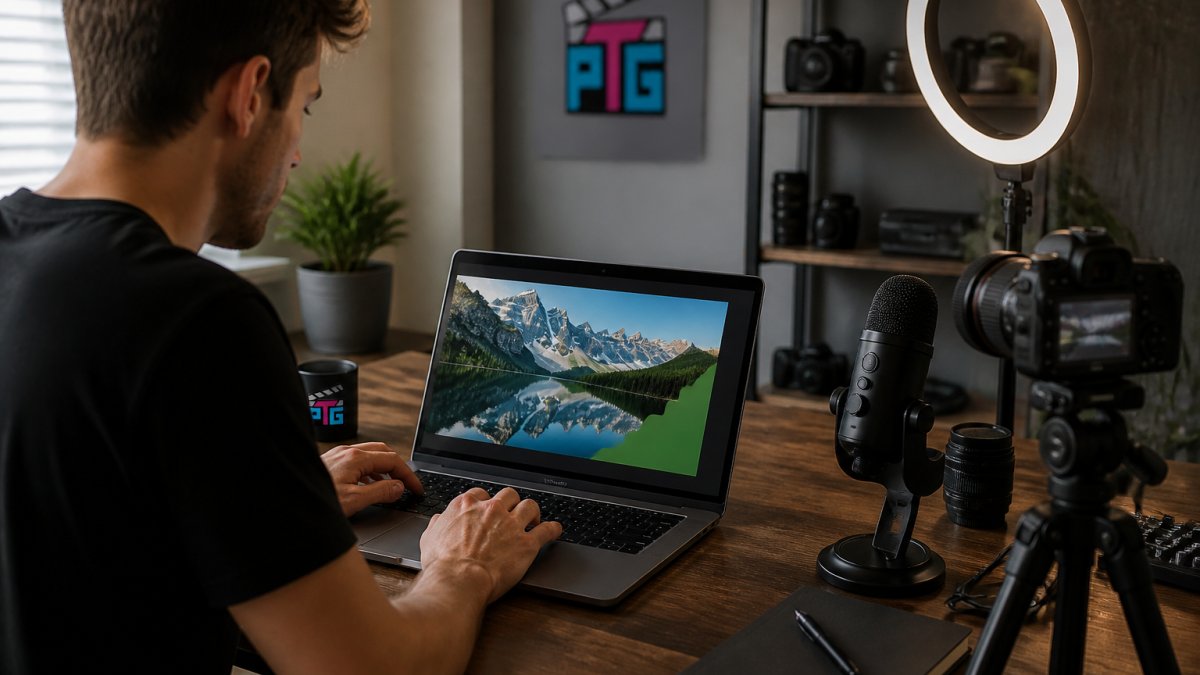
Design rules that hold up:
- One clear subject, large in frame
- High contrast between subject and background
- Three to four words of text maximum
- A face showing emotion, when it fits the topic
Captions, subtitles, and the transcript do double duty: they help viewers watching muted and give YouTube more text to index. Upload a clean SRT file rather than relying on auto-captions.
Before you publish, check your upload settings: visibility, category, playlist assignment, and end screens. A good camera helps too. [The JIYUE 4K Autofocus Webcam handles 4K capture with autofocus](/products/4k-webcam-video-camera-2k-autofocus-streaming-web-cam-with-microphone-full-hd-1080p-webcams-for-pc-computer-laptop), and the USB RGB Condenser Microphone covers clean audio for voiceovers. If you are still building out your setup, browsing Content Creator Gear & Equipment is a good way to match cameras, lighting, and audio to the kind of videos you actually make.


The Ideal YouTube Video Length for Engagement and Watch Time
The ideal YouTube video length for engagement depends on the topic, not a magic number. A tutorial that answers the question in four minutes should be four minutes long. What matters is audience retention: a 20-minute video holding 60% of viewers beats a 5-minute video that loses everyone at 30 seconds.
Match length to intent:
- Quick how-to: 3-6 minutes
- Tutorial or review: 8-15 minutes
- Documentary or deep dive: 20 minutes and up
Video length is a symptom, not a cause. Cut every second that does not serve the viewer.
A YouTube SEO Checklist for Beginners (Copy This)
This YouTube SEO checklist for beginners covers everything above in one pass. Run it before every upload.
- Primary target keyword chosen and saved
- Keyword appears in the video title, near the front
- Description opens with the keyword in the first two lines
- 5-10 relevant video tags added
- Video file name renamed to include the keyword before upload
- Custom thumbnail designed at 1280x720
- Captions and transcript uploaded
- Chapters and timestamps added to the description
- Video added to a relevant playlist
- End screen and call to action set
- Pinned comment with a question to spark comments
How to Test, Measure, and Fix Underperforming Videos
Most guides tell you to "check your analytics." That is not a method. Here is a diagnostic order of operations so you can tell whether a video failed because of packaging, intent, retention, or demand, and fix the right thing.
Start With the Right Question
Before you open YouTube Studio, decide what "underperforming" means for this video. A search-targeted tutorial and a browse-driven vlog have different success conditions: for search, whether it earns impressions for its target query and converts them; for browse, whether the algorithm keeps serving it to new viewers. Measuring both against the same benchmark will mislead you.
The Diagnostic Order
Work through these in sequence. Stop at the first one that is clearly broken.
- Is there demand? In Studio, open Analytics, then the Research tab, and check whether your target query shows meaningful search volume and whether your video appears for it. Little demand means a keyword problem, not a video problem.
- Are you getting impressions? Open the video's Analytics and look at the Reach tab. Near-zero impressions on a search-targeted video usually means the metadata is not matching the query, or the topic is too competitive for your channel's authority.
- Is click-through rate competitive? Compare your click-through rate against your channel average and your impressions. High impressions with low click-through is a packaging problem, the thumbnail or title is not earning the click. This is the most common failure point and the easiest to fix.
- Is retention holding? Open the Engagement tab and read the audience retention graph. A steep drop in the first 30 seconds is an intro or promise problem; a gradual decline is normal; a cliff at a specific timestamp tells you exactly what lost the viewer.
- Is the audience satisfied? Look at likes, comments, shares, and subscribers gained per view. Individually weak signals, but decent retention with weak engagement often means the title promised something the video did not deliver.
Fixes Mapped to Symptoms
- Low impressions, search-targeted video: Rewrite the title to match the query more closely, add the phrase to the first two lines of the description, and confirm the video is in a relevant playlist. Re-check the Research tab after a week.
- High impressions, low click-through: Change the thumbnail first, one variable at a time. If it is already strong, test a new title hook. Give each change at least a week before judging.
- Good click-through, early retention drop: Tighten the first 15-30 seconds. State the payoff immediately and cut any channel intro, long greeting, or throat-clearing.
- Good retention, weak engagement: Add a specific, answerable question in a pinned comment, and make sure the video delivers on the title's promise.
- Strong on one surface, weak on another: Check the Traffic Sources report. Browse-but-not-search is usually a metadata problem; search-but-not-browse is usually packaging or pacing.
Testing Without Fooling Yourself
YouTube is not a controlled lab. Two videos published a week apart differ in topic, thumbnail, title, audience, and timing, so a difference in results does not prove which change caused it. Keep these habits:
- Change one thing at a time. Swap the thumbnail and rewrite the title the same day and you will not know which moved the number.
- Wait long enough. A week is a reasonable minimum for a packaging test; two weeks is safer for search-driven videos, because search impressions accumulate slowly.
- Compare like with like. Benchmark against your channel's median for similar topics and formats, not your best-ever video.
- Watch the trend, not the spike. One day of high impressions is noise; a two-week upward slope is a signal.
- Separate correlation from causation. Seasonal interest, a shout-out, or an unrelated viral moment can lift a video you also happened to edit. If you cannot explain the mechanism, treat the result as a hypothesis, not a finding.
A Simple Weekly Review
Once a week, open Studio and record four numbers per recent video: impressions, click-through rate, average view duration, and search traffic share. Put them in the same spreadsheet as your keyword map. After a month you will see which topics, formats, and packaging choices actually move your channel. That feedback loop, not any single tip, is what compounds.
Frequently Asked Questions
How can I optimize my YouTube videos for SEO without expensive tools?
Start with YouTube's own search bar. Type your topic and note the autocomplete suggestions, since those reflect real search queries. Then study the top results: their titles, thumbnail styles, and video length tell you what the algorithm currently rewards. Free tools like Google Trends and YouTube Studio's keyword insights cover the basics. When you do optimize YouTube videos, focus on matching search intent first, then refine metadata. Expensive software helps at scale, but a careful manual workflow beats a careless automated one every time.
What are the most important ranking factors for YouTube search?
YouTube weighs click-through rate, watch time, and viewer satisfaction most heavily. A video that gets clicks but loses viewers in the first 30 seconds will sink, no matter how good its tags are. Metadata like titles, descriptions, and tags help YouTube understand your content and match it to search queries, but they cannot rescue weak retention. Engagement signals such as likes, comments, shares, and subscribers gained all reinforce the same message: people found what they came for.
Does video length affect YouTube search rankings?
Length itself is not a ranking factor, but it shapes watch time, which is. A 6-minute video that holds 70% of viewers often outperforms a 20-minute video that holds 25%. Match length to search intent: quick tutorials do well short, while reviews and deep dives justify longer runtimes. Check your audience retention graph in YouTube Studio. If viewers drop off at the 4-minute mark consistently, cut the padding before your next upload rather than chasing a target number.
How do I improve my YouTube click-through rate?
Your thumbnail and title do almost all the work. Test a custom thumbnail with a clear subject, high contrast, and minimal text, then compare impressions-to-views in YouTube Studio. A healthy click-through rate usually sits between 4% and 10%, though it varies by niche. If impressions are high but clicks are low, the problem is packaging, not ranking. Swap the thumbnail, adjust the title to lead with the target keyword, and give it a week before judging the results.