

The Legal Side of Music in Live Streams Explained
Last Updated: November 5, 2026
Quick Summary
The legal aspects of music in live streams come down to two separate copyrights in every track: the sound recording and the musical composition, both of which must be cleared. A license must name the platform, format, territory and term, and a live-only license often does not cover archived replays.
- Buying a song or a music subscription gives you a listener license, not a broadcaster license.
- Keep game audio, voice and music on separate OBS tracks so music can be muted or removed later.
- A copyright claim usually means muted audio or shared revenue, while a DMCA takedown removes content.
- The same song can be legal live but infringing in a VOD, clip or repost, so check each format.
- State on air that only cleared music gets played and limit viewer requests to a pre-approved list.
Table of Contents
- Why Music in Live Streams Is a Legal Question, Not a Vibe Check
- Copyright Ownership: Sound Recordings, Compositions and Who Actually Owns What
- Music Licensing for Live Streaming: What a License Actually Covers
- How to Play Music on Stream Without Copyright OBS Problems
- The Twitch Music Library and Platform-Specific Music Rules
- DMCA Strikes for Streamers: Claims, Takedowns and Muted Audio
- Live Broadcasts, VODs, Clips and Reposts: Why Each Format Has Different Rules
- Guests, DJs, Co-Streams and Viewer Requests: Whose License Is It Anyway
- Build a Rights-Clearance Habit Before the Next Stream
- Frequently Asked Questions
Why Music in Live Streams Is a Legal Question, Not a Vibe Check
The legal aspects of music in live streams come down to one uncomfortable fact: a song playing in the background of a broadcast is a public performance of someone else's work.
The American Bar Association's analysis of DMCA lessons for live streamers makes the point plainly. Many streamers play music in good faith, believing it is licensed or fair use.
So what actually protects a channel?
- A license that names the platform, the format, and the use
- Written permission from the rights holder
- Music that is genuinely free of restrictions
Everything else is a guess. And guesses get channels muted, clipped, or struck.
Copyright Ownership: Sound Recordings, Compositions and Who Actually Owns What
Music copyright is split into two separate rights. The sound recording is the specific audio file, usually owned by a label or the artist. The musical composition is the underlying song, usually owned by a publisher or songwriter. Both must be cleared.
That split trips up almost everyone. A streamer might get permission from a band to use their track, then still face a claim from the publisher who owns the composition.
There is also a third layer: synchronization rights, which apply when music is paired with visuals.
If a creator records original music for their own channel, room acoustics matter as much as the rights paperwork. Treating a home recording space before tracking vocals saves hours of fixes later.
Music Licensing for Live Streaming: What a License Actually Covers
A streaming music license grants permission to use specific music under specific conditions. It is not a blanket pass to play anything, anywhere, forever.
Most licenses limit four things:
- The platform (Twitch only, or YouTube only)
- The format (live only, or live plus saved video)
- The territory (where the audience sits)
- The term (how long the permission lasts)
A license that covers a live broadcast often does not cover the archived replay. That distinction alone causes a large share of takedowns.
Watch out: buying a song on iTunes or subscribing to a music service gives a listener license, not a broadcaster license.
Reading License Terms Before You Hit Go Live
Check these five lines before any stream:
- Does it name live streaming as a permitted use?
- Does it cover the platform being used?
- Are VODs and clips included, or live only?
- Is monetization allowed?
- Does it require credit, and in what form?
If any answer is unclear, treat the track as unusable. A skipped song costs nothing. A strike costs the channel.
How to Play Music on Stream Without Copyright OBS Problems
Playing music through OBS without copyright trouble means routing only cleared audio into the stream. The software does not detect rights; it just sends whatever signal it receives.
A practical setup looks like this:
- Separate your audio sources. Keep game audio, voice, and music on different tracks in OBS.
- Use a licensed or royalty-free library for anything the audience hears.
- Route music through a dedicated track so it can be muted or removed later.
- Skip desktop audio capture for music. Capturing system sound pulls in whatever plays, licensed or not.
- Test with a short private stream before going public.
A clean microphone chain makes the whole setup easier to manage. Dynamic mics with cardioid patterns, like the Maono PD200X, reject room noise and keep voice and music on separate, controllable paths. For a full walkthrough of levels, interfaces, and routing, the guide to a simple audio setup for solo streamers covers the chain from mic to OBS.
The Twitch Music Library and Platform-Specific Music Rules
Platform rules add a second layer on top of copyright law. Twitch, YouTube, TikTok, Instagram, and Facebook each publish their own terms, and each enforces them differently. A track cleared on one platform is not automatically cleared on another, even when the same rights holder owns it.
Platforms such as Twitch offer music libraries of tracks cleared for use on that platform. The catch: clearance usually applies to that platform alone.
Other platforms follow similar but distinct patterns:
None of these platform collections grant rights that override the copyright owner. They are permissions from the platform, and the platform can only grant what it has cleared.
How to Evaluate a Music License or Subscription Before You Rely on It
A "stream-safe" label is marketing, not a legal term. Read the actual license and check these points:
Maono PD200X Dynamic RGB Gaming Microphone - USB/XLR →
- Permitted platforms. Does the license name the platform you stream on, or is it silent? Silence is not permission.
- Permitted formats. Does it cover live broadcast only, or also VODs, clips, and short-form reposts?
- Monetization. Are subscriptions, donations, ads, and sponsorships allowed, or is the license limited to non-commercial use?
- Attribution. Is credit required, and in what exact form and placement?
- Term and cancellation. What happens to streams already published if the subscription lapses or the track is pulled from the catalog?
- Territory. Does the license cover your audience, or is it limited to certain regions?
- Recordkeeping. Can you export or screenshot proof of the license? You will need it if a claim arrives.
Watch out: a subscription that grants listening rights, such as a consumer music service, is not a broadcaster license, and downloading a track does not transfer performance or synchronization rights.
The U.S. Copyright Office guidance on fair use is worth reading before assuming a short clip is safe.
Streaming-ready gear that keeps audio clean also makes it simpler to swap in cleared tracks without redoing the whole setup.
DMCA Strikes for Streamers: Claims, Takedowns and Muted Audio
A DMCA strike is a formal copyright complaint filed against a stream or recording.
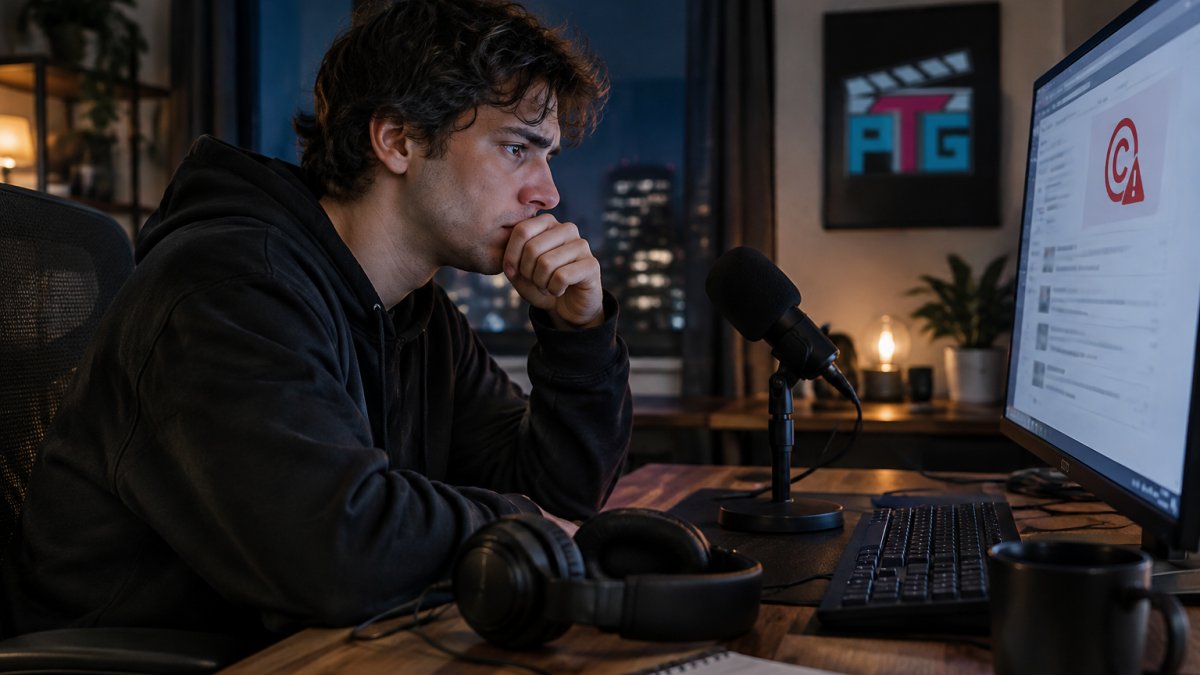
The difference matters:
| Event | What happens | Typical result |
|---|---|---|
| Copyright claim | Automatic detection of matched audio | Muted audio or shared revenue |
| DMCA takedown | Rights holder files a formal notice | Content removed |
| Copyright strike | Repeated or serious violations | Upload limits, suspension risk |
| Counter-notice | Streamer disputes the takedown | Possible restoration if valid |
Muted audio is the most common outcome. A VOD goes up, the system flags a track, and the audio is silenced in that section. The video stays, but the moment is ruined.
What to Do After a Claim or Takedown
Act in this order, and keep a written log of every step with dates:
- Do not delete the stream unless advised to. Deletion can look like an admission and may not stop the claim. Preserve the original file and any license records first.
- Read the notice carefully. Identify the track, the timestamp, the claimant, and the specific right alleged (composition, sound recording, or both).
- Understand the counter-notice mechanism. A counter-notice typically requires your contact information and a statement under penalty of perjury that the removal was a mistake or misidentification (Section 512 of Title 17). The claimant then has a window to file a court action, and if they do not, the platform may restore the content. This is not a fast process, and it exposes your identity to the claimant.
- Keep gear in working order. A streamer rebuilding after a strike should not also be fighting audio equipment maintenance problems.
Watch out: a claimant who files a DMCA notice must consider fair use before doing so, and misrepresentation can create liability under the statute. That cuts both ways: it protects legitimate streamers, but it does not make a weak fair use argument into a strong one.
A common pattern is that streamers win appeals when they can produce a dated license that names the platform and format. The record is the case.
Live Broadcasts, VODs, Clips and Reposts: Why Each Format Has Different Rules
The same song can be legal in one format and infringing in another. This is the gap most guides skip.
A live broadcast is a public performance. A VOD is a reproduction and a new distribution. A clip is a shorter reproduction, often on a different platform.
So a track cleared for a live show may be unusable in the archive.
Availability on a platform is not permission.
Guests, DJs, Co-Streams and Viewer Requests: Whose License Is It Anyway
Shared streams spread the risk. When a guest joins, a DJ performs, or a viewer requests a song, the license question multiplies.
- Guests bring their own music, and their clearance may not cover a shared broadcast.
- DJs performing live are publicly performing compositions and recordings, which needs its own permission.
- Co-streams combine two audiences and two sets of platform terms.
- Viewer requests are the riskiest of all. The streamer plays the track, so the streamer carries the claim.
The fix is a simple rule stated on air: only cleared music gets played, and requests are limited to a pre-approved list. Write it into the stream description so guests know before they join.
Build a Rights-Clearance Habit Before the Next Stream
Music rights are not a one-time setup. They are a habit, repeated every time a track gets queued.
Run this checklist before going live:
- Confirm the track is cleared for this platform
- Confirm the format (live, VOD, clip) is covered
- Confirm monetization is permitted
- Confirm no guest is bringing uncleared music
That last item is where gear earns its place. Clean routing starts with clean audio, and a setup that separates voice from music is easier to fix after a claim.
Perfect Take Gear offers microphones and studio essentials, including dynamic USB and XLR mics with on-mic gain control and headphone monitoring.
Frequently Asked Questions
Can you play copyrighted music in a live stream?
Only if you hold the rights or a license that covers live broadcasting. Buying a song, subscribing to a music service, or crediting the artist does not grant that permission. The rights holder controls both the sound recording and the underlying composition, so a live stream typically needs clearance for both. Good faith does not create a license, and platforms pass liability to the streamer in their terms of service. When in doubt, use licensed or royalty-free music instead.
How do streamers play music on Twitch without getting a copyright strike?
They use music they can actually license for broadcast. That means the Twitch music library and other cleared catalogs, royalty-free tracks with terms that allow commercial streaming, or direct written authorization from the artist. Many streamers also keep background music low or route it through a separate audio channel so VODs can be muted without killing the commentary. Reading the license terms before going live is the step most people skip.
Does deleting a live stream remove a copyright claim?
No. Deleting or unlisting a stream does not erase a claim that has already been filed, and the rights holder or platform may have already logged the detection. Removing content can limit further exposure, but it is not a reset button. If you receive a claim, review the notice, check whether your use was licensed, and use the platform's appeal or counter-notice process where you have grounds. Keep records of any licenses you hold.
What happens if copyrighted music is detected during a live stream?
Outcomes vary by platform. Common results include muted audio on the archived VOD, the clip being taken down, a copyright claim that redirects revenue, or a strike that counts against your channel. Repeat strikes can lead to suspension or a channel ban. Detection systems scan live and recorded audio, so background music counts too. Using stream-safe music and keeping proof of licensing on hand reduces the risk of losing an archive or an account.
