

Studio Monitor Headphones for Creators: A 2026 Guide
Table of Contents
- What Studio Monitor Headphones Actually Do
- Best Studio Headphones for Music Production
- Best Headphones for Podcasting
- Open-Back Headphones for Mixing
- Studio Headphones for Creators on the Go
- How to Choose: Key Specifications and Trade-Offs
- Common Mistakes to Avoid
- Frequently Asked Questions
Last Updated: October 8, 2026
What Studio Monitor Headphones Actually Do
Studio monitor headphones reveal what's actually in a recording, not flatter it.
This matters because what sounds great in headphones doesn't always translate to speakers, car stereos, or phone speakers.
Perfect Take Gear understands that creators need tools that show the truth, not hide it. Studio monitor headphones are one of those essential tools for anyone serious about audio quality.
Monitoring vs. Editing vs. Everyday Listening
Monitoring means listening while recording.
Editing happens after recording. Editors need to hear fine details: breath sounds, mouth clicks, background noise.
Everyday listening is casual, music, podcasts, videos. Consumer headphones are fine; the goal is enjoyment, not accuracy.
The mistake is buying one pair expecting it to do all three well.
Best Studio Headphones for Music Production
Music production demands neutral frequency response and honest midrange detail. The models below are the ones most commonly recommended by working producers, organized by their role in a production workflow.
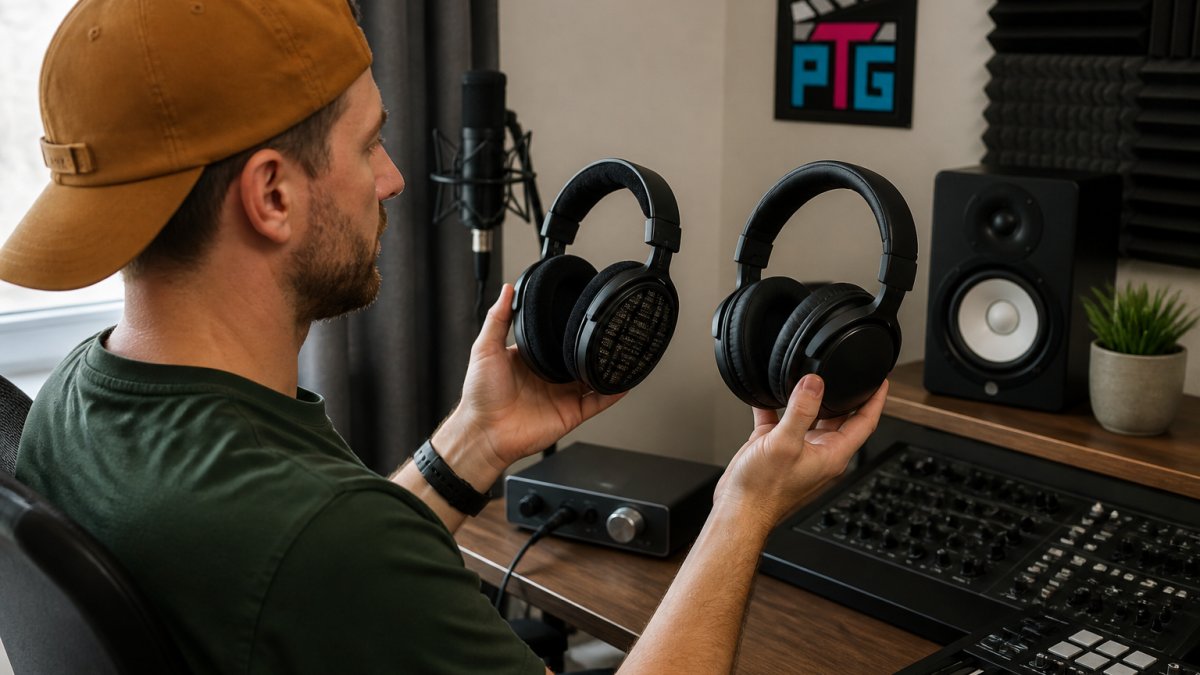
Reference Monitors for Mixing and Mastering
Sennheiser HD 600, The long-standing reference for midrange accuracy. Open-back, 300-ohm impedance, around $300 street price.
Sennheiser HD 650 / HD 6XX, Same family, slightly warmer tuning, 300 ohms.
Beyerdynamic DT 990 Pro, Open-back, 250 ohms, around $150.
HiFiMan Sundara, Planar magnetic, open-back, around $300. Planar drivers typically translate to faster transient response and tighter bass.
Closed-Back Options for Tracking and Noisy Rooms
Audio-Technica ATH-M50x, Closed-back, 38 ohms, around $150. The default first pair of studio headphones because it runs fine from a laptop or phone, folds for travel, and has a detachable cable.
Beyerdynamic DT 770 Pro, Closed-back, available in 32, 80, and 250 ohm versions, around $150-$180.
Sony MDR-7506, Closed-back, 63 ohms, around $100. A broadcast and field-recording staple for decades.
What Actually Separates These Models
| Model | Design | Impedance | Approx. Street Price | Best Role |
|---|---|---|---|---|
| Sennheiser HD 600 | Open | 300Ω | ~$300 | Critical mixing reference |
| Sennheiser HD 6XX | Open | 300Ω | ~$200 | Value mixing reference |
| Beyerdynamic DT 990 Pro | Open | 250Ω | ~$150 | Harshness / sibilance check |
| HiFiMan Sundara | Open (planar) | 37Ω | ~$300 | Transient detail, tight bass |
| Audio-Technica ATH-M50x | Closed | 38Ω | ~$150 | First pair, tracking, travel |
| Beyerdynamic DT 770 Pro | Closed | 32/80/250Ω | ~$150-$180 | Isolation, tracking |
| Sony MDR-7506 | Closed | 63Ω | ~$100 | Dialogue, field reference |
Prices fluctuate with sales and revisions, so treat these as ranges. The important pattern: open-back models are where most neutral reference options live, and closed-back models are where practical tracking and travel options live.
Matching the Headphone to the Production Stage
Tracking (recording a performer): closed-back, low impedance, strong isolation.
Editing and comping: either design works, but comfort dominates because you'll be sitting for hours.
Mixing: open-back, neutral, ideally with a known reference curve. The HD 600 and HD 6XX are the safe picks.
Mastering: no single headphone is sufficient.
Amplification and Interface Compatibility
High-impedance headphones (250Ω and up) need voltage, not just power. If you're buying a 250Ω or 300Ω model, budget for a dedicated headphone amplifier or an audio interface with a strong headphone output.
Low-impedance models (under 50Ω) work from almost anything, laptop, phone, tablet, interface, which is why they're the right first purchase for creators unsure of their signal chain.
Best Headphones for Podcasting
Podcasters have different needs than musicians. Clarity in the vocal range (roughly 80Hz-8kHz) matters more than perfect bass extension. Isolation matters because background noise ruins recordings. And unlike a music producer, a podcaster is often recording alone, on a USB microphone, with no audio interface in the chain, which changes which headphones actually work.
The Podcast-Specific Shortlist
Sony MDR-7506, Closed-back, 63 ohms, around $100.
Audio-Technica ATH-M20x, Closed-back, 47 ohms, around $50. The budget pick.
Audio-Technica ATH-M50x, Closed-back, 38 ohms, around $150. Detachable cable, folds flat, works from any source.
Beyerdynamic DT 770 Pro (32Ω), Closed-back, 32 ohms, around $150-$180.
Sennheiser HD 280 Pro, Closed-back, 64 ohms, around $100.
Why Podcasters Should Not Buy Open-Back Headphones
Open-back headphones leak sound in both directions. In a podcast recording that means two problems: the microphone picks up headphone bleed (you'll hear a faint version of the guest or co-host in the recording), and you hear the room, making it harder to judge whether the mic is picking up HVAC noise or traffic. Closed-back is non-negotiable for recording.
The Remote-Recording Problem
Most podcasters now record at least some episodes remotely over Zoom, Riverside, SquadCast, or similar. This changes headphone requirements in two ways:
- Latency matters more than it used to. If you're monitoring your own voice through software (common in remote recording platforms), Bluetooth headphones introduce 100-200ms of delay, making it nearly impossible to speak naturally. Wired headphones have effectively zero latency. For remote recording, wired is a requirement, not a preference.
- You need to hear the other person, not just yourself. A headphone with a strong midrange and clear vocal reproduction makes it easier to follow a conversation and catch when someone is talking over someone else. The MDR-7506 and DT 770 Pro both excel here.
USB Mics, Interfaces, and Cable Reality
Many podcasters record into a USB microphone (Shure MV7, Rode PodMic USB, Audio-Technica AT2020USB+) rather than an audio interface. USB mics typically have a 3.5mm headphone jack on the mic body for zero-latency monitoring. This means:
- Low-impedance headphones (under 50Ω) are the safe choice. The headphone amp inside a USB mic is usually modest, so a 250Ω or 300Ω headphone will sound quiet and thin.
- A 3.5mm-to-1/4-inch adapter is worth owning. Most studio headphones ship with a 1/4-inch plug or a screw-on adapter; USB mics and laptops use 3.5mm. Keep the adapter attached to the cable so it doesn't get lost.
- Detachable cables are worth the premium. A podcaster who moves between a desk setup and a travel setup will swap cables often. A fixed cable that fails means replacing the whole headphone.
Multi-Host and Co-Host Setups
If two people are recording in the same room, each needs their own closed-back headphone, sharing a single pair doesn't work because each person needs to hear the mix independently.
For a two-host setup, the MDR-7506 is the common choice because it's inexpensive enough to buy in pairs, isolates well, and has a coiled cable that doesn't tangle between two people at a table.
Comfort Over a Two-Hour Episode
A typical podcast episode runs 45-90 minutes, but recording sessions with retakes, pickups, and setup can run two to three hours. The comfort factors that matter most:
- Clamp force: the HD 280 Pro's tight grip becomes noticeable past two hours. The DT 770 Pro and MDR-7506 are gentler.
- Ear pad material: velour (DT 770 Pro) breathes better than pleather (MDR-7506, ATH-M50x) over long sessions, but pleather isolates more.
- Weight: all the models above are under 300g, light enough for extended wear. Anything over 350g becomes a neck issue.
- Glasses: thick frames break the ear pad seal and reduce isolation. Velour pads tolerate glasses better than pleather because they conform around the temple arms.
What to Buy First
For a solo podcaster recording into a USB mic in a home room: Sony MDR-7506 (~$100).
For a two-host setup: two pairs of MDR-7506 or two pairs of DT 770 Pro (32Ω) if the budget allows.
For a podcaster who also edits and mixes: ATH-M50x for recording plus a later open-back pair (HD 6XX, ~$200) for editing and final checks.
Open-Back Headphones for Mixing
Open-back headphones for mixing provide a wider soundstage and reduce ear fatigue during long sessions.
The tradeoff is isolation. Open-back headphones pick up room noise and let sound bleed into microphones.
Open-back designs also tend to have a more spacious, "airy" sound, helping identify problems in stereo imaging and spatial effects that closed-back headphones might mask.
The best open-back headphones for mixing prioritize comfort above all else.
Studio Headphones for Creators on the Go
Portability changes the requirements. Whether you're building a mobile podcast setup or editing content at a coffee shop, the right Cameras, Lighting & Audio Equipment makes remote work practical.
Closed-back designs are essential for portable work because they provide isolation in coffee shops, offices, or outdoor spaces.
Weight and clamp force become practical concerns. Heavy headphones fatigue the neck during portable use; loose clamp force means the headphones shift when moving around.
Detachable cables are especially valuable for portable setups.
How to Choose: Key Specifications and Trade-Offs
Choosing studio monitor headphones means understanding the specs that actually matter and the tradeoffs between them.
Frequency Response and Tonal Balance
Frequency response is the range of frequencies the headphones can reproduce.
A flat frequency response means the headphones reproduce all frequencies at similar loudness levels. This is what "neutral" means in studio headphones.
The midrange (roughly 250Hz-4kHz) is where most vocal and instrument detail lives.
Comfort and Clamp Force for Long Sessions
Clamp force is how tightly the headphones grip the head.
Ear pad material affects comfort significantly. Memory foam pads conform to the ear shape but can trap heat.
Headband padding should distribute weight evenly.
Weight matters more than many creators realize. A difference of just 50 grams becomes noticeable after four hours.
Wired vs. Wireless and Compatibility
Wired headphones have no latency, critical for monitoring during recording.
For editing and mixing, wireless can work because there's no real-time feedback requirement.
Impedance and sensitivity affect how loud headphones get from different devices. Low-impedance headphones (under 50 ohms) work well with laptops, phones, and tablets.
Compatibility matters for creators using multiple devices.
| Specification | What It Means | Why It Matters |
|---|---|---|
| Frequency Response (20Hz-20kHz) | Range of frequencies reproduced | Wider range = fuller sound, but flatness matters more |
| Impedance (under 50Ω typical) | Electrical resistance | Lower impedance works with laptops and phones |
| Sensitivity (100dB/mW typical) | How loud from a given input | Higher sensitivity = louder from portable devices |
| Clamp Force (light to moderate) | How tightly they grip head | Light grip = comfort, moderate grip = stability |
| Weight (under 250g ideal) | Total mass of headphones | Lighter = less fatigue during long sessions |
| Cable (detachable preferred) | Connection type | Detachable = durability and flexibility |
Common Mistakes to Avoid
The biggest mistake is confusing studio headphones with consumer headphones.
Another common error is ignoring comfort until it's too late.
Underestimating isolation leads to recording problems.
Finally, ignoring cable quality causes unnecessary frustration.
Choosing the right studio monitor headphones depends on understanding what task comes first.
Perfect Take Gear offers Content Creator Gear & Equipment designed for real workflows.
Frequently Asked Questions
What's the difference between studio monitor headphones and regular headphones?
Studio monitor headphones are engineered for accurate audio reproduction with a flat frequency response across the spectrum. Regular headphones often emphasize bass and treble for casual listening enjoyment. Monitor headphones reveal mixing errors, frequency imbalances, and subtle details that regular headphones mask. This accuracy matters for creators editing video, mixing music, or recording podcasts, you need to hear exactly what's there, not what sounds pleasing.
Can you actually mix music accurately with studio monitor headphones?
Yes, but with limits. Studio monitor headphones let you catch obvious problems, clipping, phase issues, frequency imbalances, that speakers would reveal. However, they can't fully replace studio monitors because they lack the room interaction and stereo imaging that speakers provide. Many professionals use headphones for detail work and speakers for final reference. The key is knowing your headphones' sound signature and checking mixes on multiple playback systems before finalizing.
Do I need a headphone amplifier for studio monitor headphones?
Not always. Most studio monitor headphones work fine plugged directly into an audio interface, laptop, or mixer. However, high-impedance headphones or those requiring more power benefit from a dedicated amplifier, which can improve clarity and dynamic range. If your headphones feel underpowered, quiet at comfortable volumes or lacking punch, an amplifier may help. Check your headphones' impedance and sensitivity specs against your interface's output before purchasing.
Should I choose open-back or closed-back studio headphones?
Open-back headphones offer better soundstage, more natural midrange, and less ear fatigue during long sessions, ideal for mixing where you need accurate spatial imaging. Closed-back headphones provide isolation and stronger bass response, making them better for recording vocals or instruments where you need to hear yourself without room noise bleeding in. Choose based on your primary task: open-back for mixing and editing, closed-back for recording and tracking.