

Is a Smartphone Good Enough for YouTube in 2026?
Table of Contents
- Smartphone vs. Camera for YouTube in 2026: The Real Verdict
- Smartphone Video Recording Settings for YouTube That Actually Matter
- Best External Microphones for Smartphone Vlogging
- Best Affordable Lighting for Video Streaming and the Hidden Costs of Mobile Production
- Frequently Asked Questions
Last Updated: September 4, 2026
Smartphone vs. Camera for YouTube in 2026: The Real Verdict
Modern flagship phones capture 4K at 60fps with impressive dynamic range, but still struggle with low light and thermal throttling during long sessions (peer-reviewed research). This guide from Perfect Take Gear breaks down where smartphone capabilities end and dedicated gear becomes necessary.
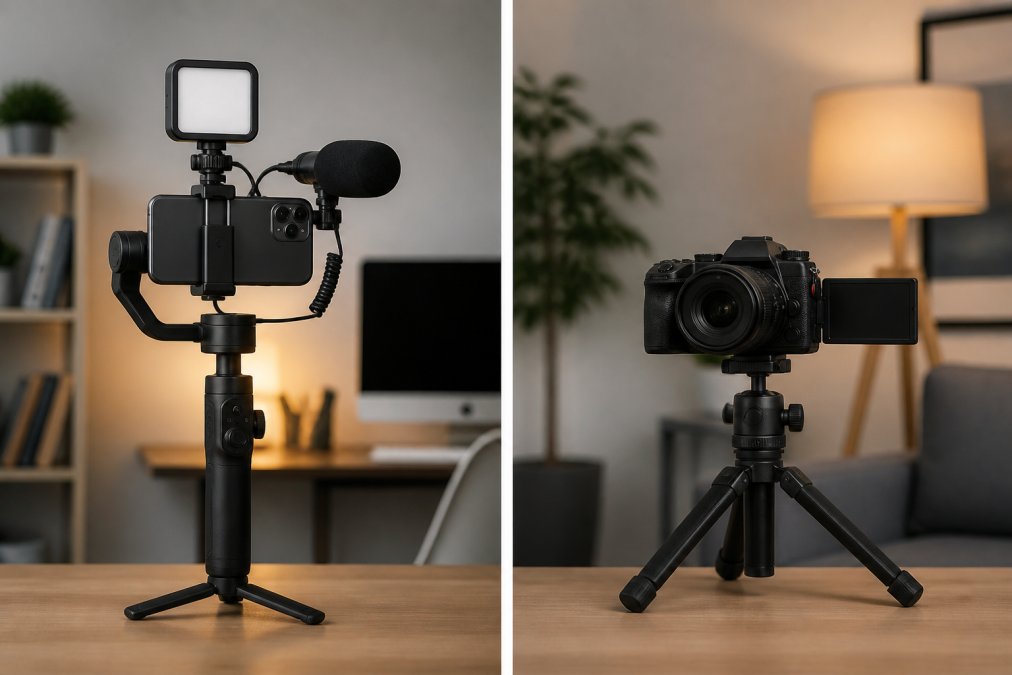
A smartphone is good enough for most talking-head content, product reviews, and lifestyle vlogs, provided you add external audio and lighting. Phones fall short in sustained recording, shallow depth of field control, and color grading flexibility. For cinematic b-roll or interviews exceeding 30 minutes, a dedicated camera remains better.
Smartphone Video Recording Settings for YouTube That Actually Matter
The settings that matter are resolution, frame rate, and bitrate, not filters or beauty modes. Set your phone to 4K at 30fps for standard content, or 4K at 60fps to slow footage down in post. 4K gives you room to crop and reframe without visible quality loss.
White balance, exposure compensation, and focus locking separate professional footage from amateur video. Auto white balance shifts colors mid-shot between light sources, ruining color grading. Lock white balance manually, set exposure compensation to avoid blown-out highlights, and tap to lock focus so autofocus does not hunt.
Many flagships offer flat color profiles that preserve detail in shadows and highlights for grading in post. The tradeoff is that log footage looks flat and desaturated straight out of camera.
Best External Microphones for Smartphone Vlogging
The best external microphones prioritize direct connection and wind rejection over raw audio quality. Built-in phone mics pick up handling noise, room echo, and wind. A directional microphone that plugs into your charging port bypasses these issues and delivers clear, professional-sounding audio.
For solo creators, a wireless lapel system offers the best balance of audio quality and freedom of movement. These include a transmitter clipped to your collar and a receiver connected to your phone. Pair these with a phone cage rig that mounts the receiver securely for balanced handheld shooting.

Microphone placement matters more than price. A budget mic six inches from your mouth sounds better than an expensive one two feet away. Closer placement also reduces the need for aggressive noise reduction in post.
| Accessory Type | Best Use Case | Key Benefit | Price Range |
|---|---|---|---|
| Directional Microphone | Indoor talking-head videos | Rejects room echo | $30-$80 |
| Wireless Lapel System | Vlogs, interviews, outdoor | Freedom of movement | $50-$150 |
| Phone Cage Rig | Handheld filming | Stable grip, accessory mounts | $49-$90 |
Best Affordable Lighting for Video Streaming and the Hidden Costs of Mobile Production
The best affordable lighting starts with a softbox or LED panel at a 45-degree angle to your face, not a ring light behind the camera. Angled key lighting creates dimension and separates you from the background. A basic two-light setup costs less than many phone accessories and transforms perceived production value (the American Dental Association). For creators assembling their first kit, browsing dedicated Cameras, Lighting & Audio Equipment can help identify budget-friendly options that pair well with a smartphone.
Hidden costs extend beyond the phone. Storage fills quickly with 4K footage, and cloud backup costs add up. You will also need a tripod or gimbal, external batteries, and potentially a wireless monitor to frame yourself using the rear camera, which produces better footage than the front-facing one.
Platform-specific optimization is another layer most creators overlook. Vertical video for Shorts and TikTok requires different framing than horizontal YouTube uploads, and some creators solve this with a monitor that rotates between orientations. The YouTube Creator Academy guidance on video quality emphasizes consistent lighting and clean audio over camera specs, which aligns with what mobile creators discover through trial and error.
Wireless file transfer is slower than direct cable connections. A phone cage with threaded mounts lets you attach an external SSD for direct recording on some devices, bypassing internal storage limits and simplifying the editing pipeline.
The decision ultimately comes down to your content goals and consistency. A smartphone paired with a quality microphone, a basic lighting kit, and a stable mount produces professional-grade results for the vast majority of YouTube content. Dedicated cameras justify their cost only when you need interchangeable lenses, sustained recording without thermal limits, or advanced log profiles for complex color grading. For creators ready to build a complete mobile setup, Perfect Take Gear's mobile creator collection offers phone cages, wireless monitors, and gimbal stabilizers designed to close the gap between smartphone footage and dedicated camera quality.
Building a professional channel requires intentional gear choices, not a cinema camera budget. Start with your smartphone, add a directional microphone and two-point lighting, and you will outproduce creators who spent three times as much on a camera body. Perfect Take Gear carries phone cages, wireless monitors, and affordable lighting kits to turn any space into a studio.
Frequently Asked Questions
Do I need a professional camera to start a YouTube channel in 2026?
No. Modern smartphones capture 4K resolution at 60 frames per second with optical image stabilization and impressive dynamic range. For most channels, the camera is no longer the limiting factor. Your audio, lighting, and storytelling matter more. A smartphone is good enough for YouTube in 2026, especially when paired with an external microphone and proper lighting. Invest in those accessories first before considering a dedicated camera.
What are the best smartphone video recording settings for YouTube?
Set your resolution to 4K and your frame rate to 30 fps for standard content or 60 fps for action shots. Use your phone's log profile if available to preserve dynamic range for color grading. Lock your exposure and white balance to prevent flicker, and disable digital stabilization when using a gimbal. Your bitrate setting should be on the highest option to maintain quality.
What are the essential smartphone accessories for high-quality video?
The three essentials are audio, light, and stability. A wireless external microphone or a compact shotgun mic dramatically improves clarity over built-in mics. An affordable LED panel or ring light ensures consistent, flattering illumination. A 3-axis gimbal, such as the DJI Osmo Mobile 8, or a simple phone cage with handles provides smooth, shake-free footage.
This article was written using GrandRanker