

Lightweight Gear for Mobile Creators: 2026 Guide
Table of Contents
- Why Lightweight Gear Matters for Mobile Creators
- Essential Mobile Content Creator Starter Kit
- Stabilization and Handheld Rigs for Smooth Footage
- Smartphone Video Accessories for Creators
- Compact Lighting for Mobile Video Production
- Audio Recording Equipment for Portable Setups
- Portable Power Solutions and External Storage
- Compact Camera Systems for Travel Creators
Last Updated: August 8, 2026
Why Lightweight Gear Matters for Mobile Creators
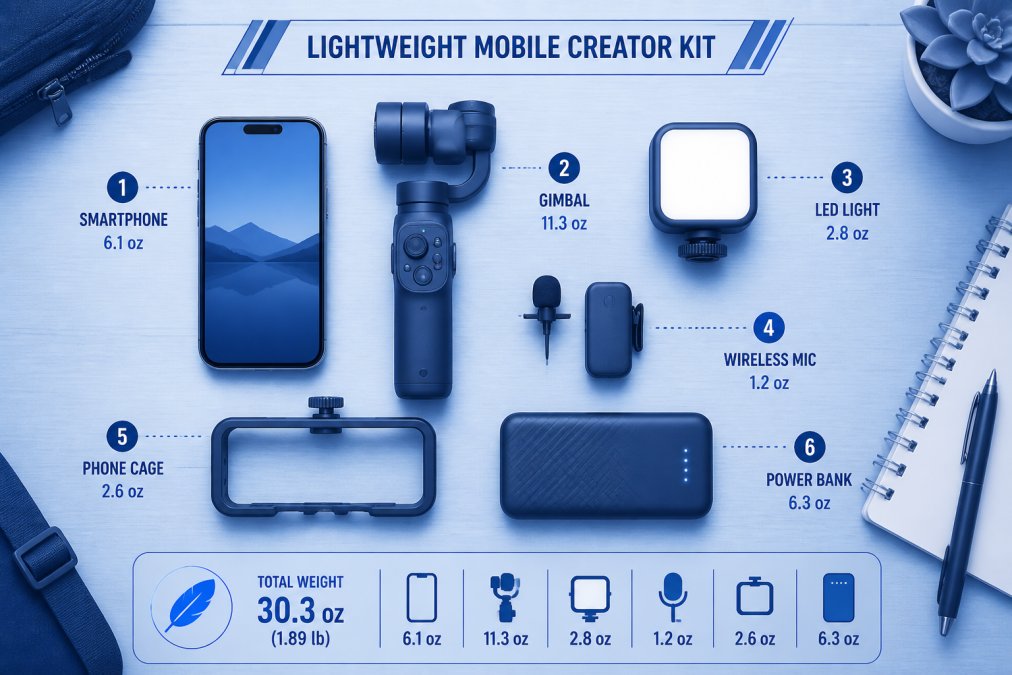
Mobile creators face a constant tension: produce professional-quality content while staying nimble enough to film anywhere. Without the right accessories, you'll hit a ceiling fast, audio sounds hollow, video shakes, lighting flatters no one. Lightweight gear solves this by combining portability with production value. A compact gimbal weighs less than a water bottle but delivers cinematic stabilization. A clip-on light fits in your pocket yet transforms dim spaces.
At Perfect Take Gear, we provide a comprehensive selection of creator gear, gaming accessories, and professional studio equipment designed to help you build, film, and stream with confidence. The difference between a struggling creator and a thriving one often comes down to investing in the right portable tools. This guide breaks down exactly which gear matters, why it matters, and how to assemble a kit that grows with you.
Essential Mobile Content Creator Starter Kit
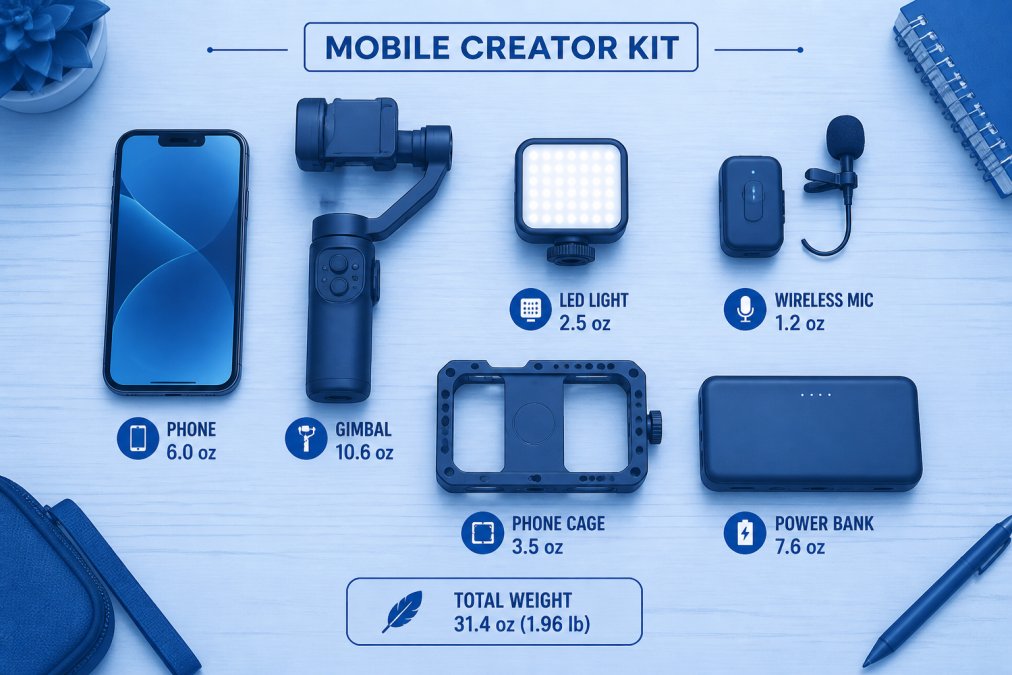
A mobile content creator starter kit doesn't need to be expensive or overwhelming. The essentials are simple: stable video, clear audio, decent light, and enough power to shoot for hours.
Start with three non-negotiables. First, a smartphone gimbal for stabilization. The DJI Osmo Mobile 6 at $109 folds to pocket size, deploys in seconds, and its 3-axis stabilization makes handheld footage look professional. Second, audio. The Shure MV88+ Video Kit ($199) connects directly to your iPhone and offers selectable pickup patterns, isolating your voice from background noise, the single upgrade that moves your production from amateur to credible. Third, light. The Lume Cube Panel Mini ($69.99) is pocket-sized, rechargeable, and adjustable from warm to cool tones, transforming dim rooms and adding definition to your face.
Round this out with a SmallRig Universal Phone Video Rig ($39.90) to mount accessories, and you're at roughly $400, enough for a kit that handles 80% of mobile scenarios. Everything fits in a small camera bag and works together.
What to prioritize in your first kit
New creators often ask: what should I buy first? The answer depends on your content type, but the hierarchy is consistent. Stabilization comes first because shaky footage kills watchability instantly. Audio comes second because viewers tolerate mediocre video before they tolerate bad sound. Light comes third because it's the fastest way to look more professional.
Each purchase builds on the last. A gimbal alone is useful. A gimbal plus a microphone is a functional starter kit. Add light, and you've got a setup that rivals many stationary studios.
Stabilization and Handheld Rigs for Smooth Footage
Shaky footage is the fastest way to lose viewers. Stabilization isn't optional; it's foundational.
Two approaches dominate: gimbals and tripod-based rigs. The DJI Osmo Mobile 6 ($109) uses motorized three-axis stabilization to counteract movement, so you can walk, run, or pan without footage degrading. The extension rod built into the handle adds utility for selfies, overhead shots, or wide angles. Setup takes 30 seconds. Battery life runs 15+ hours.
The Insta360 Flow ($109.99) offers AI-powered subject tracking that deploys faster and follows your subject automatically, useful for solo creators. The tradeoff: tracking quality depends on lighting conditions.
For creators who prefer traditional setups, a tripod plus phone cage handles stabilization differently. The SmallRig Universal Phone Video Rig ($39.90) provides a stable mounting point and multiple cold shoe mounts for lights and microphones. Pair it with a lightweight travel tripod, and you've got a portable studio without batteries or learning curve. The downside: you're locked in place.
Gimbal vs. tripod for mobile workflows
Choose a gimbal if your content involves movement, walking, running, dynamic angles, or following action. Choose a tripod-based rig if your content is stationary, interviews, product demos, talking-head videos, or streaming. Many creators use both. If budget forces a choice, start with a gimbal; it's harder to replicate stabilization with other gear.
Smartphone Video Accessories for Creators
Your smartphone is the camera. Everything else is support infrastructure. A phone cage is the foundation. The SmallRig Universal Phone Video Rig provides multiple cold shoe mounts and 1/4"-20 threaded holes, turning your phone into a modular filmmaking platform. At $39.90, it's the cheapest upgrade that changes how your phone integrates with other gear.
Wireless audio is non-negotiable. The Rode Wireless GO II Dual ($299) is the professional choice, a dual-channel system for recording two subjects simultaneously, with on-board recording as backup and 200-meter range. For creators on tighter budgets, the Shure MV88+ ($199) connects directly to your phone and offers three pickup patterns: cardioid for isolating your voice, bidirectional for interviews, and mid-side for stereo recording.
External storage matters. Mobile creators generate enormous files; 4K video at 60fps fills storage fast. An external SSD connected via USB-C gives you backup and lets you offload files immediately after shooting.
Phone cages and mounting solutions
A phone cage solves multiple problems at once: it protects your phone during active shooting, provides a stable grip, and creates a platform for adding accessories. Mount your phone in landscape orientation for video. Attach your microphone to one cold shoe, your light to another, and you've got a self-contained mobile studio.
Compact Lighting for Mobile Video Production
Lighting transforms everything. A creator with a smartphone, gimbal, and no light looks amateur. The same creator with a small LED panel looks professional.
The Lume Cube Panel Mini ($69.99) is the standard for mobile creators. It's pocket-sized, weighs less than 5 ounces, has a built-in rechargeable battery, and offers adjustable color temperature from warm (3200K) to cool (5600K). High CRI means colors render accurately. You can mount it on your phone cage, hold it off-camera, or clip it to a stand.
Reflectors are the free alternative. A white foam board bounces existing light onto your subject, filling shadows without adding equipment. Many creators carry both, a small reflector for outdoor shoots and an LED panel for indoor work.
Avoid cheap ring lights. They're bulky, create unflattering eye reflections, and are harder to position than a small panel light. The Lume Cube Panel Mini outperforms ring lights at a similar price point and takes up a quarter of the space.
Audio Recording Equipment for Portable Setups
Audio quality separates professionals from hobbyists faster than anything else. Viewers forgive mediocre video. They don't forgive bad sound.
The Rode Wireless GO II Dual ($299) is the professional choice for creators who interview subjects or record multiple audio sources. It's a dual-channel system with 200-meter range and on-board recording, meaning if your receiver fails, the transmitters keep recording.
The Shure MV88+ ($199) is the simpler choice for solo creators. It connects directly to your phone and offers three pickup patterns. Both systems include windscreens, but invest in a foam windscreen ($10-20) if you're shooting outdoors regularly. Wind noise is nearly impossible to remove in post-production; prevention is the only solution.
Portable Power Solutions and External Storage
Extended shoots drain batteries fast. A smartphone gimbal runs 15+ hours, but your phone runs 4-6 hours of heavy video recording. A wireless microphone system runs 8+ hours. A light runs 2-4 hours depending on brightness.
The Anker Prime Power Bank (26K, 300W) at $179.99 solves this problem. It's a high-capacity portable power bank with 300W total output, enough to charge a laptop, phone, and tablet simultaneously. At 1.32 pounds, it's heavier than smaller power banks, but the capacity justifies the weight.
External storage is equally critical. Mobile creators generate enormous files, and your phone's internal storage isn't reliable for long-term backup. An external SSD connected via USB-C gives you working storage during shoots and backup protection. Organize your power strategy before you shoot. Know how long each device runs. Bring redundancy, two charging cables, multiple power banks if you're shooting all day.
Compact Camera Systems for Travel Creators
For creators ready to graduate beyond smartphones, the Sony ZV-1F ($499.99) is the most portable dedicated camera designed specifically for vlogging. It's compact enough to fit in a small camera bag, light enough to carry all day, and powerful enough to produce broadcast-quality video.
The ZV-1F has a fixed 20mm wide-angle lens (35mm equivalent), ideal for vlogging. The 1-inch sensor handles low light better than smartphone sensors. The vari-angle flip screen lets you see yourself while recording. The built-in directional microphone with windscreen captures better audio than any smartphone mic.
The tradeoff is obvious: you lose the flexibility of a smartphone. The fixed lens limits composition options. But if your priority is video quality and you're willing to carry a dedicated camera, the ZV-1F is the lightest, most portable option that delivers professional results.
| Gear Category | Best Choice | Price | Key Benefit | Best For |
|---|---|---|---|---|
| Stabilization | DJI Osmo Mobile 6 | $109 | 3-axis gimbal, foldable | Mobile vlogging, movement-heavy content |
| Audio | Rode Wireless GO II Dual | $299 | Dual-channel, on-board recording | Interviews, multiple subjects |
| Lighting | Lume Cube Panel Mini | $69.99 | Pocket-sized, bi-color, rechargeable | Indoor shoots, fill light |
| Phone Cage | SmallRig Universal Phone Video Rig | $39.90 | Multiple mounting points, modular | Accessory integration |
| Power | Anker Prime Power Bank (26K, 300W) | $179.99 | High capacity, multi-device charging | Extended shoots, on-the-go editing |
| Dedicated Camera | Sony ZV-1F | $499.99 | Compact, vlogging-optimized, 1-inch sensor | Creators ready for dedicated camera |
Building a Lightweight Kit Without Sacrificing Quality
The goal is simple: produce content that looks and sounds professional without carrying a studio. This means prioritizing gear that solves real problems and eliminating anything that doesn't earn its weight.
Start with the gimbal. The DJI Osmo Mobile 6 at $109 is affordable enough that skipping it makes no sense. Next, add audio. The Shure MV88+ at $199 is the entry point; the Rode Wireless GO II Dual at $299 is the upgrade path. Then add light. The Lume Cube Panel Mini at $69.99 is small enough that weight is irrelevant.
At this point, you've spent roughly $400-500 and have a setup that outperforms most YouTube creators. Add a phone cage ($39.90) for accessory mounting, and you're done. Everything fits in a small camera bag and works together.
The mistake most creators make is buying too much too soon. Start with the essentials. Add incrementally. You'll know what's missing because you'll hit the limitation during shoots.
Perfect Take Gear offers curated starter kits that avoid the overwhelm of buying individual pieces. The gear we recommend is designed to elevate your production value at an affordable price.
Workflow Efficiency and Gear Integration
The best gear is useless if it doesn't integrate smoothly. You need a workflow where each tool supports the others.
Start by mounting everything on your phone cage. Attach your gimbal to the bottom. Attach your light to one cold shoe and your microphone to another. Test this setup before you shoot. Make sure cables don't tangle, weight is balanced, and you can reach all controls.
For editing, LumaFusion ($29.99 one-time purchase) is the mobile editing standard. It handles multitrack editing, color grading, and export to various formats. You can edit on your phone or tablet while traveling, then hand off to desktop software if needed.
After each shoot, offload footage to an external SSD. This protects against phone failure and gives you working storage for the next shoot. Charge everything the night before a shoot. Bring backup batteries for your microphone and light. Test everything at home.
Building a lightweight kit for mobile content creation isn't about having the most expensive gear, it's about choosing tools that solve real problems without adding unnecessary weight or complexity. The DJI Osmo Mobile 6, Shure MV88+, and Lume Cube Panel Mini form the foundation of a professional mobile setup that costs under $300 and fits in a small bag.
Perfect Take Gear offers a comprehensive selection of creator gear, gaming accessories, and professional studio equipment designed to help you build, film, and stream with confidence. Whether you're launching your first YouTube channel or scaling your TikTok presence, the right lightweight gear accelerates your growth and lets you focus on what matters, creating better content. Explore curated starter kits at Perfect Take Gear and find the setup that matches your content style and budget.
Frequently Asked Questions
What's the minimum lightweight gear I need to start creating professional-looking videos?
Start with a smartphone, a compact gimbal for stabilization (like the DJI Osmo Mobile 6), a small portable light (such as the Lume Cube Panel Mini), and a wireless microphone system. These four essentials cover video stability, lighting, and audio quality, the three pillars of professional production. A phone cage adds versatility without much weight. You can build from there based on your specific content needs.
How do I choose between a gimbal and a tripod for my mobile content creator starter kit?
Gimbals excel at dynamic, moving shots and active content creation, they're ideal for vlogging, travel footage, and cinematic sequences. Tripods work better for static setups like interviews, product reviews, or streaming. Many mobile creators use both: a gimbal for on-the-go shooting and a tripod for stationary work. Gimbals add weight but offer superior stabilization; tripods are lighter but less versatile for movement.
Can I mix smartphone video accessories for creators from different brands, or do I need to stick with one brand?
Most smartphone accessories are universal, phone cages, lights, and microphones work across brands through standard mounting points like cold shoes and 1/4"-20 threads. Wireless microphone systems and gimbals are typically brand-agnostic once connected. The main exception is direct-connection microphones (like those using Lightning or USB-C ports). Check compatibility before purchasing, but you're not locked into a single brand ecosystem.
What's the best compact lighting for mobile video when I'm filming outdoors or in low-light environments?
The Lume Cube Panel Mini offers adjustable color temperature (3200K-5600K) and brightness in an ultra-portable form factor that fits in a pocket. For dual-channel wireless setups, pair it with a phone cage for easy mounting. If you need more power, consider two smaller lights instead of one large one to distribute weight. Look for bi-color LEDs so you can match ambient light and maintain color accuracy across different environments.
How much does a quality lightweight mobile creator gear setup actually cost?
Pricing depends on which components you choose and your quality requirements. Entry-level setups start lower, while professional-grade gear costs more. Perfect Take Gear offers curated starter kits and individual pieces at various price points. Visit perfecttakegear.com to explore current pricing, compare bundles, and find options that match your budget and production goals.
This article was written using GrandRanker