

How to Build an Advanced Streaming Setup for Dual PC
Table of Contents
- Hardware Requirements for Your Dual PC Streaming Setup
- Best Capture Cards for Dual PC Streaming
- NDI vs Capture Card for Streaming: Which Works Best
- Dual PC Streaming Audio Routing Guide
- Frequently Asked Questions
Last Updated: September 2, 2026
Hardware Requirements for Your Dual PC Streaming Setup
Building a dual PC streaming setup requires careful attention to hardware specifications. The streaming PC handles encoding and broadcast while your primary PC runs your game or application at full performance, preventing encoding overhead from impacting content quality.
Your streaming PC needs a modern multi-core processor, 16GB of RAM, and sufficient storage for buffering. The primary PC should meet or exceed the requirements of your specific application. Both PCs should connect via Ethernet for stable, low-latency connections through a dedicated gigabit network switch, WiFi introduces unpredictable latency that compromises stream quality.
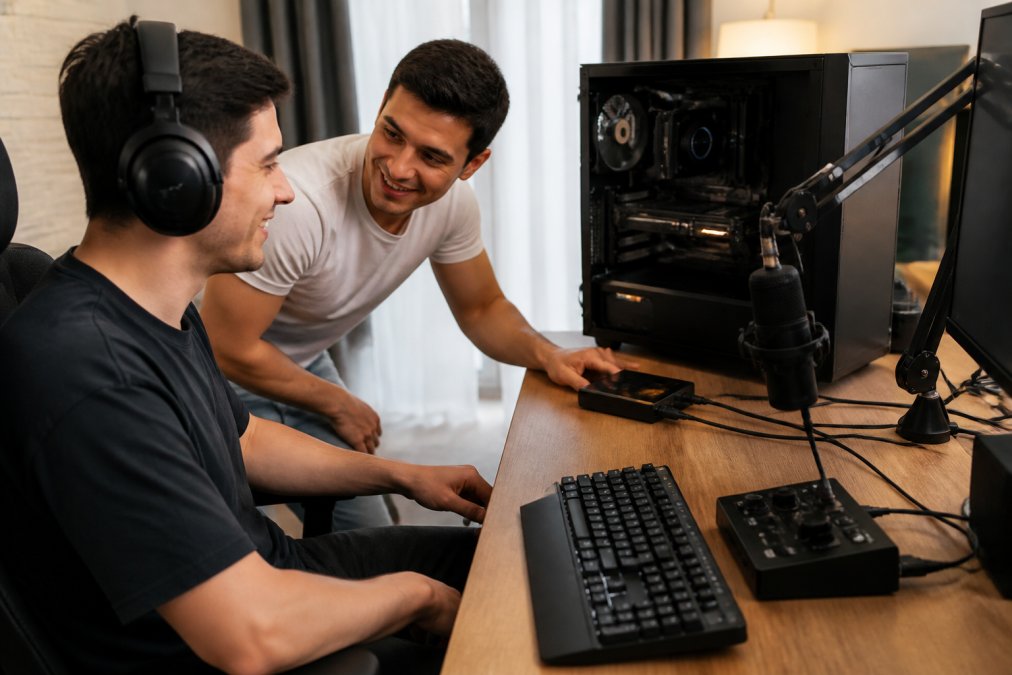
Display connectivity requires HDMI loop-through capability on your capture card, allowing you to monitor stream output on a second display while capturing from your primary system. Most modern cards handle 1080p at 60fps or 4K at 30fps (peer-reviewed research).
Best Capture Cards for Dual PC Streaming
A capture card bridges your gaming PC and streaming PC by converting HDMI output into a USB or PCIe input. Look for cards offering HDMI loop-through, which lets you monitor your stream without delay while simultaneously capturing to your streaming PC. Hardware acceleration support reduces CPU overhead on your streaming machine, allowing better encoding quality at lower computational cost.
Consider whether you need 4K capture or if 1080p at 60fps meets your requirements. Many successful streamers use 1080p because it balances quality with manageable bitrate demands. PCIe cards generally offer lower latency than USB alternatives, though modern USB 3.0 cards perform adequately for most streaming scenarios.
NDI vs Capture Card for Streaming: Which Works Best
NDI (Network Device Interface) transmits video across your local network without dedicated hardware capture devices, offering flexibility in equipment positioning. Capture cards convert HDMI signals to digital streams with minimal latency, typically under 1-2 frames, while NDI introduces slightly higher latency due to network transmission (peer-reviewed research).
NDI excels when you need to position your primary PC in a different location or capture multiple sources simultaneously. Capture cards work better for single-source, high-bitrate streaming where hardware acceleration provides encoding advantages. NDI requires 50-100 Mbps of network bandwidth depending on resolution and frame rate (peer-reviewed research).
For most streamers, capture cards offer simpler setup and more predictable performance. NDI becomes attractive when your network infrastructure supports it and you need flexibility in equipment placement.
Dual PC Streaming Audio Routing Guide
Audio routing determines whether your stream captures game audio, microphone input, and system sounds properly. Connect your microphone directly to your audio interface's XLR or USB input. Route game audio from your primary PC through an auxiliary output to your audio interface's line input, allowing independent volume control of each source.
Ground loop noise manifests as a 60Hz hum in your stream. Isolate audio cables from power cables, use balanced XLR connections instead of unbalanced RCA when possible, and consider an isolation transformer if hum persists. Virtual audio cables on your streaming PC allow software-based routing without additional hardware, though dedicated audio interfaces provide superior noise rejection for professional-quality streams. Cameras, Lighting & Audio Equipment can help you source professional-grade audio interfaces designed specifically for streaming workflows.

Building an advanced streaming setup for dual PC demands attention to capture card selection, network reliability, and audio routing precision. Start with quality fundamentals, proper hardware selection, network configuration, and audio setup rather than chasing advanced features you won't use.
Frequently Asked Questions
Is a dual PC streaming setup better than a single PC setup?
A dual PC streaming setup separates encoding work from gameplay or content creation, reducing CPU overhead on your main machine. This approach delivers smoother performance, higher frame rates, and better stream quality because your gaming or content PC isn't competing with encoding tasks. Single PC setups work for casual streaming, but dual PC configurations are standard for competitive gaming and professional content creation where input lag and stream reliability matter most.
Do I need a capture card for a dual PC streaming setup?
A capture card is the traditional way to connect two PCs, it captures video from your gaming PC and sends it to your streaming PC via HDMI. However, NDI (Network Device Interface) offers a software-based alternative that routes video over your network without hardware. Capture cards provide lower latency and are more reliable for high-bitrate streams, while NDI reduces cable clutter and works well for setups where both PCs are on the same network. Your choice depends on your latency tolerance, available desk space, and network stability.
What audio interface do I need for dual PC streaming?
You need an audio interface to manage microphone input, game audio, and system sounds separately. The NXG MD21 USB sound card at Perfect Take Gear provides 24-bit audio quality with dedicated microphone inputs, making it ideal for streamers who need clean voice capture. Your audio interface connects to your streaming PC and handles routing from both your gaming PC and microphone through a mixer or virtual audio cable, ensuring all sources blend smoothly without echo or latency issues.