

How to Set Up a Home Studio for TikTok
Table of Contents
- What You'll Need to Get Started
- Best Lighting for TikTok Videos
- How to Improve Audio Quality for TikTok
- TikTok Studio Background Ideas and Setup
Last Updated: August 18, 2026
What You'll Need to Get Started
A home TikTok studio requires just a few essentials: a camera or smartphone, microphone, lighting, and a clean backdrop. Most creators overlook audio quality early on, then regret it once their audience expects better production standards.
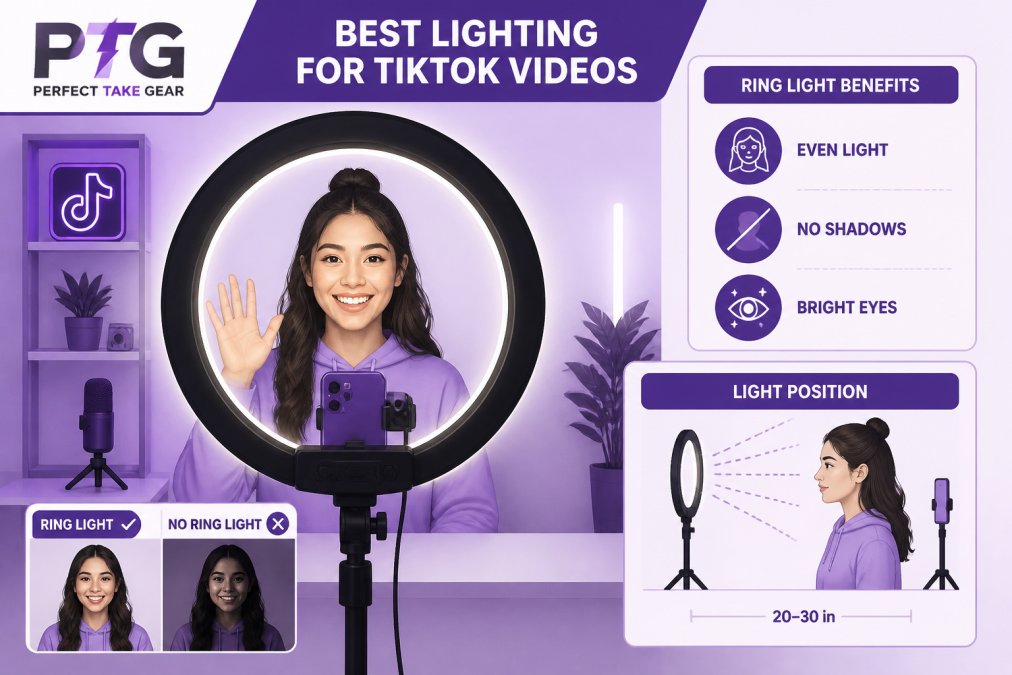
A smartphone captures video quality that rivals dedicated cameras. The real difference comes from supporting gear. A decent microphone transforms muddy audio into something viewers want to listen to. Lighting separates amateur videos from professional ones. A simple backdrop removes visual distractions and frames the creator properly.
When sourcing your setup, Cameras, Lighting & Audio Equipment makes it easier to find compatible pieces that work together. The MAONO Bundle Audio Interface Condenser Microphone Set combines a condenser microphone with an audio interface in one unit, eliminating compatibility confusion. For desk setups, a 4K Webcam with built-in microphone keeps you sharp with autofocus and acceptable integrated audio.


A professional ring light kit with tripod handles both illumination and phone mounting. For mobile content, a smartphone gimbal stabilizer adds professional motion control with built-in fill light.

Best Lighting for TikTok Videos
Lighting separates amateur from polished videos. Position light at a 45-degree angle across the creator's face to avoid harsh shadows while maintaining dimension. This key lighting technique creates the flattering appearance viewers associate with professional content.
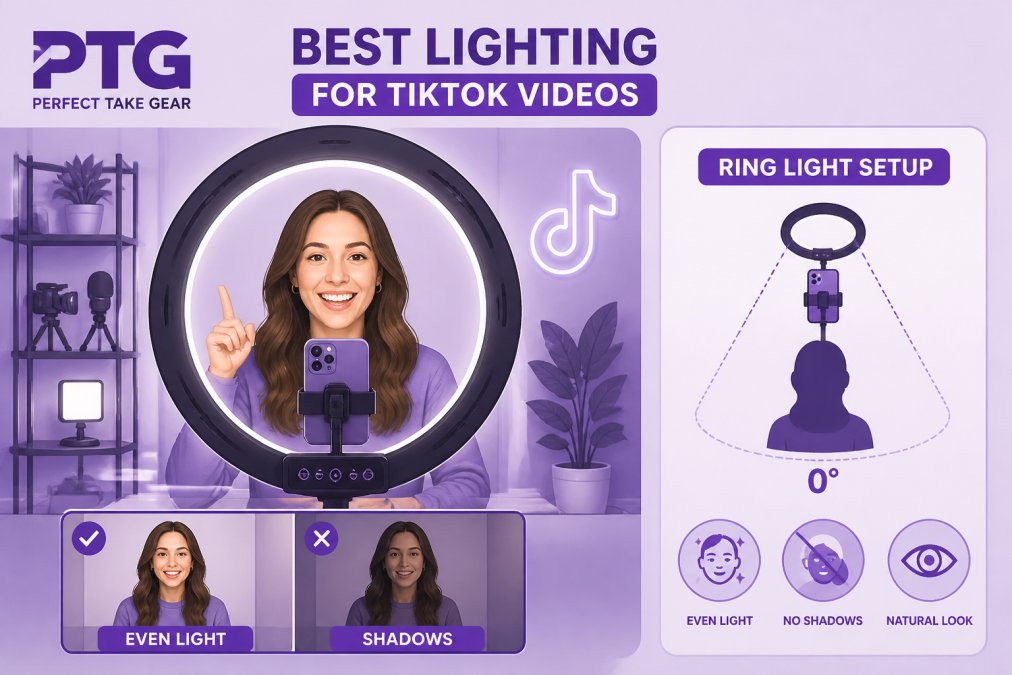
Ring lights produce soft, even illumination that flatters skin tone and creates a distinctive catch light in the eyes. Position the ring light directly in front of the camera at eye level or slightly above to flatter most face shapes and prevent unflattering under-lighting.
Natural window light works if positioned to the side of the camera rather than directly behind it, creating depth without blown-out footage. However, natural light changes throughout the day and varies by weather, making it unreliable for consistent production.
Three-point lighting is the industry standard, but TikTok creators rarely need all three. A single quality key light produces excellent results. If shadows are too deep, use a white reflector or foam board opposite the key light to bounce illumination back into shadow areas at no additional cost.
According to TikTok's official creator guidelines, proper lighting improves viewer retention. Creators filming in well-lit environments see longer average watch times than those with poor lighting, even when content quality is identical.
How to Improve Audio Quality for TikTok
Audio quality matters more than most creators realize. TikTok viewers scroll through dozens of videos in a session, and poor audio, background noise, or muffled speech causes immediate skipping. Good audio keeps them watching.
A USB microphone eliminates the need for an audio interface, but an audio interface like the MAONO bundle offers better control over input gain and monitoring. Set input gain too low and speech sounds distant; set it too high and you introduce noise and distortion.
Position the microphone 6-8 inches from your mouth. Closer placement increases volume but causes plosives, the harsh "p" and "b" sounds that distort in recordings. A pop filter reduces plosives without muffling speech. Many microphone bundles include pop filters.
Monitor your audio while recording through headphone outputs on your audio interface. Listen for background noise, computer fans, refrigerators, traffic, and eliminate what you can. Close windows, move away from appliances, and record during quieter times of day.
A condenser microphone like the PM360TR in the MAONO bundle has a cardioid pickup pattern that captures sound primarily from the front while rejecting sound from the sides and rear, naturally reducing ambient noise without processing.
According to research on audio quality in short-form video, viewers tolerate poor video quality far longer than poor audio quality. Investing in microphone quality returns more value than investing in camera quality for TikTok creators.
TikTok Studio Background Ideas and Setup
The background communicates as much as the creator does. A clean, intentional background keeps focus on the person speaking. Busy, cluttered backgrounds distract viewers and feel unprofessional.
Solid color backdrops work well for talking-head videos. A plain white, black, or neutral-colored sheet costs very little and removes all distractions. Hang it behind your filming area or drape it across a simple frame, ensuring it's well-lit so it appears as a solid color without wrinkles or shadows.
Themed backgrounds suit specific content: a bookshelf for educational content, a kitchen for cooking, a bedroom for lifestyle. The key is relevance, the background should support the video's message, not compete with it.
Real backgrounds work if kept clean and organized. Many successful TikTok creators film in their bedrooms or offices without special backdrops. The difference is intentionality: clear clutter, position the camera to frame only what's relevant, and ensure adequate lighting reaches the background so it doesn't appear dark and undefined.
Avoid busy patterns, bright colors that clash with skin tones, and backgrounds with movement unless intentional to the video's message. Test your background by recording a short clip and reviewing it on your phone.
Lighting the background separately from lighting the creator creates dimension and polish. If your background is a solid color, light it evenly to prevent shadows. This prevents the silhouette effect where the creator appears as a dark shape against a bright background.
Creating consistent, professional-looking TikTok content begins with understanding how lighting, audio, and composition work together. The equipment matters less than how it's used. Content Creator Gear & Equipment provides starter bundles and individual pieces designed for creators building home studios without overwhelming complexity. Whether using the MAONO audio bundle for superior sound, the ring light kit for professional illumination, or the smartphone gimbal for stable footage, each piece serves a specific purpose in elevating production value. Start with the essentials, test what works in your space, and upgrade specific areas as your content demands improve.
Frequently Asked Questions
What equipment do I need to start a TikTok home studio?
Start with these essentials: a smartphone or webcam, a condenser microphone with audio interface, lighting (ring light or key light), and a simple background. A bundle like the MAONO AM200-S1 combines a microphone and audio interface to handle both audio capture and sound management in one unit. You don't need professional broadcast gear, quality basics produce content that performs well on the platform.
Do I need a professional camera for TikTok or is a phone enough?
Your smartphone camera works perfectly for TikTok. Most successful creators film on phones because the platform's algorithm rewards authentic, vertical video. If you want higher resolution or more control, a webcam with 1080p or 4K capability gives you flexibility for desktop setups. The real difference comes from lighting and audio quality, not the camera itself.
How can I improve my TikTok video lighting at home?
Position your key light at a 45-degree angle to your face to create dimension and reduce harsh shadows. An 18-inch ring light provides soft, even illumination that's flattering for close-up content. Place it at eye level or slightly above. Avoid backlighting from windows unless you want a silhouette effect. Natural window light works in a pinch, but artificial lighting gives you consistent results throughout the day.
What's the best audio setup for TikTok creators?
Pair a condenser microphone with an audio interface to capture clear dialogue and reduce background noise. Set your input gain so peaks hit around -12dB to -6dB on your interface, this prevents clipping while giving you headroom. Use monitor headphones to hear yourself in real time. A pop filter reduces plosives (hard 'p' and 'b' sounds). Good audio matters more than video quality because viewers tolerate lower resolution but not poor sound.
This article was written using GrandRanker