

Best Green Screen Kits for Streamers: 2026 Guide
Table of Contents
- Green Screen Backdrop Kits for Streamers: What You Need to Know
- Quick Comparison Table
- 1. SH 2x3M Photography Lighting Kit with Backdrops: Complete All-in-One Setup
- 2. SH Photography Studio Lighting Kit with Backdrops: Compact and Portable
- 3. Heavy Duty Adjustable Backdrop Stand: Maximum Reach and Stability
- 4. Adjustable Aluminum Double Crossbar Backdrop Stand: Professional Travel Option
- Choosing the Right Green Screen Backdrop with Stand for Your Space
- Green Screen Size for Streaming: Coverage and Camera Framing
- Frequently Asked Questions
Last Updated: October 10, 2026
Green Screen Backdrop Kits for Streamers: What You Need to Know
Setting up a professional-looking stream with green screen kits streamers need doesn't require a dedicated studio space or a five-figure equipment budget. A quality green screen backdrop kit with proper stand support transforms any room into a clean, distraction-free broadcast environment. The right kit combines three essential elements: a stable frame, wrinkle-resistant fabric, and quick setup so you can focus on content instead of wrestling with equipment.
Perfect Take Gear specializes in Content Creator Gear & Equipment designed specifically for streamers, gamers, and content creators building professional setups on practical budgets. Whether you're launching your first Twitch channel, upgrading your YouTube setup, or creating product videos for social media, choosing the right green screen backdrop kit determines how polished your final output looks and how much time you spend on technical setup versus actual content creation.
The challenge most streamers face with green screen kits streamers use is finding one that actually delivers clean chroma key results without excessive wrinkles, doesn't tip over mid-stream, and assembles faster than your pre-show routine allows. Below, we've analyzed the key factors that separate functional kits from ones that frustrate you into abandoning the green screen altogether.
Quick Comparison Table
| Product | Price | Stand Type | Backdrop Size | Best For | Setup Time |
|---|---|---|---|---|---|
| SH 2x3M Photography Lighting Kit with Backdrops | $250.99 | 2x3m stand with tripods | 2x3m with lighting | Complete all-in-one setups with lighting | 10-15 minutes |
| SH Photography Studio Lighting Kit with Backdrops | $133.99 | Light stands (2m) | Multiple sizes available | Compact setups with professional lighting | 8-10 minutes |
| Heavy Duty Adjustable Backdrop Stand | $80.99 | Six-leg frame (3.3-10ft tall) | Up to 12ft wide | Maximum stability and reach | 5-7 minutes |
| Adjustable Aluminum Double Crossbar Backdrop Stand | $174.99 | Dual crossbar aluminum frame | Up to 340x270cm | Professional travel and studio use | 5 minutes |
| BTFOOR Cotton Chromakey Photography Backdrop | $40.99 | Backdrop fabric only | 300x200cm or 400x300cm | Replacement backdrop or budget-conscious streamers | N/A |
1. SH 2x3M Photography Lighting Kit with Backdrops: Complete All-in-One Setup
This kit (model SH-TZ-54) solves the most common streaming problem: insufficient lighting for clean green screen keying. Many streamers buy a backdrop stand, set up their camera, and wonder why the chroma key looks muddy or produces green spill on their edges. Inadequate lighting is usually the culprit. This kit includes everything needed to avoid that mistake.


The 2x3m background stand provides enough width for medium-distance camera framing typical in streaming setups. Four 2-meter tripods offer flexible positioning for cameras, lights, or additional equipment. The included non-woven fabric backdrops come in white, black, and green, giving you options beyond just green screen work for product reviews or interview-style content.
The lighting package includes two soft white umbrellas and two reflective black umbrellas (33 inches each), plus two softboxes with single lamp holders and four 20W corn bulbs. This combination creates even, diffused light across the backdrop surface, which is critical for clean chromakey results.
Setup takes 10-15 minutes once you understand the tripod mechanisms. Fish clips secure the backdrop fabric, and everything packs into an included carrying bag. At $250.99, this is the most expensive option in the lineup, but it's the only kit that addresses lighting, which determines whether your chroma key looks professional or amateur.
Best for: Streamers who want a complete solution without sourcing lights separately. Content creators producing multiple video types (green screen, product shots, interviews). Teams with dedicated streaming spaces where setup speed is less critical than output quality.
2. SH Photography Studio Lighting Kit with Backdrops: Compact and Portable
This kit (model SH-TZ-36) strips away the large backdrop stand and focuses on portable lighting and fabric backdrops. It includes 33-inch umbrellas (soft white and reflective black/silver or black/gold), 50x70cm softboxes, 2-meter light stands, and non-woven backdrops in black, white, and green. An 80cm 5-in-1 foldable reflector (translucent, silver, gold, white, black) adds flexibility for bouncing or diffusing light.

The key difference from the larger kit: you're responsible for sourcing or using an existing backdrop stand. This makes sense if you already own a stand or prefer to use a wall-mounted pull-up screen. The 20W E27 LED bulbs (1200lm, CRI≥80) deliver sufficient brightness for streaming without generating excessive heat, which matters if you're on camera for extended periods.
Setup time is 8-10 minutes for the lighting system alone, assuming your backdrop stand is already in place. The reflector and light stands pack compactly, making this kit genuinely portable for creators who move between locations or want to travel with gear.
At $133.99, this kit costs less than half the complete 2x3M setup, but you're paying separately for a backdrop stand. If you already own one, this is excellent value. If you don't, factor in an additional $80-$175 for a quality stand.
3. Heavy Duty Adjustable Backdrop Stand: Maximum Reach and Stability
The six-leg design of this stand (model ZG-18-SJL) prioritizes stability over portability. It supports up to 40 lbs of backdrop fabric weight, making it suitable for heavier cotton or canvas backdrops. Telescopic crossbars extend from 3.3 to 10 feet tall, and individual 3-foot crossbars connect together for a maximum width of 12 feet.
This is the stand to choose if your streaming space has limited floor space but vertical clearance. The wide, low footprint keeps the stand from tipping even with heavier backdrop materials or if someone brushes against it during a live stream. Two heavy-duty clamps and four backdrop clips hold fabric taut and wrinkle-free.
Assembly takes 5-7 minutes, and the included carrying bag makes transport feasible, though the stand is heavier than aluminum alternatives. At $80.99, it's the most affordable stand-only option, making it ideal for streamers who already own lighting or prefer to purchase lights separately.
The tradeoff: maximum width (12 feet) works for wide-angle shots or multi-person streaming, but the height adjustment range (3.3-10 feet) is less flexible than some alternatives. If your streaming setup requires a very tall stand, this may not be optimal.
Best for: Streamers in small rooms who need height adjustment without a large footprint. Budget-conscious creators willing to source lighting separately. Anyone prioritizing stability over portability.
4. Adjustable Aluminum Double Crossbar Backdrop Stand: Professional Travel Option
The dual-frame design of this stand (model SH-BJJ-2734) resists lateral sway better than single-crossbar designs, which matters if your streaming environment has air movement from fans, open windows, or HVAC systems. Interlocking upper and lower crossbars work together to keep the backdrop flat and taut, reducing wrinkles that confuse green screen software.
Telescoping poles adjust from 197.5 x 104.5 cm (approximately 6.5 x 3.4 feet) to 340 x 270 cm (approximately 11.2 x 8.9 feet), offering flexibility for different room sizes and camera distances. The powder-coated aluminum construction resists scuffs and dents, important if you're moving the stand frequently between locations.
Adjustable Aluminum Double Crossbar Backdrop Stand for Studio Photography →
Setup takes approximately 5 minutes, and the stand folds flat into an Oxford carry case for transport. Spring clips hold backdrop fabric securely without requiring separate clamps. At $174.99, it's mid-range pricing that reflects the professional-grade construction and travel-friendly design.
The dual-frame system adds weight compared to single-crossbar stands, but the stability gain justifies it for streamers who can't afford downtime from a wobbly backdrop mid-broadcast.
Best for: Traveling content creators who move between locations regularly. Streamers in environments with air movement or vibration. Anyone prioritizing stability and wrinkle-free backdrops over maximum portability or budget minimization.
Choosing the Right Green Screen Backdrop with Stand for Your Space
The ideal green screen backdrop kit depends on three factors: your room size, your lighting situation, and how often you're moving the equipment. A streamer in a small bedroom needs a different setup than someone producing content in a larger dedicated studio space.
Room size determines both the stand dimensions and the camera distance you'll use. If your streaming desk is 6 feet from the wall, a 2x3m stand provides sufficient width for shoulder-up framing (typical for gaming or interview streams). If you're doing product reviews or want full-body shots, you'll need the 12-foot width option.
Lighting transforms green screen results more than any other factor. A cheap stand with inadequate lighting produces muddy, green-spilled chroma key footage. A quality stand with proper lighting produces clean, professional results. If your streaming space has zero existing lighting, invest in one of the kits that includes umbrellas and softboxes.
Portability matters if you stream from multiple locations or travel for content creation. Aluminum stands pack smaller and weigh less than steel alternatives. Stands that fold into dedicated carry cases are genuinely portable; stands without cases require awkward assembly each time you move.
Green Screen Size for Streaming: Coverage and Camera Framing
The optimal green screen size depends on your camera distance and the framing you want.
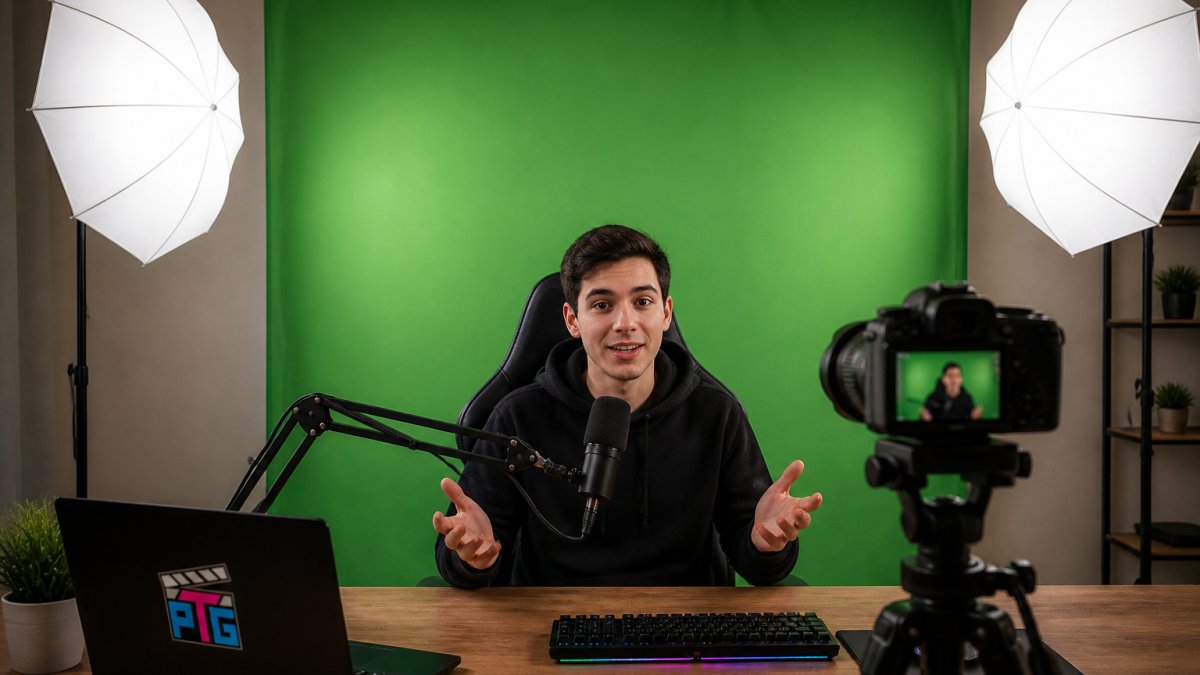
For shoulder-up framing at 3-4 feet distance, a 5x7 foot backdrop provides comfortable margin. You can position yourself center-frame with green screen visible on both sides, reducing the risk of green spill on your edges.
For full-body framing or multi-person streaming, you need at least 8 feet of width. The 12-foot wide option (Heavy Duty Adjustable Backdrop Stand) handles this comfortably.
The rule of thumb: measure the distance from your camera to where you'll stand, then ensure the backdrop extends at least 2 feet beyond your shoulders on each side.
Backdrop material also affects perceived size. Non-woven fabric (used in the SH kits) is lighter and wrinkle-resistant but shows texture under close inspection.
Green screen software performs best when the backdrop color is uniform and well-lit. According to Adobe's guide to green screen setup, even illumination across the backdrop surface is the single most important factor in successful chromakey work.
Perfect Take Gear's green screen backdrop kits combine stable stands with quality fabric and, in some cases, professional-grade lighting.
Frequently Asked Questions
What size green screen backdrop kit do I need for streaming?
For streaming, a 5 x 7 feet backdrop covers most single-camera setups and fits typical room spaces. If you have more room or want to frame multiple subjects, 10 x 12 feet provides flexibility. The SH 2x3M kit (approximately 6.5 x 10 feet) works well for streamers with moderate space, while the Heavy Duty Adjustable Backdrop Stand extends to 12 x 10 feet for larger productions. Match the size to your camera framing distance, typically 6 to 10 feet from the screen.
Do I need lighting with a green screen backdrop kit for streaming?
Yes, lighting is essential for clean chroma key results. Dedicated green screen lighting kits like the SH 2x3M or SH Photography Studio kits include umbrellas and softboxes that evenly illuminate the backdrop and reduce shadows. Without proper lighting, your streaming software struggles to distinguish the green background from your subject, resulting in poor background removal. Aim for even, diffused light across the entire backdrop.
What's the difference between a portable green screen for streaming and a full stand setup?
Portable pull-up or collapsible screens pack down smaller and set up faster, ideal if you stream from different locations or have limited storage. Full stand setups like the Heavy Duty Adjustable Backdrop Stand offer greater stability, larger coverage areas, and better support for heavier backdrop materials. For stationary home studios, a full stand provides professional results; for travel or tight spaces, a portable option works better.
How long does it take to set up a green screen backdrop kit?
Most kits assemble in 5 to 15 minutes. The Adjustable Aluminum Double Crossbar stand takes about 5 minutes, while larger stands with multiple components may take 10 to 15 minutes. Lighting kits add another 5 to 10 minutes for positioning umbrellas and stands. All kits fold into carrying bags for quick transport and storage, making them practical for creators who stream regularly but don't need permanent installation.