

Film Yourself With a Teleprompter Alone: Step-by-Step Setup
Table of Contents
- Setting Up Your Device for Teleprompter Use
- How to Write a Video Script for Teleprompter Success
- Tips for Natural Eye Contact on Camera While Reading
- Essential Gear for Remote Video Calls and Solo Recording
Last Updated: August 30, 2026
Setting Up Your Device for Teleprompter Use
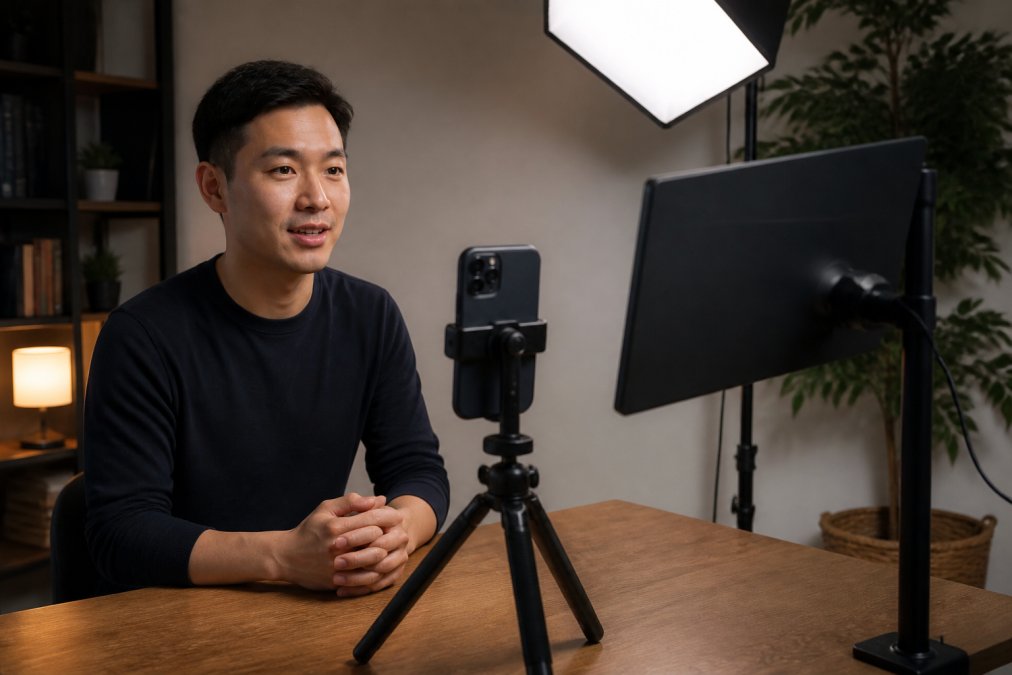
The foundation of solo filming with a teleprompter starts with proper device positioning. Your smartphone or tablet becomes both your camera and your script delivery system, so placement is critical. Mount your device on a tripod at eye level, ensuring the lens aligns with where your eyes naturally focus (the American Academy of Dermatology). This alignment prevents the downward gaze that makes viewers feel disconnected from your message.
Position your teleprompter monitor directly below the camera lens or use a beamsplitter setup if your teleprompter software supports it. Many creators use a secondary external display that mirrors their device's screen, allowing them to read the script while maintaining natural eye contact with the camera. The goal is minimizing the distance between where you read and where the camera sits.
Adjust your scroll speed before recording begins. Test your script at different speeds to find a pace that feels conversational rather than rushed. Most creators find that slower scrolling allows for better delivery and more natural pauses (peer-reviewed research). Your teleprompter app should offer adjustable scroll settings, experiment until the rhythm matches your natural speaking pace.
How to Write a Video Script for Teleprompter Success
Script formatting determines whether your delivery sounds natural or robotic. Write in short, conversational phrases rather than long paragraphs. Breaking your script into smaller chunks helps you pause naturally and gives viewers moments to absorb information. Use larger font sizes than you'd normally consider, your eyes need to read comfortably from a distance while staying focused on the camera (the NIH).
Include natural pauses in your script by adding line breaks. Mark these moments with ellipses or stage directions like [pause] so you remember to breathe and let information land. This prevents the rushed delivery that happens when creators try to cram too much content into their frame.
Structure your script with clear sections: opening hook, main content, and closing call-to-action. Each section should stand alone if needed, making it easier to film multiple takes or edit segments later. Write conversationally, use contractions, everyday language, and questions that engage your audience. Reading naturally from a teleprompter requires script language that mirrors how you actually speak.
Tips for Natural Eye Contact on Camera While Reading
Maintaining natural eye contact while reading from a teleprompter is a learned skill. The key is training your eyes to stay focused on the camera lens rather than dropping down to watch the script scroll. Position your external monitor as close to the lens as possible, even a few inches makes a difference in how natural your gaze appears.
Practice reading ahead slightly. Glance at the next line while speaking the current one. This technique, called "leading the scroll," helps you anticipate what's coming and speak with more confidence. Your delivery becomes less mechanical because you're not reading word-by-word but rather speaking thoughts you've already absorbed.
Vary your eye movement subtly. Looking directly at the camera for the entire video creates an intense, uncomfortable feeling. Allow your gaze to shift occasionally, look slightly to the left or right of the lens for a few seconds before returning. This mimics natural conversation and feels more authentic to viewers.
Essential Gear for Remote Video Calls and Solo Recording
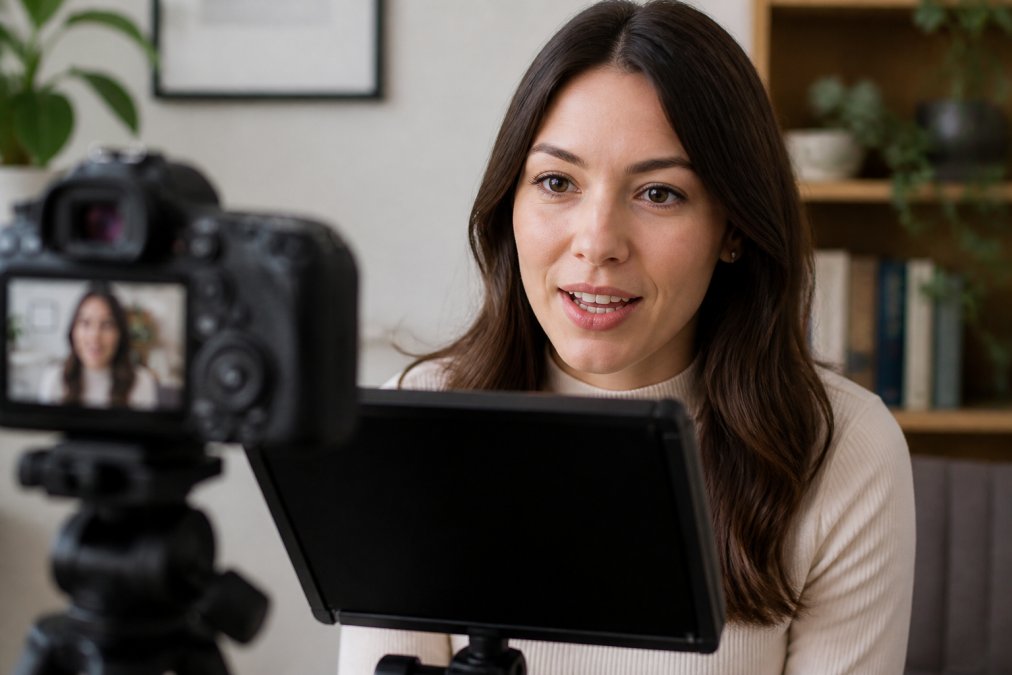
Your equipment setup directly impacts production quality. A smartphone with a strong rear camera is essential, rear cameras typically offer better autofocus and image quality than front-facing lenses. Pairing your phone with an external monitor solves the eye-contact challenge while giving you a clear view of your framing and focus.

When building out your Cameras, Lighting & Audio Equipment setup, consider wireless vlog monitors specifically designed for this workflow. The SYNCO XView Selfie Monitor for iPhone Rear Camera delivers lag-free 4K transmission, letting you see exactly what the rear camera captures while maintaining natural eye contact with the lens. The magnetic mounting system keeps setup simple and reliable.
For creators using Android devices, the SYNCO XView Wireless Vlog Monitor provides the same wireless freedom with extended range. A stable tripod, quality lighting positioned to eliminate shadows on your face, and a lavalier microphone or shotgun mic round out the essentials. These components work together to create professional-looking solo video content without requiring a second person behind the camera.

Frequently Asked Questions
Q: How do I avoid looking like I'm reading when using a teleprompter?
A: The key is practice and pacing. Record multiple takes and vary your delivery, pause naturally, change inflection, and glance away occasionally. Adjust your scroll speed to match your natural speaking rhythm, not the other way around. Format your script with short phrases and line breaks so you're reading chunks rather than scanning continuously. Over time, this conversational tone becomes automatic.
Q: What's the best setup for filming yourself with a teleprompter alone?
A: Position your camera at eye level using a tripod, then place your teleprompter monitor or script display just below the lens. This creates the illusion of eye contact. Use a wireless external monitor or smartphone display so you can see your framing and the script simultaneously. Ensure your lighting is even and your background is intentional. A simple desk setup with a phone stand and external monitor works well for most creators.
Q: Do I need special equipment to use a teleprompter alone?
A: Not necessarily. A smartphone mounted on a tripod and a teleprompter app is enough to start. However, an external monitor like the Ulanzi VM02 or SYNCO XView makes solo recording much easier because you can see both your script and your framing without switching between apps. Add basic lighting and you have a professional setup. Many creators start simple and upgrade as their content grows.
Solo filming with a teleprompter removes the barrier of needing a camera operator while maintaining professional production standards. The setup requires attention to device positioning, script formatting, and eye-contact technique, but these skills develop quickly with practice. Perfect Take Gear's wireless vlog monitors and creator equipment make the process more accessible, letting you focus on delivering confident, conversational content rather than managing complex technical setups.