

Best Streaming Microphones for Dual PC Setups in 2026
Table of Contents
- What Actually Matters in a Dual PC Microphone
- Comparison Table: Best Streaming Microphones for Dual PC Setups
- Top Picks by Microphone Type
- Dynamic vs. Condenser Microphone for Streaming
- How to Connect a Microphone to Two Computers
- Building a Dual PC Streaming Audio Setup Without Echo
- Do You Need an Audio Interface for Dual PC Streaming?
- Which Microphone Should You Pick?
- Frequently Asked Questions
Last Updated: October 17, 2026
What Actually Matters in a Dual PC Microphone
A dual PC microphone must be shared between a gaming PC and a streaming PC without hum, echo, or a duplicate signal.
The pattern is clear: people buy a great-sounding mic, then discover it only talks to one machine.
The short answer: a USB dynamic mic with a cardioid pattern, hardware gain dial, and headphone jack covers most two-PC builds.
Buying Criteria for a Two-Computer Setup
Five specs decide whether a mic belongs in a dual PC rig:
- Connectivity: USB-C or XLR, and whether both exist on the same body
- Pickup pattern: cardioid rejects keyboard and fan noise better than omnidirectional
- Gain control: a physical dial beats a software slider when two machines fight over levels
Don't ignore the mute control. On a two-PC desk, a hardware mute button saves you from broadcasting a private call to both machines at once.
Comparison Table: Best Streaming Microphones for Dual PC Setups
| Microphone | Price | Type | Connection | Best For |
|---|---|---|---|---|
| Maono PD200X | $129.99 | Dynamic | USB-C + XLR | Best overall dual PC pick |
| Tenlamp CG1 | $54.99 | Condenser | USB-A, USB-C, 3.5mm | Budget dual-channel routing |
| FIFINE A8 | $93.99 | Condenser | USB | Zero-latency monitoring |
| FIFINE A6T | $92.99 | Condenser | USB-C | Complete kit with boom arm |
| FIFINE A6V | $65.99 | Condenser | USB | Tap-to-mute simplicity |
| USB RGB Condenser Mic | $33.99 | Condenser | USB | First setup on a tight budget |
| NXG MD21 | $124.99 | Interface | USB | XLR signal chain hub |
| Tenlamp G10 PKPRO | $164.99 | Mixer bundle | USB-C, Bluetooth | Multi-input mixing |
| MAONO AM200-S1 | $142.99 | Mixer bundle | USB-C, 3.5mm | All-in-one podcast routing |
The Maono PD200X earns the top spot because it carries both USB-C and XLR on one all-metal body, so one mic can feed a gaming PC over USB and a streaming PC through an interface. Independent gain and headphone dials, a built-in mute switch, and a suspended shock mount round out the feature set, with the Maono Link app handling finer adjustments.

USB Implementers Forum device class specifications
Top Picks by Microphone Type
Two families dominate this category, and the choice comes down to how much control you want over the signal chain.
USB Microphones for Simple Dual PC Routing
USB mics win on speed: plug in, select the device in your software, done. The Tenlamp CG1 stands out for two-PC work because its dual-channel signal separation lets you monitor mic input apart from system audio, $54.99 with USB-A, USB-C, and 3.5mm connections.

The FIFINE A8 adds a 3.5mm headphone jack for zero-delay monitoring, a touch mute, and three RGB modes at $93.99. The FIFINE A6T bundles a boom arm, shock mount, and pop filter for $92.99.
XLR and Interface Combos for Cleaner Signal Chains
XLR is the long-game choice: a balanced connection carries a cleaner signal over distance, and an interface gives you one place to set gain.
Pair the MD21 with the Maono PD200X over XLR and you get a dynamic capsule that rejects room noise plus a stable interface feeding the streaming PC, $254.98 total, no software gymnastics.
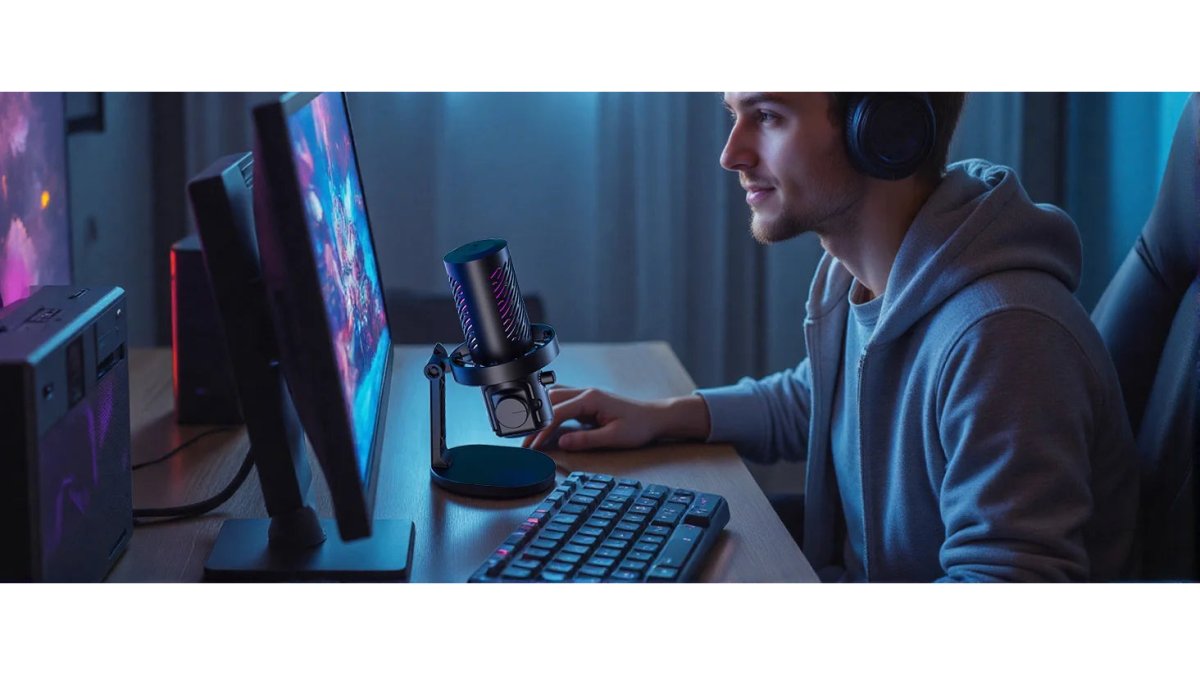
Dynamic vs. Condenser Microphone for Streaming
Dynamic microphones are the safer pick for untreated rooms. Their tighter capsule design and cardioid patterns reject background noise, keyboard clatter, and fan hum.
Condenser mics capture more detail and air, but their sensitivity picks up your mechanical keyboard, your chair, and the neighbor's dog. In a quiet, treated space that detail is a gift; in a shared apartment, it's a liability.
How to Connect a Microphone to Two Computers
Connecting one microphone to two computers requires a shared audio path. No single cable turns one USB mic into two independent inputs, so every working setup falls into one of three architectures. Pick the one that matches how your machines already talk to each other.
Method 1: USB Microphone with Software Routing
A USB microphone binds to one host computer at a time. To get that signal to the second machine, route it over the network or through a virtual audio cable.
- On the host PC (the one the mic is plugged into): install a virtual audio cable driver, set the mic as the input, and set the virtual cable as the output. Then run a network audio bridge that sends that virtual device to the second PC.
- On the receiving PC: install the matching bridge client and select the incoming stream as your streaming software's microphone input.
- Latency: expect roughly 20-80 ms of added delay depending on your network and buffer settings. That is fine for commentary but can drift out of sync with video if you do not lock sample rates.
This is the cheapest path and the one most people try first, and the least reliable, which is why hardware routing dominates permanent desks.
Method 2: XLR Microphone into an Interface with Two Outputs
An audio interface converts the mic's analog signal to digital and gives you a clean place to set gain.
- Connect the XLR mic to the interface's mic input and set gain so peaks land around -12 dBFS.
- Run the interface's primary USB output to the streaming PC.
- Run the secondary output, line-level or a second USB path, depending on the interface, to the gaming PC's line input or capture card.
- Set both machines to the same sample rate (48 kHz is the common streaming standard) in the interface control panel and in each PC's audio settings.
A balanced XLR run carries cleanly over distance, so the interface can sit next to the streaming PC while the mic stays at the desk. It also scales: add a second mic later and the interface already has the inputs.
Method 3: Mixer as a Routing Hub
A small mixer with multiple outputs is the most flexible hardware option. The mic plugs into a channel, and you assign that channel to more than one output bus.
- Mic into channel 1. Set gain and engage the low-cut filter if the mixer has one.
- Main out to the streaming PC. This is the feed your broadcast software sees.
- Aux or monitor send to the gaming PC. Use a separate bus so you can adjust the level each machine receives independently.
A 6-channel mixer like the Tenlamp G10 PKPRO at $164.99 is built for this role: one mic in, multiple destinations out, and an internal battery so a power blip doesn't drop your audio mid-stream.
Which Method Fits Your Desk
| Architecture | Cost Range | Latency | Reliability | Best For |
|---|---|---|---|---|
| USB + software routing | $0-$30 in software | 20-80 ms | Low | Testing the idea before buying hardware |
| XLR + interface | $125-$300 | Under 10 ms | High | Permanent two-PC studio |
| Mixer hub | $100-$250 | Under 5 ms | High | Multiple mics or sources later |
Building a Dual PC Streaming Audio Setup Without Echo
Three failures account for nearly every bad dual-PC audio stream: echo, ground-loop hum, and audio-video drift. Each has a distinct cause and fix. Diagnose in that order, echo first, because it masks the other two.
Maono PD200X Dynamic RGB Gaming Microphone - USB/XLR →
Echo: Breaking the Monitoring Loop
Echo is a feedback loop: the mic picks up speaker sound, that sound goes out to the stream, and the stream's audio comes back through the same speakers into the mic.
Diagnose it: mute the mic in your streaming software. If the echo stops, the loop is through the mic. If it continues, the loop is between the two PCs' audio devices.
Fix it:
- Wear headphones. Closed-back headphones on the gaming PC break the acoustic loop entirely.
- Monitor the mic through the streaming PC's interface or mixer headphone jack, not through desktop speakers.
- In your streaming software, disable "listen to this device" on the microphone input. That Windows feature is the single most common cause of self-echo on a two-PC setup.
Ground Loops: The Low Hum That Appears When Two PCs Share Power
A ground loop is a voltage difference between two grounded devices. When both PCs plug into the same power strip and also connect through USB or audio cables, that difference travels the cable as a 60 Hz hum.
Diagnose it: unplug the audio or USB cable between the two machines. If the hum stops, you have a ground loop.
Fix it, in order of preference:
- Use an interface with its own power adapter. A bus-powered interface draws from the PC's USB ground; a wall-powered one, like the NXG MD21 at $124.99, breaks the ground path through the audio cable.
- Use a ground-loop isolator on the line-level run between the two machines. These are inexpensive transformer-based devices that pass audio but block the ground.
- Plug both PCs into the same outlet circuit. Different circuits in the same room can sit at different ground potentials.
- Keep USB and XLR cables away from power cables. Parallel runs pick up hum; cross them at 90 degrees if they must meet.
Do not lift the ground pin on a power cable. It is unsafe and does not fix the underlying difference.

Sync Drift: When Audio Slides Out of Step with Video
Drift shows up as lip-sync error that grows over a long stream, caused by the two machines running at slightly different sample rates or clock sources.
Fix it:
- Set both PCs and the interface to the same sample rate, 48 kHz is the standard for streaming.
- In your capture software, lock the audio input to the video source rather than letting it free-run.
- If your interface has a word clock or digital sync option, use it to slave one device to the other.
A Quick Troubleshooting Order
- Echo? Check headphone use and the "listen to this device" setting first.
- Hum? Unplug the inter-PC cable to confirm a ground loop, then isolate or power the interface.
- Drift? Match sample rates and lock the capture software's audio clock.
Most dual-PC audio problems are routing problems, not microphone problems. A $60 mic on a clean signal chain outperforms a $200 mic on a looped one.
Do You Need an Audio Interface for Dual PC Streaming?
An audio interface is necessary when you use an XLR microphone or need a clean signal split between machines. It is not necessary for a USB mic.
The NXG MD21 handles the XLR case at $124.99. Its 24-bit conversion and dedicated mic input give you a stable, low-noise path. For USB mic users, the Tenlamp CG1's dual-channel separation does part of the interface's job without extra hardware.
Audio Engineering Society guidance on digital audio levels
Which Microphone Should You Pick?
Pick the Maono PD200X if you want one mic that covers USB today and XLR later. Pick the Tenlamp CG1 if budget matters and you need dual-channel monitoring now. Pick the NXG MD21 plus an XLR mic if you're building a permanent two-machine studio.
Perfect Take Gear stocks all of these options, along with the boom arms, shock mounts, and cables that complete a dual PC streaming audio setup, and if you'd rather browse the wider range, the Content Creator Gear & Equipment collection covers cameras, lighting, and audio in one place.
Federal Trade Commission guidance on endorsements and reviews
Frequently Asked Questions
What is the best microphone for a dual-PC streaming setup?
There is no single answer, but the Maono PD200X at $129.99 covers the most ground because it runs USB-C to one computer and XLR to an interface or mixer feeding the other. That dual connectivity means you can route voice to a gaming PC and a streaming PC without buying two microphones. If your budget is tighter, the FIFINE A6V at $65.99 works well when you split signal through a mixer rather than connecting directly.
Can I use a USB microphone with a streaming PC and gaming PC at the same time?
Not directly. A USB microphone presents itself as an audio device to one computer at a time, so plugging it into both is not possible without a splitter that most USB mics do not support. The practical workaround is a mixer or interface that takes the mic input and sends audio out to both machines, or a mic with XLR output feeding a mixer. The Tenlamp CG1 at $54.99 offers USB-A, USB-C, and 3.5mm connections, which gives you more routing options than a single-port USB mic.
Do I need an audio interface for a dual PC streaming audio setup?
You need one if you want a clean, controllable signal path between two computers. An interface like the NXG MD21 at $124.99 gives you a dedicated mic input, 24-bit conversion, and an external power adapter that reduces latency and background noise compared with a motherboard audio jack. If you use a USB microphone and a software mixer, you can skip the interface, but you lose hardware gain control and physical monitoring.
How do I prevent echo and audio delay with two PCs?
Echo usually comes from monitoring the same source on both machines. Route your microphone to the streaming PC only, and keep game audio on the gaming PC feeding the stream through a capture card. For delay, use hardware monitoring through a headphone jack rather than software monitoring. The FIFINE A8 at $93.99 has a 3.5mm headphone jack for real-time, no-delay monitoring, which removes the software buffer that causes most latency complaints.
Is a dynamic or condenser microphone better for streaming?
A dynamic microphone like the Maono PD200X handles untreated rooms and keyboard noise better because its cardioid capsule rejects more ambient sound. A condenser picks up more detail and suits a treated space. For most dual PC setups in a shared room, dynamic is the safer choice. Condensers such as the FIFINE A6T at $92.99 work well if you have acoustic treatment and want a brighter vocal sound.
The hardest part of a dual PC build isn't buying a microphone. It's getting one clean signal to two machines without echo, hum, or drift. Perfect Take Gear carries the mics, interfaces, and mixer bundles that solve that routing problem in one order. Browse the audio lineup to find the dynamic mic, USB condenser, or interface combo that fits your desk, then build the rest of the chain around it.