

5 Best Professional Streaming Cameras for YouTube 2026
Table of Contents
- Best Professional Streaming Cameras for YouTube
- How to Set Up a Professional Streaming Camera
- Camera Settings for High-Quality Streaming
- Best Lenses for YouTube Streaming
Best Professional Streaming Cameras for YouTube
Last Updated: August 22, 2026
Best Professional Streaming Cameras for YouTube
Professional streaming demands cameras that deliver sharp 4K footage, intelligent autofocus, and seamless software integration. Perfect Take Gear has curated streaming solutions balancing professional-grade performance with accessibility for creators at every level.
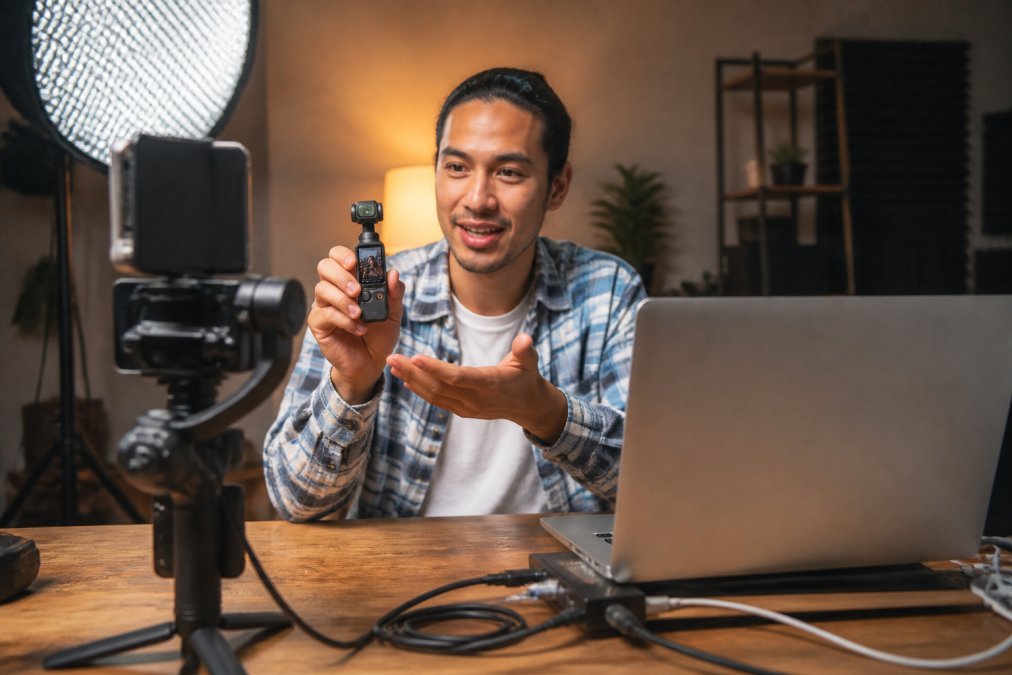
Quick Picks:
- Best Overall: DJI Osmo Pocket 3, 4K/120fps with 1-inch sensor and 3-axis stabilization
- Best Compact Option: DJI Osmo Nano, lightweight 4K/60fps with waterproof design
- Best Budget Webcam: EMEET PIXY, 4K AI tracking
- Best for 360 Content: Insta360 X4 Air, 8K 360-degree video in a portable package
- Best PTZ Webcam: OBSBOT Tiny 2 Lite, AI-powered auto-framing for hands-free streaming
1. DJI Osmo Pocket 3, Best Overall Professional Streaming Camera
The DJI Osmo Pocket 3 delivers cinema-grade performance in a pocket-sized form factor. Its 1-inch CMOS sensor captures 4K video at up to 120fps with professional dynamic range. The 3-axis gimbal eliminates jittery footage, while ActiveTrack 6.0 locks onto faces and follows subjects automatically. The 2-inch rotatable OLED touchscreen switches between horizontal and vertical modes for multi-platform streaming. Battery life reaches roughly 140 minutes of continuous 4K recording (dji.com).

Best for: Vloggers, travel creators, and solo streamers needing portable cinematic quality with built-in stabilization.
2. DJI Osmo Nano, Best Lightweight Professional Streaming Camera
At 165 grams, the DJI Osmo Nano proves compact doesn't mean compromised. The 1/1.3-inch sensor delivers 4K/60fps with a 143-degree ultra-wide field of view and 10-bit D-Log M color profile for professional color grading. Dual-sided magnetic design enables instant switching between selfie and subject-facing modes. Water resistance up to 10 meters opens streaming possibilities in challenging environments (dji.com).
Best for: Adventure creators, outdoor streamers, and anyone prioritizing portability without sacrificing 4K quality.
3. EMEET PIXY, Best Budget Professional Streaming Camera
The EMEET PIXY delivers 4K resolution at accessible pricing. Its dual-camera system with Sony 1/2.55" sensor locks onto subjects in milliseconds. The 3-axis PTZ mechanism rotates 300 degrees horizontally and 180 degrees vertically, enabling dynamic framing without physical movement. The integrated 3-microphone array captures clear audio.
Best for: Budget-conscious streamers, educators, and creators needing reliable 4K without premium pricing.
4. Insta360 X4 Air, Best for 360-Degree Professional Streaming
The Insta360 X4 Air captures immersive 360-degree video at 165 grams. Dual 1/1.8" sensors deliver 8K 360-degree footage at 30fps, with AI-powered reframing tools that extract standard 16:9 clips after recording. FlowState stabilization and 360-degree horizon lock keep footage smooth during action sequences.
Best for: VR content creators, immersive experience streamers, and creators experimenting with 360-degree perspectives.
5. OBSBOT Tiny 2 Lite, Best PTZ Professional Streaming Camera
The OBSBOT Tiny 2 Lite combines 4K resolution with AI-powered auto-framing for hands-free streaming. The 1/2-inch CMOS sensor captures 4K at 30fps or 1080p at 60fps. The 2-axis gimbal provides 300-degree horizontal and 180-degree vertical rotation. Dynamic gesture control eliminates button pressing.
Best for: Educators, presenters, and desk-based streamers benefiting from hands-free auto-framing and preset positioning.
How to Set Up a Professional Streaming Camera
Proper setup determines whether a professional streaming camera delivers its full potential.
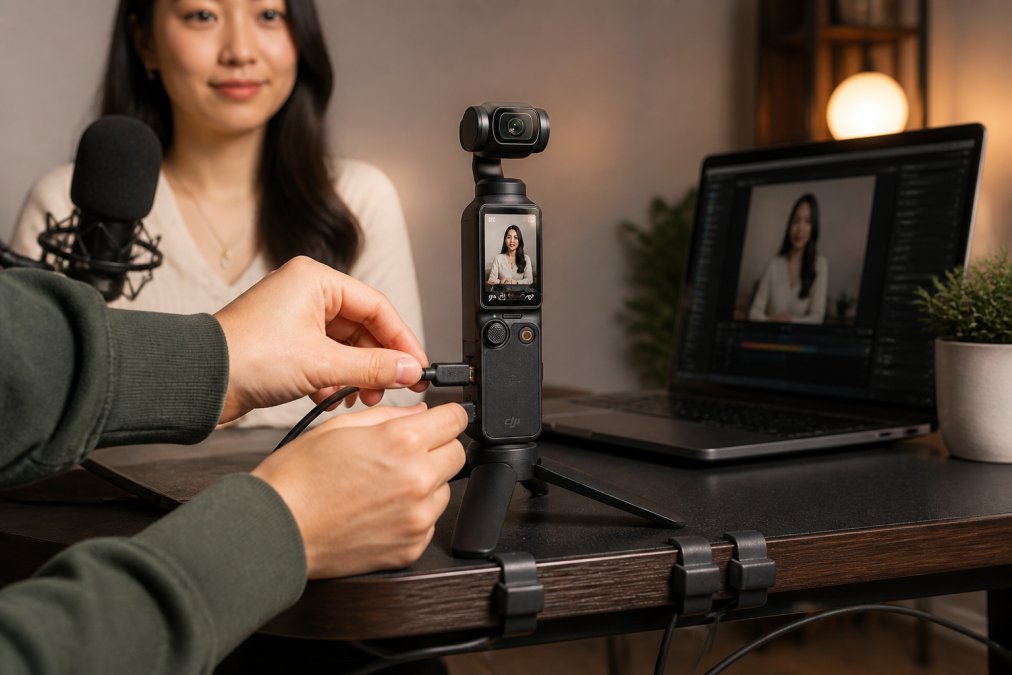
Step 1: Choose Your Connection Method USB connections work directly with most streaming software. HDMI outputs require a capture card but offer lower latency and higher bitrate stability.
Step 2: Install Streaming Software and Drivers Download the latest drivers from the manufacturer's official website. Install streaming software like OBS Studio, Streamlabs, or XSplit and configure the camera as a video input source.
Step 3: Position the Camera and Lighting Mount the camera at eye level, roughly 12-18 inches from the face. Position key lighting 45 degrees to the side, slightly above eye level. Add fill lighting on the opposite side to reduce harsh shadows. Cameras, Lighting & Audio Equipment from Perfect Take Gear ensures your camera and lighting work together for optimal results.
Step 4: Connect Audio Equipment Connect external microphones to the camera's audio input or directly to the computer's audio interface. Test audio levels, aiming for peaks around -6dB to -3dB.
Step 5: Configure Camera Settings Set resolution to match platform requirements: 1080p/60fps for most YouTube streams, 720p/30fps for lower-bandwidth scenarios. Enable autofocus if available and adjust white balance to match lighting conditions.
Step 6: Run a Test Stream Stream to a private YouTube video for 5-10 minutes. Monitor bitrate, frame rate, and audio levels before streaming publicly.
Camera Settings for High-Quality Streaming
Resolution and Frame Rate Selection
1080p at 60fps delivers smooth motion for gaming and fast-paced content. 1080p at 30fps works well for interviews and presentations. Ensure upload speed is at least 3x the bitrate, for 1080p/60fps at 6Mbps, maintain at least 18Mbps upload speed.
Autofocus and Manual Focus
Autofocus simplifies solo streaming by maintaining focus automatically. Manual focus provides precise control but requires adjustment if camera position changes.
White Balance and Color Temperature
Use custom white balance by photographing a neutral reference under actual streaming lights to ensure natural skin tones and accurate product colors.
ISO and Exposure Control
Keep ISO as low as possible while maintaining proper exposure. Most professional streams maintain ISO between 100-400 (peer-reviewed research). Aim for slight underexposure rather than overexposure.
Bitrate and Codec Selection
H.264 codec offers broad compatibility and efficient compression. For most streamers, H.264 at 6-8Mbps for 1080p/60fps provides excellent quality.
Best Lenses for YouTube Streaming
Wide-Angle Lenses (16-35mm Equivalent)
Wide-angle lenses capture expansive scenes, ideal for environmental shots and product demonstrations. A 24mm equivalent focal length works well for desk setups.
Standard Lenses (35-50mm Equivalent)
Standard focal lengths approximate human eye perspective, producing natural-looking framing. A 50mm lens creates flattering proportions for talking-head content. Wider apertures (f/1.4 to f/2.8) enable shallow depth of field.
Telephoto Lenses (70-200mm Equivalent)
Telephoto lenses compress perspective, making backgrounds appear closer. However, they require greater working distance and amplify camera shake.
Variable Aperture Considerations
For streaming, f/2.8 aperture balances light gathering, depth of field control, and cost.
| Feature | DJI Osmo Pocket 3 | DJI Osmo Nano | EMEET PIXY | Insta360 X4 Air | OBSBOT Tiny 2 Lite |
|---|---|---|---|---|---|
| Max Resolution | 4K/120fps | 4K/60fps | 4K/30fps | 8K 360° | 4K/30fps |
| Sensor Size | 1-inch CMOS | 1/1.3-inch | 1/2.55" Sony | Dual 1/1.8" | 1/2-inch CMOS |
| Stabilization | 3-axis gimbal | Magnetic mount | AI tracking | FlowState + horizon lock | 2-axis PTZ |
| Autofocus | ActiveTrack 6.0 | Face auto-detect | Dual-camera AI | AI reframing | Full-body tracking |
| Connectivity | USB-C, Bluetooth | USB-C, Bluetooth | USB | Bluetooth | USB-C |
| Waterproof | No | 10m (IPX4) | No | No | No |
| Best For | Vlogging, travel | Outdoor, adventure | Budget streaming | 360 content | Desk streaming |
Professional streaming cameras transform production quality immediately. The DJI Osmo Pocket 3 leads with sensor quality, stabilization, and intelligent tracking. Budget-conscious streamers find excellent value in the EMEET PIXY, while adventure creators benefit from the Osmo Nano's waterproof durability.

Camera selection is foundational. Equally important are proper setup, thoughtful configuration, and appropriate lens selection. Perfect Take Gear stocks the full range of professional streaming cameras and complementary Content Creator Gear & Equipment, enabling creators to build complete production setups that work together seamlessly.
Frequently Asked Questions
What features should I look for in a professional streaming camera?
Look for 4K resolution, fast autofocus, low-light performance with good sensor size, and clean HDMI output for direct streaming. Frame rate capability (at least 60fps), dynamic range for detail preservation, and reliable connectivity via USB-C or HDMI are essential. AI-powered autofocus and image stabilization help maintain focus on moving subjects during live streams. Audio interface options matter too, either built-in microphones or XLR inputs for external audio equipment.
Do I need a mirrorless camera for YouTube streaming, or will a webcam work?
It depends on your streaming goals. Mirrorless cameras offer superior autofocus, depth of field control, and professional-grade video quality, making them ideal for established creators. Webcams are plug-and-play and affordable, perfect for beginners or streamers prioritizing convenience. For professional-grade streaming with bokeh effects and color accuracy, mirrorless is the better choice. Many successful streamers start with webcams and upgrade as their audience grows.
How do I connect a professional camera to my streaming software?
Most professional streaming cameras connect via clean HDMI output to a capture card, which then connects to your computer via USB. Some cameras offer USB-C direct connection for plug-and-play setup. Ensure your streaming software (OBS, Streamlabs, etc.) recognizes the camera as a video source. For wireless setups, confirm your camera supports WiFi or Bluetooth connectivity. Always use quality cables and test the connection before going live to avoid latency or signal loss issues.
Ready to upgrade your streaming setup? Explore [EXTERNAL_LINK: professional streaming camera options | perfecttakegear.com] that match your budget and content style. Quality streaming equipment pays dividends through improved viewer retention, professional appearance, and reduced technical troubleshooting during live sessions.
This article was written using GrandRanker