

Best Camera Gear for TikTok Creators in 2026
Table of Contents
- Smartphone vs. Dedicated Camera for TikTok
- Best Cameras for TikTok Content Creation
- Best Microphone for TikTok Videos
- TikTok Video Lighting Setup Essentials
- Stabilization and Mounting Gear
- Best Camera Settings for TikTok Success
- Building Your Starter Kit: What You Actually Need
- Post-Production Workflow and Gear Longevity
Last Updated: August 7, 2026
Smartphone vs. Dedicated Camera for TikTok
The choice between your phone and a dedicated camera shapes your workflow, budget, and learning curve. Most creators start with their smartphone because it's already in their pocket. A smartphone delivers excellent video quality and forces you to focus on storytelling. A dedicated camera gives you control over depth of field, audio inputs, and stabilization, but demands you learn manual controls.
For TikTok specifically, smartphones hold a real advantage. The platform's algorithm favors vertical video, and every phone is natively optimized for that format. Dedicated cameras require you to shoot horizontally and crop, which wastes resolution. However, if you want shallow depth of field, professional audio, or the ability to swap lenses, a mirrorless camera becomes the better investment.
The iPhone 15 Pro Max represents the ceiling for smartphone videography. Its 48MP sensor, advanced autofocus, and computational photography deliver broadcast-quality footage without external gear. If you're starting from scratch and already own an iPhone, you have everything you need to launch.
Budget matters too. A flagship smartphone costs $1,000 upfront, but you already own it. A dedicated camera starts around $600 and requires additional investment in lenses, audio, and stabilization. By the time you've built out a complete setup, you're looking at $1,500-$2,500. A smartphone plus accessories runs $500-$800 total. For most beginners, that's the smarter path.
Best Cameras for TikTok Content Creation
The best camera for TikTok creators depends on your content type, budget, and willingness to learn manual settings.
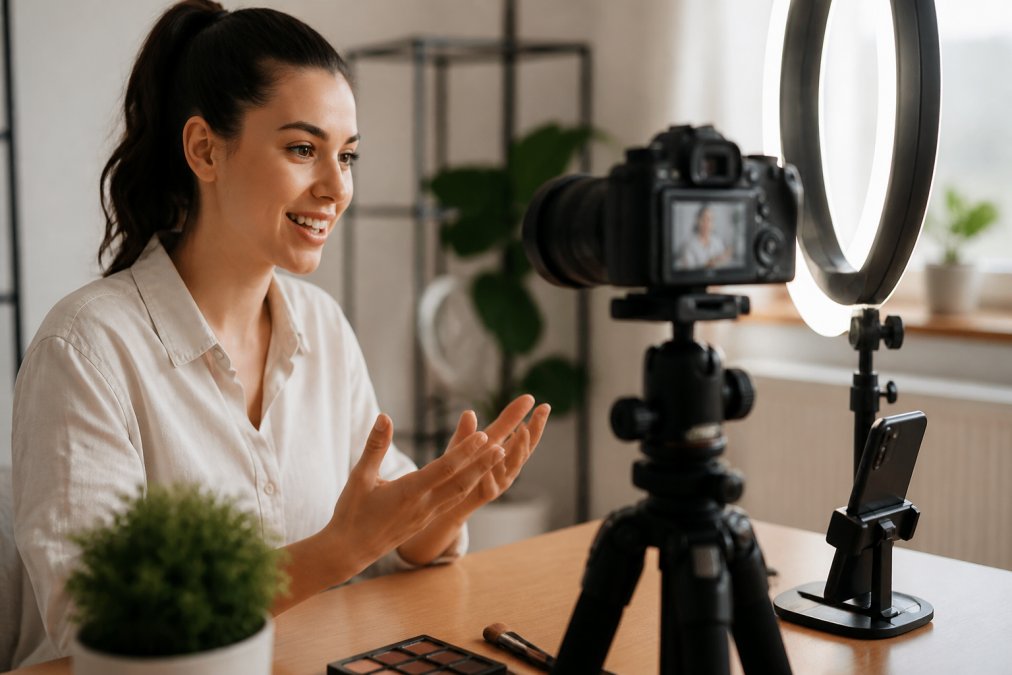
Sony ZV-1F Vlog Camera
The Sony ZV-1F is built specifically for vlogging. Its 20.1MP sensor and fixed 20mm-equivalent lens prioritize what matters for short-form video: autofocus speed, audio quality, and portability. The Product Showcase mode seamlessly shifts focus when you point the camera at an object, a feature most vloggers would need expensive gear to achieve. The built-in directional microphone with windscreen lets you record outdoors without wind noise.
At $598, it's positioned between a smartphone and a full mirrorless camera. You get 4K30p recording, which is plenty for TikTok. The battery lasts about 70 minutes of continuous recording. The fixed lens means you can't zoom optically, only digitally, which degrades image quality. For talking-head content, tutorials, or product reviews in controlled environments, that's not a limitation.
Canon EOS M50 Mark II
The Canon EOS M50 Mark II delivers shallow depth of field, excellent autofocus, and the ability to swap lenses. The 24.1MP sensor is larger than the Sony's, which means better low-light performance. Dual Pixel autofocus with eye detection works in video, crucial for talking-head content where the camera tracks your face as you move.
The vari-angle touchscreen is genuinely useful. You can rotate it to face you while filming and tap to refocus. The camera doubles as a high-quality webcam. It records 4K at 23.98 fps, film-like but not ideal for fast action.
At $599.99 for the body alone, you're looking at $800-$1,200 once you add a decent lens. The payoff is flexibility. You can shoot with different lenses for different content. The learning curve is steeper, but for creators willing to invest the time, it's worth it.
iPhone 15 Pro Max
The iPhone 15 Pro Max is the most capable camera most people will ever own. Its 48MP main sensor, ultra-wide lens, and 5x telephoto give you compositional flexibility that rivals dedicated cameras. The A17 Pro chip handles computational photography, scene detection, and low-light enhancement in real time. The cinematic mode records video with variable focus, simulating shallow depth of field in post.
It costs $1,199 for the base model. But if you already own one, you have zero additional hardware cost. The learning curve is minimal. For TikTok specifically, the iPhone's vertical video optimization is unbeatable. Every other camera requires you to shoot horizontally and crop.
Best Microphone for TikTok Videos
Audio is the invisible killer of amateur content. You cannot forgive audio that's thin, echoey, or inconsistent. The microphone you choose matters more than the camera.
The best microphone depends on whether you're recording in a controlled environment or moving around. If you're stationary, a lavalier or desk microphone works. If you're moving, you need a wireless system that stays with you.
Rode Wireless GO II
The Rode Wireless GO II is the standard for mobile content creators. It's a dual-channel wireless microphone system: two tiny transmitters that clip to your subjects, one receiver that connects to your camera or phone. The range is 656 feet. Each transmitter has onboard recording, so if the wireless connection drops, your audio is still captured locally.
At $299, it's a significant investment. But it's the microphone that appears in more professional TikTok and YouTube videos than any other. The tradeoff is complexity. You're managing wireless pairing, battery levels, and audio levels on the receiver.
Shure MV7+ Hybrid Podcast Microphone
The Shure MV7+ is a desktop microphone that connects via USB-C or XLR. It's designed for podcasters and streamers, but it works beautifully for TikTok creators who record at a desk. The Voice Isolation Technology separates your voice from background noise. The Auto Level Mode adjusts gain based on how close you are to the microphone. The real-time denoiser removes keyboard clicks and rustling.
At $299, it's the same price as the Rode, but it's a completely different tool. If you're filming from a desk or a home studio, the Shure delivers cleaner, more polished audio. If you're moving around, it's not an option.
TikTok Video Lighting Setup Essentials
Lighting is the fastest way to elevate your production value. Bad lighting makes good cameras look cheap. Good lighting makes cheap cameras look professional.
The best camera gear for TikTok creators includes at least one light source. Smartphone and dedicated camera sensors perform better with more light, autofocus works faster, and colors look richer. Ring lights are forgiving for beginners because they're symmetrical and eliminate shadows.
Neewer 18" Dimmable LED Ring Light Kit
The Neewer 18" ring light is the entry point for creators who want professional lighting without the price tag. The 240 LEDs are dimmable from 0-100% and adjustable between 3200K (warm) and 5600K (cool) color temperatures. The kit includes an aluminum tripod stand, a smartphone holder, and a cold shoe adapter for cameras.
At $99.99, it's affordable. The tradeoff is size. An 18-inch ring light requires an electrical outlet and takes up desk space. If you're recording in a fixed location, it's perfect.
Elgato Key Light Air MK.2
The Elgato Key Light Air MK.2 is the professional's choice for creators who want compact, controllable lighting. It produces up to 2,100 lumens and adjusts from warm to cool color temperature. You control it via touch, app, or Elgato Stream Deck. The USB-C power means you can run it from a laptop or battery pack, making it more portable than the Neewer.
At $169.99, it's more expensive than the Neewer. But it's smaller, more controllable, and integrates with Elgato's ecosystem.
Stabilization and Mounting Gear
Stabilization separates amateur footage from professional footage. A shaky camera reads as amateur. Smooth footage reads as intentional.
There are two stabilization strategies: electronic image stabilization built into the camera, and physical stabilization via a gimbal or tripod. Electronic stabilization is convenient but crops the image. Physical stabilization is more reliable and doesn't degrade image quality.
DJI Osmo Mobile 6 Smartphone Stabilizer
The DJI Osmo Mobile 6 is a three-axis gimbal that stabilizes your smartphone. The gimbal compensates for your hand movements in real time, producing smooth, cinematic footage. The gimbal has a built-in extension rod that unfolds for selfies or wider shots. ActiveTrack 5.0 follows a subject automatically, keeping them centered in frame.
At $109, it's affordable and effective. The battery lasts about 15 hours of continuous use. The learning curve is minimal. The tradeoff is that you're holding the gimbal, which can get tiring during long shoots.
JOBY GorillaPod 3K PRO Kit
The JOBY GorillaPod 3K is a flexible tripod with legs that wrap around objects. Unlike a traditional tripod, you can mount it on a tree branch, a lamp post, or a shelf. The ball head rotates 360 degrees and tilts 90 degrees. It supports up to 6.6 pounds, which covers mirrorless cameras with a lens or a smartphone rig.
At $149.95, it's more expensive than a basic tripod but cheaper than a motorized gimbal. It's not motorized, so it won't follow a subject automatically. But it's incredibly versatile for creators who shoot in different locations.
Best Camera Settings for TikTok Success
Camera settings matter less on TikTok than they do on YouTube, but they still shape your footage. The platform compresses video heavily, so pixel-perfect color grading is wasted effort. But focus, exposure, and frame rate still matter.
Shoot in 4K resolution if your camera supports it. Frame rate should be 24fps or 30fps for most content. Higher frame rates like 60fps are useful only for slow-motion, which TikTok doesn't showcase well in vertical format.
Autofocus is non-negotiable. You're moving, your subject is moving, and you don't have time to manually adjust focus. Disable any manual focus assists unless you're deliberately creating an effect.
For color, shoot in the most neutral color profile your camera offers. Exposure is critical. TikTok favors bright, well-lit footage. Underexposed videos read as amateur. Aim for a middle ground. If your camera has a histogram, use it.
Building Your Starter Kit: What You Actually Need
A complete TikTok setup doesn't require thousands of dollars. It requires intention.
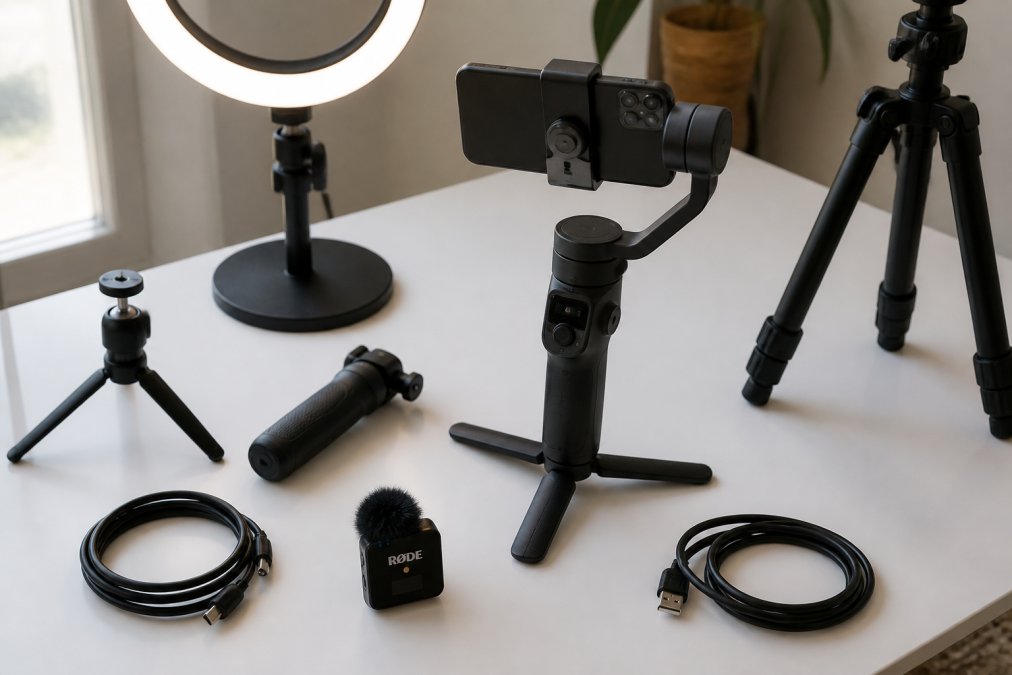
Start with a camera. If you own an iPhone, start there. If you don't, the Sony ZV-1F is the best entry point for dedicated cameras.
Add a microphone. A dedicated microphone immediately improves perceived quality. This is the single best investment you can make after the camera.
Add a light. A ring light or key light costs $100-$170 and transforms your footage. Proper lighting makes everything look more intentional and professional.
Add stabilization. If you're using a smartphone, the DJI Osmo Mobile 6 at $109 is the best value. If you're using a dedicated camera, the JOBY GorillaPod at $149.95 gives you flexibility.
That's your starter kit: camera ($600-$1,200), microphone ($100-$300), light ($100-$170), stabilization ($100-$150). Total: $900-$1,820 depending on your camera choice. Perfect Take Gear offers curated starter kits that bundle these essentials. Pricing for these kits depends on the specific components included. You can find current pricing and options on the Perfect Take Gear website.
| Component | Best Budget Option | Best Value Option | Professional Option |
|---|---|---|---|
| Camera | iPhone 15 Pro Max | Sony ZV-1F | Canon EOS M50 Mark II |
| Microphone | Rode Wireless GO II | Rode Wireless GO II | Shure MV7+ |
| Light | Neewer 18" Ring Light | Neewer 18" Ring Light | Elgato Key Light Air MK.2 |
| Stabilization | DJI Osmo Mobile 6 | DJI Osmo Mobile 6 | JOBY GorillaPod 3K |
The real question isn't "What's the best gear?" It's "What's the best gear for my content type?" Perfect Take Gear's approach is to help you build a kit that matches your specific workflow.
Post-Production Workflow and Gear Longevity
The camera is half the story. Post-production, editing, color grading, and sound design is where amateur footage becomes professional content.
Most TikTok creators edit on their phone using CapCut or the native TikTok editor. But if you want to color-grade, add music, or adjust audio levels precisely, you need a proper editing application. Adobe Premiere Elements or DaVinci Resolve (which has a free version) are the standard choices.
The editing workflow matters more than the camera. A creator with a smartphone and professional editing skills will outproduce a creator with a $3,000 camera and no post-production workflow.
Regarding gear longevity: the products mentioned here are built to last. A camera will function for 3-5 years with normal use. A microphone will last longer. A tripod or gimbal can last a decade. Before you buy, ask yourself: Will I use this regularly? Can I justify the cost against the content I'll produce? The best gear is the gear you actually use.
Building the best camera gear setup for TikTok creators means matching your equipment to your content type and your willingness to learn. The smartphone is still the most capable tool for most creators, but a dedicated camera, professional audio, and proper lighting elevate production value immediately. Start with the camera and microphone. Add lighting and stabilization once you've mastered the first two. At Perfect Take Gear's creator hub, you'll find curated kits that bundle these essentials with proven compatibility. The goal is to turn any space into a professional studio and focus on what matters: creating content that resonates.
Frequently Asked Questions
Is a dedicated camera better than a smartphone for TikTok?
Both work, but it depends on your budget and content style. Dedicated cameras like the Sony ZV-1F and Canon EOS M50 Mark II offer better 4K resolution, autofocus, and shallow depth of field for professional-looking videos. Smartphones like the iPhone 15 Pro Max deliver excellent video quality with less setup complexity and cost less than many dedicated cameras. For beginners, a smartphone with a gimbal stabilizer often delivers better results than a basic dedicated camera. As you grow, a mirrorless camera with interchangeable lenses provides more creative control and scalability.
What's the best microphone for TikTok videos?
The best microphone depends on your setup. The Rode Wireless GO II is ideal for mobile creators and interviews, offering wireless convenience and clear audio up to 656 feet away. The Shure MV7+ works well for stationary setups like desk-based content, delivering broadcast-quality audio with USB-C and XLR connectivity. For beginners, the built-in microphone on cameras like the Sony ZV-1F is surprisingly good, but external audio always improves production value. Clear audio matters more than fancy equipment, start with a budget-friendly wireless or USB microphone, then upgrade as your content grows.
Do I need professional lighting for TikTok, or will natural light work?
Natural light works for outdoor content, but professional lighting gives you consistency and control. The Neewer 18" LED Ring Light is affordable and flattering for close-up shots like makeup tutorials and talking-head videos. The Elgato Key Light Air MK.2 offers compact, bright illumination perfect for desk setups. For TikTok specifically, soft, even lighting improves skin tone and video quality without looking over-produced. If you're filming indoors or at inconsistent times, a single LED light is one of the highest-impact upgrades you can make. Start with one key light and add fill light later as your budget allows.
What camera settings work best for TikTok videos?
TikTok favors 9:16 vertical video in 1080p or 4K resolution. Use 24-30 fps for smooth motion, autofocus set to continuous (AF-C) for moving subjects, and ISO between 100-400 depending on lighting. For shallow depth of field, use f/2.8 or wider aperture if your camera allows it. Shutter speed should be roughly double your frame rate (1/50s for 24fps, 1/60s for 30fps) to avoid choppy motion. Enable electronic stabilization if available, but test it first, some cameras crop the frame when stabilization is on. Most TikTok creators shoot in auto mode and focus on good lighting and composition instead of tweaking settings.
Can I mix and match gear from different brands, or do I need a complete kit?
You can absolutely mix and match brands. Most professional gear uses standard connections: USB-C for power, 3.5mm audio jacks, and universal tripod mounts. A Sony camera works fine with a Rode microphone, Neewer lighting, and a DJI gimbal. Perfect Take Gear's curated bundles are designed for compatibility, but you're not locked into one brand. Mixing brands gives you flexibility to upgrade individual pieces over time without replacing your entire setup. Just verify connectivity before buying, check if your camera accepts external audio via USB or 3.5mm, and confirm your tripod mount fits your equipment weight.
This article was written using GrandRanker