

5 Best Budget Cameras for TikTok 2026
Table of Contents
- Best Budget Cameras for TikTok: Quick Comparison
- Best Camera Settings for TikTok Vertical Video
- Essential Camera Accessories for Content Creators
- Best Affordable Lighting for Video Streaming
Last Updated: August 26, 2026
5 Best Budget Cameras for TikTok 2026
Creating engaging TikTok content doesn't require expensive cinema equipment. Budget cameras now offer professional-quality stabilization, autofocus, and audio for vertical video. Perfect Take Gear has curated five standout options that deliver genuine value without draining your production budget.
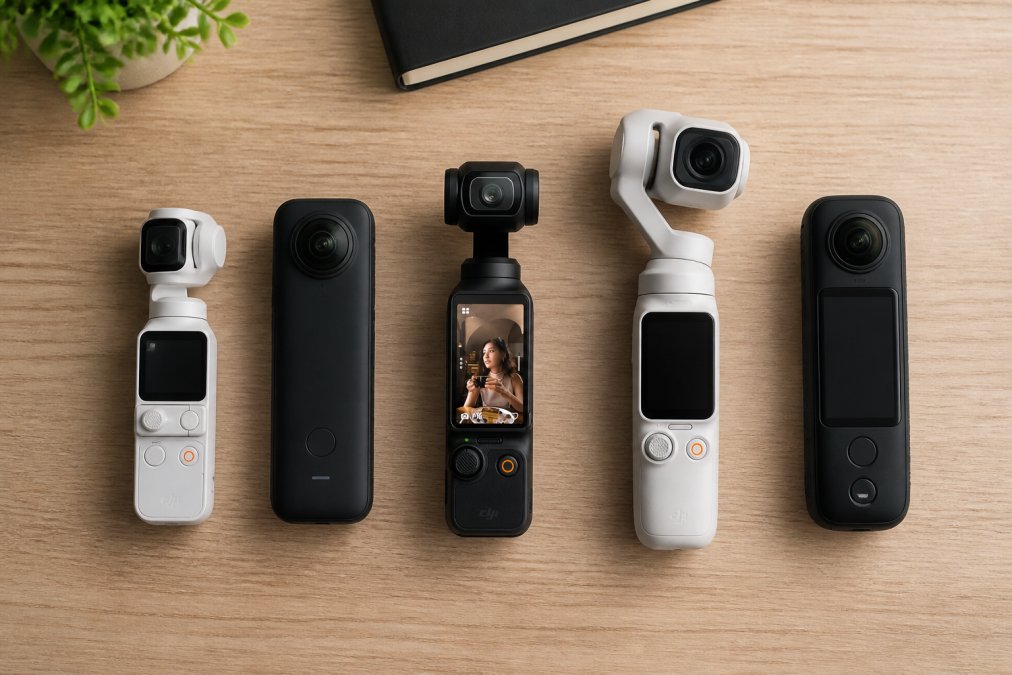
The challenge is finding a camera that solves TikTok creators' specific problems: vertical video framing, handheld stabilization, quick autofocus, and clean audio.
Quick Comparison:
- Best Overall Compact: DJI Osmo Pocket 3, mechanical gimbal built in, 4K/120fps, rotatable screen
- Best Budget Gimbal: AOCHUAN SmartXE, smartphone gimbal with AI face tracking
- Best Lightweight Handheld: 48MP 4K Handheld Vlogging Camera, includes 32GB SD card, built-in microphone
- Best All-in-One Beginner: Pink 64MP 4K Vlogging Camera, doubles as webcam, WiFi enabled
- Best for Streaming: OBSBOT Tiny 2 Lite, 4K webcam with AI tracking and gesture control
1. DJI Osmo Pocket 3, Best for Creators Prioritizing Stabilization
The DJI Osmo Pocket 3 solves handheld vlogging's primary pain point: shaky footage. The integrated 3-axis mechanical gimbal keeps shots smooth during movement. The 1-inch CMOS sensor captures 4K at up to 120fps with 10-bit color depth and D-Log M profile for post-production flexibility (dji.com). The 2-inch rotatable OLED touchscreen switches between horizontal and vertical modes, critical for TikTok's vertical-first format. ActiveTrack 6.0 automatically keeps subjects centered using face detection.


Audio includes omnidirectional stereo recording and direct connection for up to two DJI Mic 2 transmitters. Battery life reaches roughly 140 minutes of continuous recording (dji.com).
2. AOCHUAN SmartXE 3-Axis Gimbal, Best Budget Smartphone Gimbal
The AOCHUAN SmartXE transforms a smartphone into a stabilized vlogging camera. The 3-axis gimbal eliminates jitter, and AI face tracking keeps you centered automatically. The gimbal offers 337° pan, 345° tilt, and 310° roll range for dynamic framing. Vertical shooting mode is built in. Bluetooth connectivity pairs with the companion app for real-time control. Battery life runs 8+ hours per charge with roughly 30 meters Bluetooth range.

3. 48MP 4K Handheld Vlogging Camera, Best for Simplicity
This handheld DV camera prioritizes straightforward operation. The 48MP sensor and 4K video capability deliver solid image quality through a 1/1.6-inch CMOS sensor. The 3-inch 270° flip screen enables selfie framing and vlog composition. The built-in noise-reduction microphone captures dialogue clearly. The camera ships with a 32GB SD card, eliminating storage friction for beginners. Battery life reaches roughly 90 minutes.
4. Pink 64MP 4K Vlogging Camera, Best All-in-One for Beginners
The pink 64MP camera bundles features that typically require separate purchases. The 64MP still capability and 4K video cover both photo and video creators. The 3-inch 180° flip screen enables comfortable selfie framing. The USB webcam function transforms it into a streaming camera for Twitch or YouTube Live without software configuration. Built-in WiFi enables direct photo and video transfer to smartphones. At 9.8oz, it's genuinely portable. The bundle includes two batteries, a 32GB memory card, Type-C cable, camera bag, and lanyard.
5. OBSBOT Tiny 2 Lite 4K Webcam, Best for Streaming Integration
The OBSBOT Tiny 2 Lite blurs the line between webcam and camera. The 1/2.0-inch sensor with F1.8 aperture captures 4K at 30fps or 1080p at 60fps without requiring setup software. AI tracking covers full-body, upper-body, and close-up modes with a 2-axis gimbal that rotates 300° horizontally and 180° vertically. Gesture control enables hands-free operation, make a gesture to lock tracking or adjust zoom. Save up to three custom presets for instant scene switching during live streams.
Best Camera Settings for TikTok Vertical Video
Vertical video requires different settings than horizontal content. TikTok performs best with 24fps or 30fps for standard content (tiktok.com). Lock your exposure using manual mode to prevent flickering. Autofocus performance determines whether subjects stay sharp during movement. Warm color temperatures (3200K-4500K) perform better in the TikTok algorithm than cool tones.
Essential Camera Accessories for Content Creators
A camera is incomplete without supporting gear. When building your content creation setup, Content Creator Gear & Equipment and Cameras, Lighting & Audio Equipment play crucial roles in elevating your production quality. External microphones elevate audio quality dramatically. An 18-inch RGB ring light kit with collapsible tripod provides adjustable color temperature for different shooting styles. The SmallRig Universal Phone Cage adds stability to handheld smartphone shooting through dual side handles and multiple 1/4-20 threaded holes for additional microphones and lights.
Best Affordable Lighting for Video Streaming
Ring lights dominate the TikTok creator space because they provide flattering, even illumination without harsh shadows. Position the ring light at eye level, roughly 2-3 feet from the subject. RGB capability enables creative color grading, warm tones work for lifestyle and beauty content, while neutral white suits product reviews.
Comparison Table: Budget Cameras for TikTok
| Camera/Gimbal | Best For | Key Feature | Stabilization |
|---|---|---|---|
| DJI Osmo Pocket 3 | Compact all-in-one | 4K/120fps, rotatable screen | 3-axis mechanical gimbal |
| AOCHUAN SmartXE | Smartphone vlogging | AI face tracking | 3-axis electronic gimbal |
| 48MP 4K Handheld | Simplicity | Built-in mic, includes 32GB card | Electronic stabilization |
| Pink 64MP Camera | Beginners | Webcam function, includes accessories | Electronic stabilization |
| OBSBOT Tiny 2 Lite | Streaming integration | Gesture control, auto zoom | 2-axis motorized gimbal |
Which Budget Camera Should You Choose?
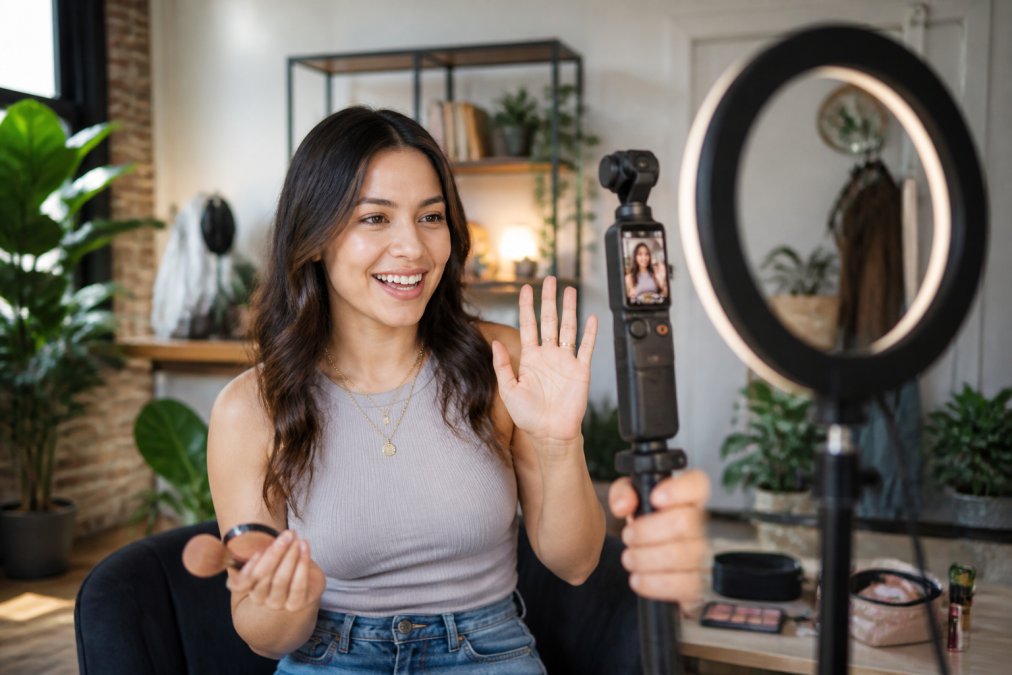
Start with your primary platform and workflow. TikTok creators filming solo benefit most from gimbals with face tracking. Creators wanting a complete system in one device gravitate toward the DJI Osmo Pocket 3, accepting the higher price for integrated stabilization and autofocus.
Budget-conscious beginners should consider the 48MP handheld or pink 64MP camera. Both ship with essential accessories, eliminating the "buy everything separately" trap. The pink model's webcam function adds value for creators exploring multiple platforms simultaneously.
Streamers splitting time between TikTok, YouTube, and Twitch benefit from the OBSBOT Tiny 2 Lite's gesture control and preset management. The real differentiator is autofocus performance. Cameras with continuous autofocus tracking handle movement better than single-autofocus systems.
Frequently Asked Questions
What is the best budget camera for TikTok videos?
The best budget camera for TikTok depends on your workflow. The DJI Osmo Pocket 3 ($542.99) excels with 4K/120fps, 3-axis stabilization, and vertical shooting, ideal if you want a dedicated device. For smartphone creators, the AOCHUAN SmartXE ($84.99) or Hohem iSteady V3 ($118.99) offer AI face tracking and vertical modes at lower cost. The 48MP handheld camera ($75.99) provides 4K recording with a flip screen and built-in microphone for straightforward vlogging without complexity.
Do I need a dedicated camera for TikTok or is a smartphone enough?
A smartphone alone works for TikTok, but adding a gimbal dramatically improves video quality through stabilization and AI tracking. Smartphone gimbals like the AOCHUAN SmartXE ($84.99) cost less than dedicated cameras and let you use your phone's camera while gaining professional-level stabilization. If you prefer a dedicated device, compact cameras with flip screens ($75-$95) handle vertical video natively and include built-in microphones, reducing the need for extra gear.
What are the best camera settings for TikTok vertical video?
Enable vertical shooting mode (9:16 aspect ratio) on your camera or gimbal to fill the full TikTok screen without letterboxing. Use 4K resolution when possible, it compresses better on the platform than lower resolutions. Set autofocus to continuous or face-tracking mode to keep subjects sharp during movement. Keep ISO low in daylight (100-400) and increase it cautiously indoors to avoid noise. Frame rate of 24-30fps works well for TikTok; 60fps offers slow-motion options. Enable any noise-reduction features to keep audio clean during recording.
Perfect Take Gear provides creator gear designed to help you build professional-quality setups without premium pricing. From cameras and gimbals to lighting and audio equipment, explore the full range of Content Creator Gear & Equipment to assemble a complete vertical video production system. Start with one camera and add accessories as your content scales, most gear works together across different brands and price points.
This article was written using GrandRanker