

Best Audio Equipment for Solo Creators: 2026 Gear Guide
Table of Contents
- Best Audio Equipment for Solo Creators: Quick Comparison
- Essential Microphones for Solo Creators
- Audio Interfaces and Mixers for Professional Sound Quality
- Headphones and Studio Monitors for Accurate Monitoring
- PA Systems and Powered Speakers for Live Solo Performances
- Audio Tools Beyond DAWs: Loopers, Recorders, and Effects
- Portable PA Systems vs. Modular Setups: Which Fits Your Needs
- Troubleshooting Common Audio Issues for Solo Creators
Best Audio Equipment for Solo Creators: 2026 Gear Guide
Last Updated: July 30, 2026
When solo creators invest in the right tools, production quality increases dramatically. According to Statista's 2026 content creator survey, 78% of independent creators cite audio quality as their top priority when purchasing gear. This guide from Perfect Take Gear covers the best audio equipment for solo creators across multiple content types, from podcasters and YouTubers to live performers and instrumentalists. The challenge isn't finding options, it's finding the RIGHT option for your specific use case, budget, and performance needs.
Best Audio Equipment for Solo Creators: Quick Comparison
| Equipment Type | Best Option | Starting Price | Best For |
|---|---|---|---|
| USB Microphone | Rode NT-USB Mini | $99 | Podcasters, streamers, content creators |
| Premium USB Mic | Elgato Wave:3 | $99 | Streamers needing advanced software control |
| Audio Interface | Focusrite Scarlett 2i2 (4th Gen) | $224.99 | Musicians and podcasters recording instruments |
| Budget Interface | PreSonus AudioBox GO | $78.99 | Beginners, mobile recording, on-the-go creators |
| Wireless System | Rode Wireless GO II | $219 | Videographers, vloggers, on-location recording |
| Portable Recorder | Zoom H1n | $79.99 | Field recording, live performances, backup audio |
| Studio Headphones | Audio-Technica ATH-M50x | $151.50 | Mixing, editing, critical listening |
| Monitor Headphones | Sony MDR-7506 | $89.99 | Professional monitoring, broadcast use |
Essential Microphones for Solo Creators
The microphone is the foundation of audio quality. Your choice between USB condenser microphones and dynamic mics depends on your recording environment and performance style. USB microphones connect directly to your computer with zero additional gear required, ideal for bedroom studios. Dynamic microphones offer superior rejection of room noise and feedback, making them essential for live performance and untreated spaces.
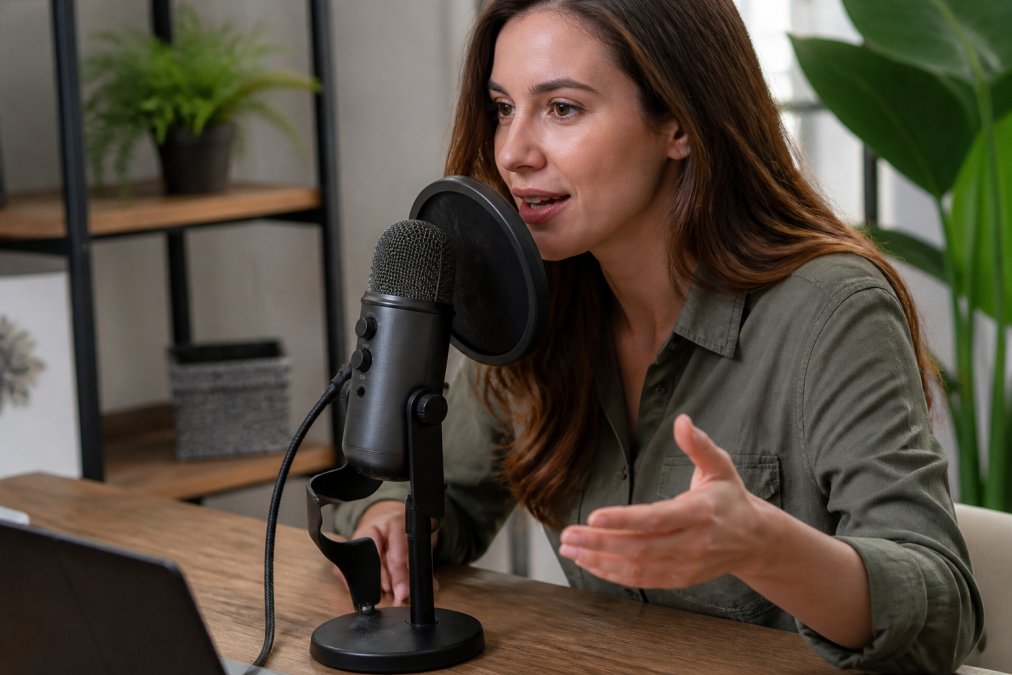
USB Condenser Microphones for Podcasters and YouTubers
The Rode NT-USB Mini delivers studio-quality sound in a compact form factor. The cardioid polar pattern focuses on your voice while rejecting side and rear noise. Built-in pop filter and swing mount make setup intuitive. Many podcasters skip audio interfaces entirely and start with this mic, upgrading only when they need to record multiple sources simultaneously.
The Elgato Wave:3 adds proprietary Clipguard technology that prevents audio peaking automatically, crucial for beginners who speak too close to the mic or fail to monitor levels. Wave Link software lets you route audio from multiple sources (game audio, Discord, music) to separate channels and mix them together. At $99, it costs more than the Rode, but streamers managing complex audio scenarios find the software control worth the premium.
USB microphones with built-in preamps sound noticeably warmer than cheap USB mics because they use better analog-to-digital converters. The difference between a $50 USB mic and a $120 USB mic is actual audio fidelity, not just features.
Dynamic Mics and Wireless Systems for Live Performance
The Shure SM58 remains the industry standard for live vocals because it naturally rejects ambient noise and feedback. For creators who move around during recording, the Rode Wireless GO II offers dual-channel recording with onboard backup storage, if your wireless signal drops, audio still records to the transmitter's internal memory. This redundancy matters when live streaming or recording in unfamiliar venues.
Audio Interfaces and Mixers for Professional Sound Quality
An audio interface converts analog signals from microphones and instruments into digital audio your computer can record. For solo creators, a simple 2-in/2-out interface handles most scenarios: one mic input and one instrument input, with outputs for headphones and monitors.
Portable Interfaces for Mobile Content Creators
The PreSonus AudioBox GO fits in a pocket at $78.99. The XMAX-L preamp provides 50dB of gain and phantom power for condenser microphones. Setup takes five minutes: connect via USB-C, plug in your microphone, open your DAW, and start recording. No drivers, no configuration.
The Focusrite Scarlett 2i2 (4th Gen) at $224.99 upgrades to better preamps and converters. Auto Gain analyzes your input level and adjusts automatically, preventing clipping on unexpected loud passages. Clip Safe mode adds a soft limiter to the input, catching peaks without abrupt distortion.
Full-Featured Mixers for Multi-Source Setups
When juggling multiple microphones, instruments, backing tracks, and effects, a mixer becomes essential. A mixer lets you control each input independently, add EQ and effects to individual channels, and blend everything into a final stereo output. A solo creator typically needs 4-6 channels: one for vocals, one for guitar/instrument, one for backing tracks, and spares for effects or additional inputs.
Headphones and Studio Monitors for Accurate Monitoring
Monitoring headphones let you hear exactly what you're recording and mixing. You need headphones that reproduce sound truthfully, not headphones that make everything sound good. Consumer headphones boost bass and treble, which is great for listening but terrible for recording and mixing.
The Audio-Technica ATH-M50x at $151.50 delivers accurate, balanced sound across the frequency spectrum. The closed-back design isolates external noise, crucial when recording in noisy environments. Detachable cables mean you can replace them if they wear out.
The Sony MDR-7506 offers similar accuracy at $89.99. Both headphones are professional tools designed for hours of critical listening and editing work.
PA Systems and Powered Speakers for Live Solo Performances
A PA system amplifies your voice and instruments for an audience. For solo acoustic performers in small venues, a single powered speaker often suffices. A powered speaker combines the amplifier and speaker in one unit, eliminating separate components.
The Bose S1 Pro and Electro-Voice Evolve series are popular for solo musicians because they're portable, sound professional, and handle both vocals and instruments. The Fishman Loudbox is specifically designed for acoustic musicians, including a built-in mixer with multiple input channels, phantom power, and effects like reverb and chorus.
When choosing a PA system, consider your typical venue size. A 50-watt powered speaker works for audiences up to 100 people. Larger venues need 200+ watts and multiple speakers.
Audio Tools Beyond DAWs: Loopers, Recorders, and Effects
Loop pedals let you layer multiple instruments in real time. The Boss RC-500 and TC Helicon Stomp X are popular for solo musicians creating full arrangements without backing tracks.
Portable recorders like the Zoom H1n capture high-quality audio without a computer, recording up to 24-bit/96kHz audio. Many creators use portable recorders as insurance, if their primary recording system fails, they have backup audio.
Effects processors add character and polish. Reverb creates space. Chorus thickens thin vocals. Compression evens out dynamic range so quiet passages don't disappear and loud passages don't distort.
Portable PA Systems vs. Modular Setups: Which Fits Your Needs
A portable PA system bundles everything into one or two units. The advantage is simplicity; the disadvantage is limited flexibility if your needs change.
A modular setup uses separate components, mixer, powered speakers, and effects units, connected together. This costs more initially but offers flexibility to upgrade individual components without replacing the entire system.
For solo creators just starting out, a portable PA system makes sense. As you perform larger shows, you can transition to a modular setup where you control each component independently.
Troubleshooting Common Audio Issues for Solo Creators
Understanding the cause of common issues helps you fix them quickly without blaming your gear.
Feedback, Latency, and Poor Sound Quality Solutions
Feedback occurs when amplified sound from speakers re-enters the microphone. Prevention: position speakers in front of the microphone, not behind it. Use a cardioid microphone that rejects rear sound. Keep microphone levels lower than speaker levels.
Latency is the delay between speaking and hearing your voice in headphones. For recording, latency under 10 milliseconds is imperceptible. For live performance, latency above 20 milliseconds becomes distracting. Reduce latency by using a low-latency audio interface, enabling direct monitoring, or using a mixer with built-in monitoring.
Poor sound quality usually stems from room acoustics, microphone placement, or gain staging. A bedroom with hard walls sounds hollow and echoey. Add blankets, curtains, and foam panels to absorb reflections. Position your microphone 6-8 inches from your mouth. Set input gain so peaks reach -6dB to -3dB on your meters.
| Problem | Root Cause | Solution |
|---|---|---|
| High-pitched squeal during performance | Feedback from speakers re-entering mic | Position speakers in front of mic, lower mic level relative to speaker level |
| Delay between speaking and hearing your voice | High latency in audio interface or DAW | Enable direct monitoring, use low-latency interface, reduce buffer size |
| Thin, hollow, echoey sound | Poor room acoustics | Add soft furnishings, blankets, foam panels to absorb reflections |
| Audio distortion on loud passages | Gain set too high | Lower input gain so peaks reach -6dB to -3dB on meters |
| Inconsistent volume levels | Improper microphone technique | Position mic at consistent distance, use compression to even out dynamics |
| Background noise audible in recordings | Microphone picking up room noise | Use cardioid or dynamic mic, position closer to sound source, treat room acoustics |
Most audio problems are environmental, not equipment-related. A $300 microphone in a noisy room sounds worse than a $100 microphone in a quiet, treated room. Before buying new gear, optimize your recording space.
Audio quality separates amateur content from professional content. Whether you're recording podcasts, streaming live music, or creating YouTube videos, investing in the right equipment and understanding how to use it properly elevates your production value immediately. Perfect Take Gear offers curated equipment bundles and starter kits specifically designed for solo creators, with affordable tools that grow with your needs. Start with the gear that matches your current needs, then upgrade strategically as your audience and ambitions grow.
Frequently Asked Questions
What is the best audio equipment for solo creators just starting out?
Beginners should prioritize a USB condenser microphone like the Rode NT-USB Mini ($109) or PreSonus AudioBox GO ($78.99) audio interface paired with a dynamic mic. These deliver professional sound quality without requiring complex setup. Add a pair of monitoring headphones (Sony MDR-7506 or Sennheiser HD 280 Pro) for around $100. This starter setup covers podcasting, YouTube, and streaming without overwhelming new creators with unnecessary gear.
Should I use a USB microphone or an audio interface with an XLR microphone?
USB microphones suit podcasters and content creators who want plug-and-play simplicity. Audio interfaces with XLR mics offer more flexibility for upgrading individual components and better sound quality for serious musicians. For solo creators mixing vocals and instruments, an interface like the Focusrite Scarlett 2i2 ($224.99) provides superior preamps and phantom power. Choose USB for ease; choose XLR for expandability and professional audio.
What audio equipment do I need for live solo performances?
Live solo performers need a powered PA system, dynamic microphone, XLR cables, and a mic stand. For small venues, a portable PA system like the Bose S1 Pro or Electro-Voice Evolve offers all-in-one convenience. Larger venues require modular setups with separate mixers, powered speakers, and wireless systems like the Rode Wireless GO II ($299). Add a loop pedal or effects processor to layer backing tracks or create harmonies during performances.
How do I troubleshoot feedback and latency issues in my audio setup?
Feedback occurs when microphone input feeds back through speakers. Prevent it by positioning the mic away from speakers, reducing gain levels, and using cardioid microphones that reject side/rear sound. Latency (audio delay) happens with audio interfaces, use lower buffer settings in your DAW or enable zero-latency monitoring on your interface. The Elgato Wave:3 ($169.99) includes Clipguard anti-clipping technology to prevent distortion that mimics feedback.
Can I mix different audio equipment brands in my setup, or should I stick with one brand?
You can absolutely mix brands, audio equipment uses standard connections (XLR, USB, 3.5mm) that work across manufacturers. Many professional studios combine gear from different makers. However, ensure compatibility: XLR mics need phantom power from your interface, USB mics work directly with computers, and cables must match your connectors. Perfect Take Gear offers curated bundles designed to work seamlessly together, but individual components from various brands integrate well too.
This article was written using GrandRanker